Share via

SystemcollectionErrorPopSUp

sns 9,251 Reputation points
2021-12-16T12:38:18.57+00:00

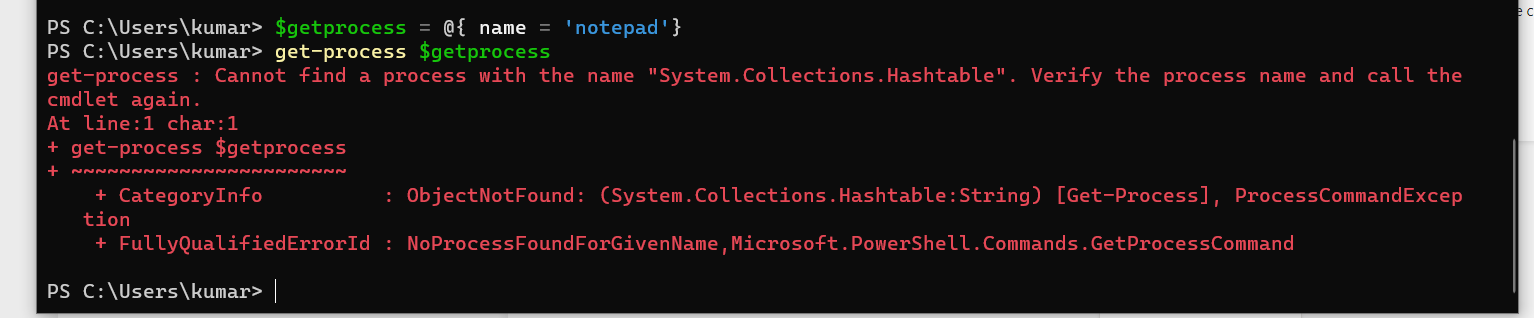
System collection error pops up when I wanted to use the parameter
Please help
158216-systemcollectionerror.png

Windows for business | Windows Server | User experience | PowerShell
0 comments No comments

Answer accepted by question author

Rich Matheisen 48,116 Reputation points
2021-12-18T15:41:40.447+00:00

Either of these examples will work:

# without splatting
$getprocess = "notepad","onenote"
Get-Process -Name $getprocess

# using splatting
$getprocess = @{processname="notepad"}, @{processname="onenote"}
ForEach ($p in $getprocess){
    get-process @p
}

But unless you're going to provide more than one parameter inside each hash using splatting in this case is more work than it's worth. A simple list of process names is sufficient.

Here's an example of using splatting to provide a different set of parameters for each process:

$getprocess = @{processname="notepad";includeusername=$true}, @{processname="onenote";fileversioninfo=$true}
ForEach ($p in $getprocess){
    get-process @p
}
Was this answer helpful?


2 additional answers

Sort by: Most helpful
  1. Rich Matheisen 48,116 Reputation points
    2021-12-17T16:12:48.553+00:00

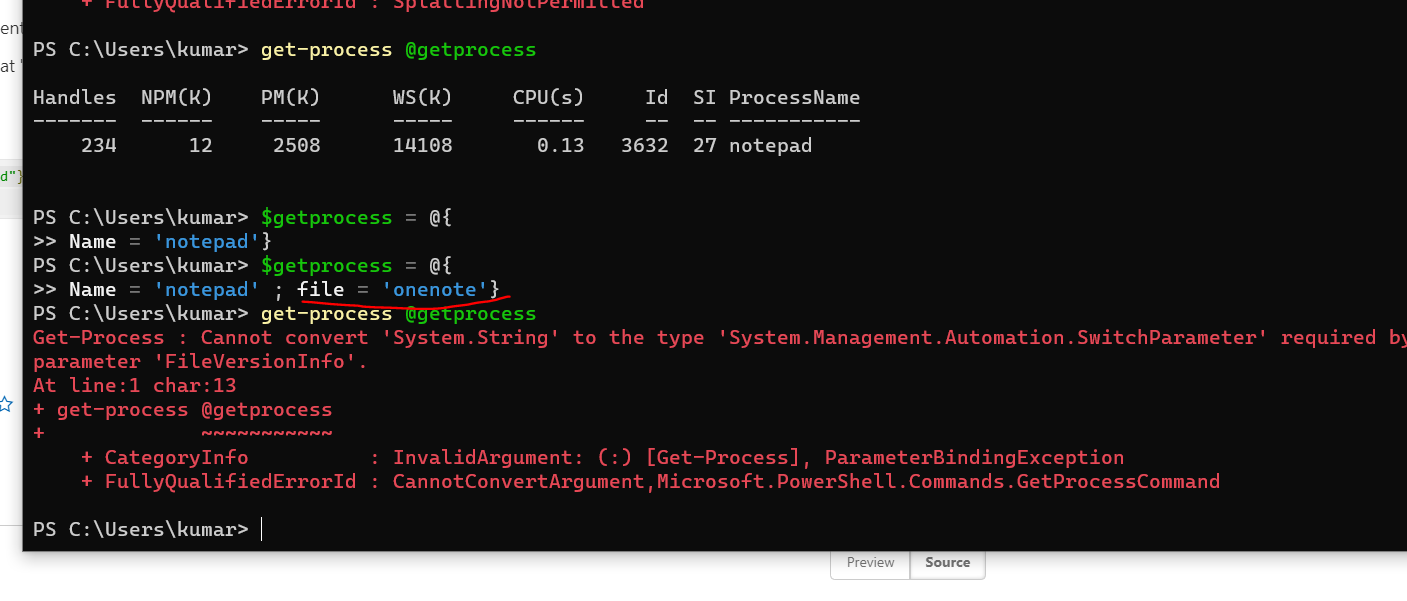
    Where did you get the idea that the "-File" (i.e. "-FileVersionInfo), which is a "SwitchParameter", takes a value of anything except $true or $false?

    Have you read the help for the Get-Process cmdlet? How about the -FileVersionInfo parameter of that cmdlet?

    get-process

    Was this answer helpful?


  2. Rich Matheisen 48,116 Reputation points
    2021-12-16T15:50:10.22+00:00

    Well, first, if you're going to use splatting you use a "@" and not a "$". Confusing? Yeah, a bit, but that's how it works.

    Second, it looks like there's a bug in the documentation.

    Looking at the documentation you'd assume that "name" as the key in a hash would match the -Name parameter. However, it does not. But, the documentation does list "ProcessName" as an alias for "Name".

    So, this works:

    $getprocess = @{processname = "notepad"}  
    Get-Process @getprocess  


    Was this answer helpful?


Your answer

Answers can be marked as 'Accepted' by the question author and 'Recommended' by moderators, which helps users know the answer solved the author's problem.