Azure Database for PostgreSQL
An Azure managed PostgreSQL database service for app development and deployment.
This browser is no longer supported.
Upgrade to Microsoft Edge to take advantage of the latest features, security updates, and technical support.
' cx='32' cy='32' r='32' /%3E%3Ctext x='50%25' y='55%25' dominant-baseline='middle' text-anchor='middle' fill='%23FFF' %3EM%3C/text%3E%3C/svg%3E)
I created a Azure PostgreSQL Datebase and it is possible to be connected with local computer using python and azure studio. however, i have problem connecting PowerBI
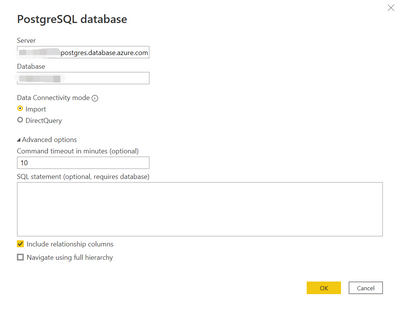

i was told to connect to ODBC first and install Gateway following the instruction
https://dataintoresults.com/post/powerbi-and-postgresql-ssl-lets-encrypt-and-gateway/
https://help.interfaceware.com/v6/connect-to-postgresql-from-windows-with-odbc
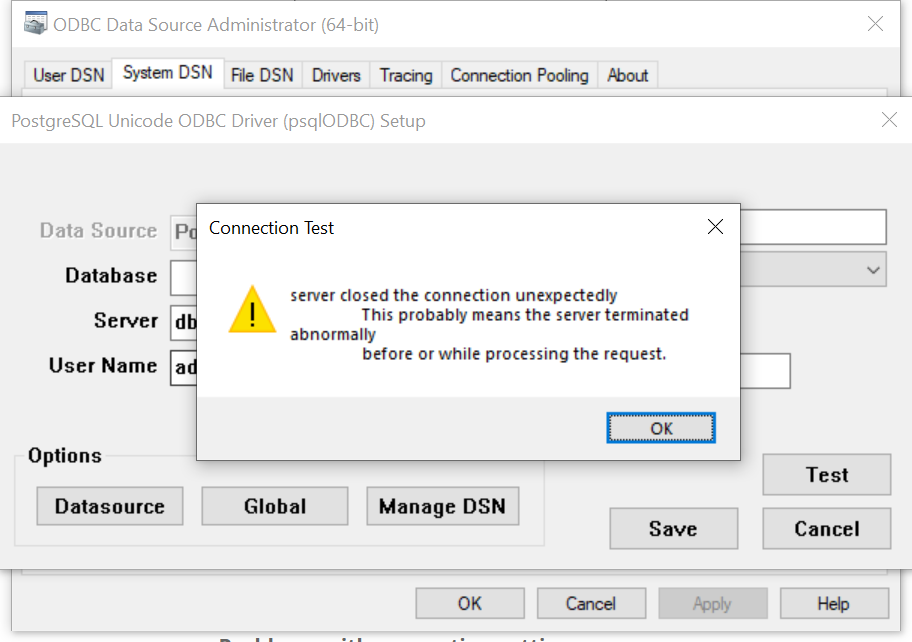
first but not managed to establish the connection as shown in the screen shot, what could the problem be? is there any one can help? thank you
' cx='32' cy='32' r='32' /%3E%3Ctext x='50%25' y='55%25' dominant-baseline='middle' text-anchor='middle' fill='%23FFF' %3ESS%3C/text%3E%3C/svg%3E)
Hi @maxianren ,
Thanks for using Microsoft Q&A !!
I do not see any issue connecting to a PostGreSQL Server from PowerBI. Also, if your PowerBI version is earlier than December 2019 then you must install NpgSQL provider on your local machine for connecting to a PostgreSQL Server. However, after December 2019, NpgSQL 4.0.10 shipped with Power BI Desktop and no additional installation is required.
Please refer to the postgresql documentation for details.
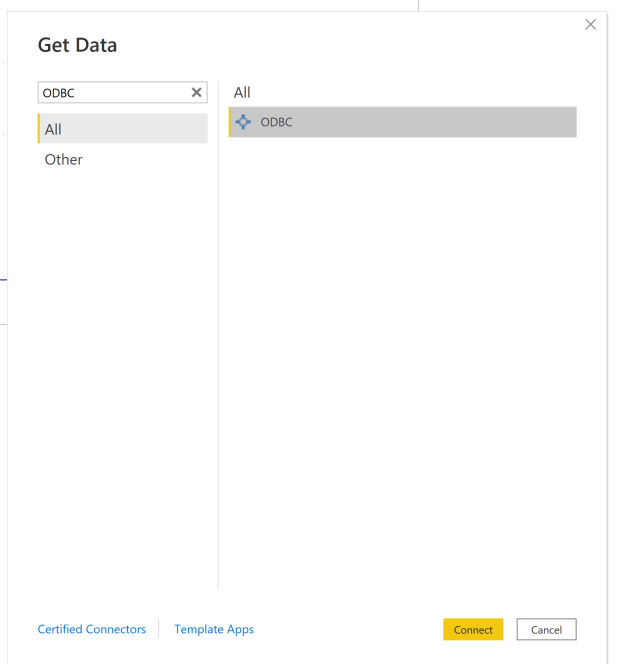
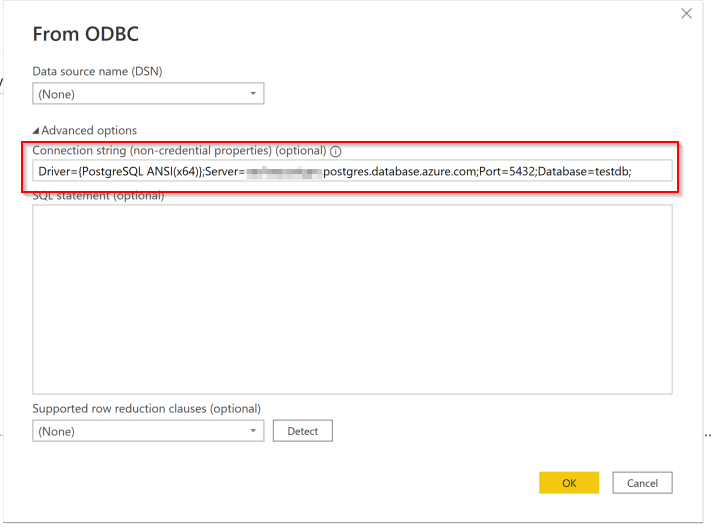
Also, if you are trying to use ODBC then instead of selecting PostGreSQL from PowerBI you need to select ODBC from the connection and provide the necessary server details to connect to specific postgre instance. (See steps below)
Select None and add server details like Driver={PostgreSQL ANSI(x64)};Server=<Server Name>.postgres.database.azure.com;Port=5432;Database=testdb; and provide username/password to connect to specific database and retrieve data.
Please let me know if you have any other questions.
Thanks
Saurabh
Hi @maxianren ,
We haven't heard back from you. Just wanted to check if you are you still facing the issue? In case If you already found a solution, would you please share it here with the community? Otherwise, let us know and we will continue to engage with you on the issue.
Thanks
Saurabh
Hi @maxianren ,
Please let me know if you find above reply useful. If yes, please 'Accept the answer' for the above reply. This will help other community members facing similar query to refer to this solution.
Thanks
Saurabh