Azure AI Document Intelligence
An Azure service that turns documents into usable data. Previously known as Azure Form Recognizer.
This browser is no longer supported.
Upgrade to Microsoft Edge to take advantage of the latest features, security updates, and technical support.
' cx='32' cy='32' r='32' /%3E%3Ctext x='50%25' y='55%25' dominant-baseline='middle' text-anchor='middle' fill='%23FFF' %3ESP%3C/text%3E%3C/svg%3E)
Hi
I am trying to train and read the table data from multiple pdf pages.
but I couldn't even traverse to the second page of table data.
it's saying you cannot use the same tag for the table on the second page.
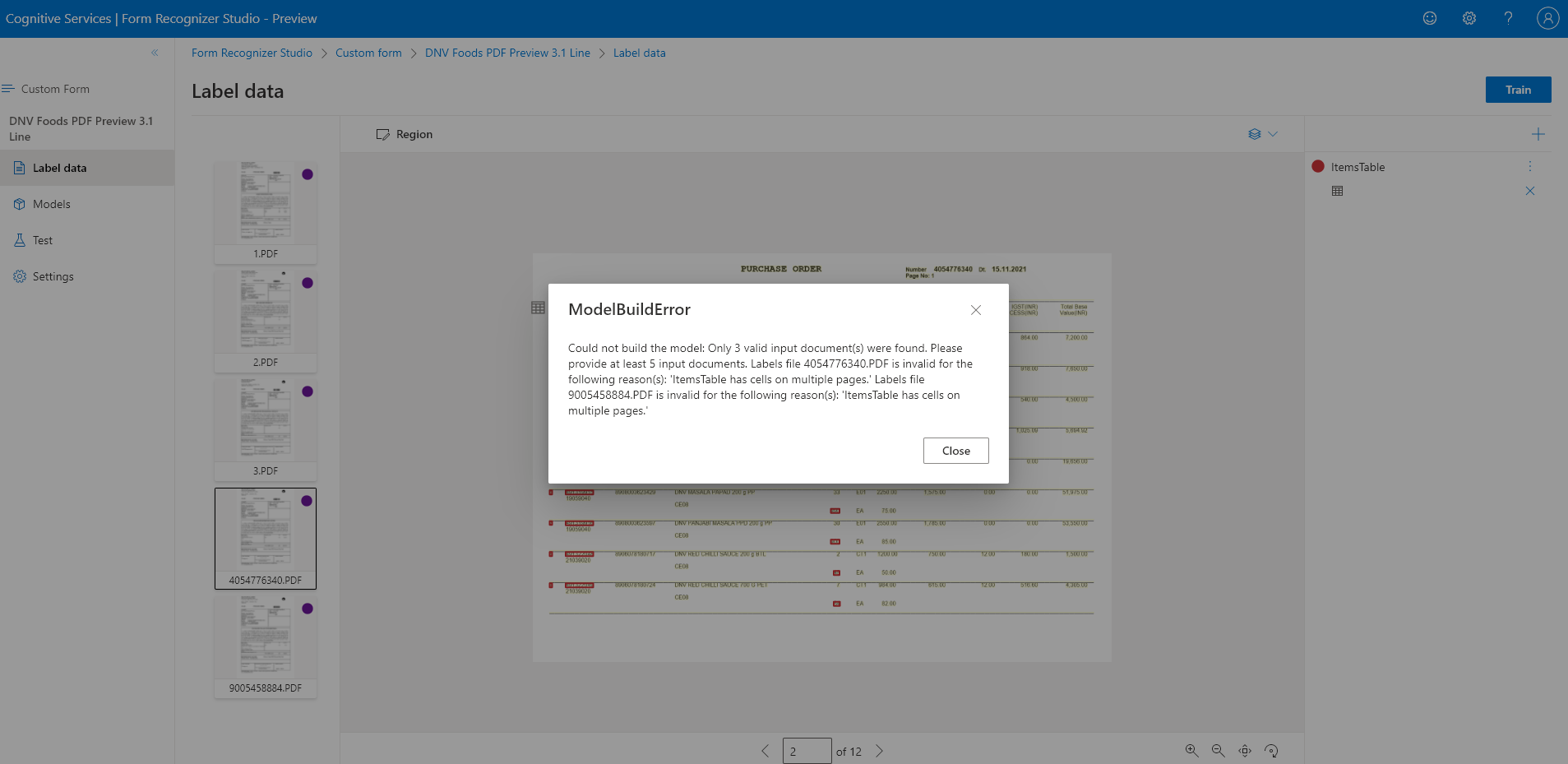
How to solve this problem?
How to Train dynamic table data?
Thanks
Surya

@Surya Prakaas I This is a valid message and FR does not support tagging tables spanning multiple pages with the same tag. To label all pages with tables you need to split the form or PDF as different pages and pass them to FR endpoint in different requests. The response from these requests can be post processed as a single table in your application. Thanks!
If an answer is helpful, please click on  or upvote
  which might help other community members reading this thread.