Microsoft 365 and Office | Development | Other
Building custom solutions that extend, automate, and integrate Microsoft 365 apps.

This browser is no longer supported.
Upgrade to Microsoft Edge to take advantage of the latest features, security updates, and technical support.
' cx='32' cy='32' r='32' /%3E%3Ctext x='50%25' y='55%25' dominant-baseline='middle' text-anchor='middle' fill='%23FFF' %3ETP%3C/text%3E%3C/svg%3E)
I'm trying to use WebView2 for rendering all content in VSTO panel. I'm struggling with the issue when my plugin is used in a system with multiple monitors which have different scaling / DPI settings. The content is rendered in random place outside TaskPane. To be precise - this is only rendering issue, as all hit tests seems to be working in proper places.
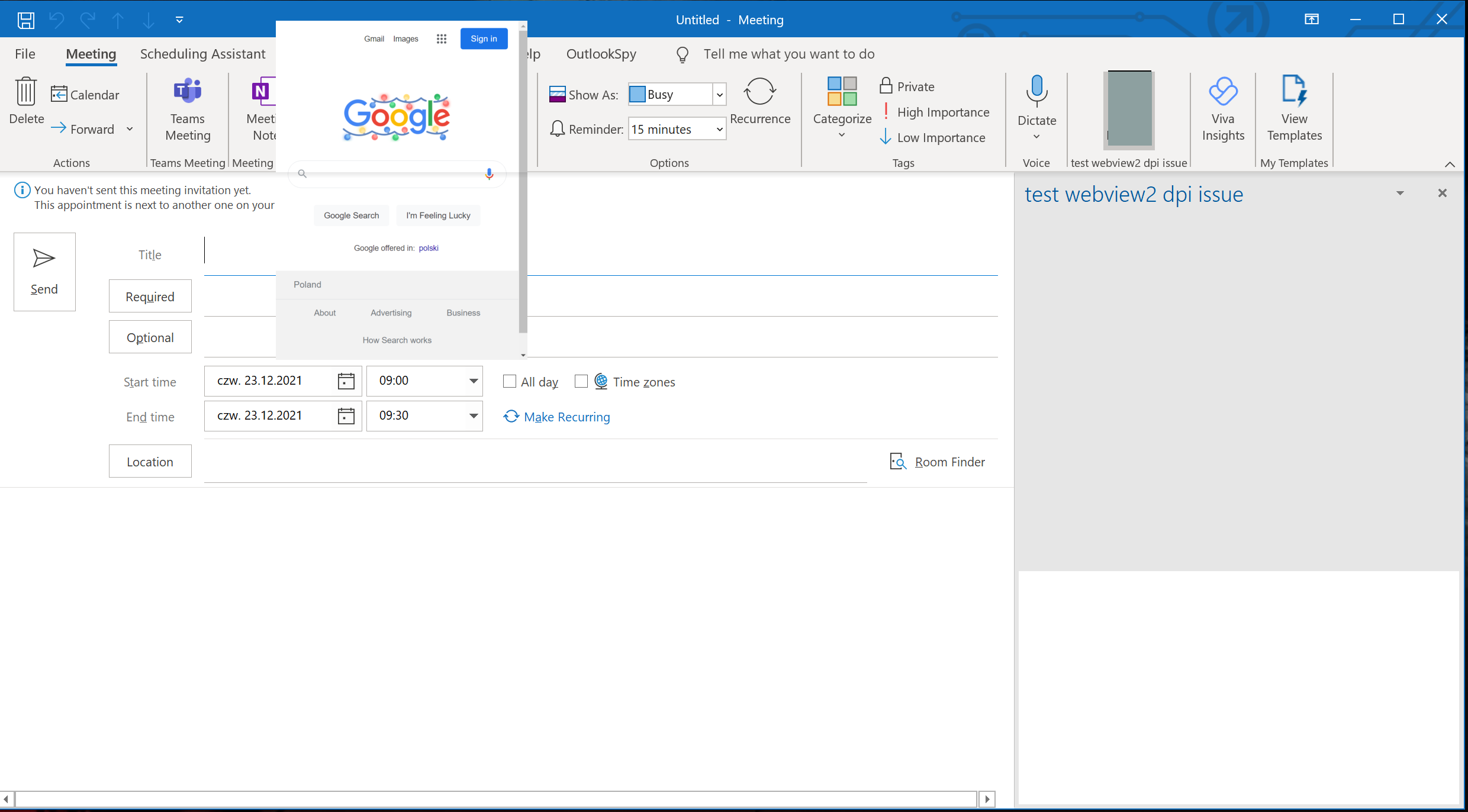
The exact issue was reported to edge / webview team by other people as well, but it seems the issue is on Office side. Here is the thread for the reference:
https://github.com/MicrosoftEdge/WebView2Feedback/issues/820
Hopefully perhaps is there any workaround? This is a major showstopper for me and our clients.
I'm using Win10 21H2, .Net framework 4.6.2, Outlook version 2102, webview 1.0.1054.31, edge 96.0.1054.62
Building custom solutions that extend, automate, and integrate Microsoft 365 apps.
' cx='32' cy='32' r='32' /%3E%3Ctext x='50%25' y='55%25' dominant-baseline='middle' text-anchor='middle' fill='%23FFF' %3EMP%3C/text%3E%3C/svg%3E)
Similar issue here, but WebView2 pops out completely outside of Outlook window. It happens when I drag Outlook window from the screen with higher DPI to the screen with lower DPI. Outlook window opened on the screen with higher DPI displays WebView2 properly.
I've already tried to somehow handle control position from the code, but without any luck. Some info on Office solutions scaling here:
https://learn.microsoft.com/en-us/office/client-developer/ddpi/handle-high-dpi-and-dpi-scaling-in-your-office-solution
The only way to make Webview2 stay in place is to set "Display options" in Outlook to "Optimize for compatibility", but it generally causes Outlook to look blurred. (https://davton.com/blog/outlook-update-breaks-plugins/)
The same issue happens on Outlook 2112 (Office 365) and was happening on Outlook 2019.
' cx='32' cy='32' r='32' /%3E%3Ctext x='50%25' y='55%25' dominant-baseline='middle' text-anchor='middle' fill='%23FFF' %3EZ%3C/text%3E%3C/svg%3E)