Developer technologies | VB
An object-oriented programming language developed by Microsoft that can be used in .NET.
This browser is no longer supported.
Upgrade to Microsoft Edge to take advantage of the latest features, security updates, and technical support.
' cx='32' cy='32' r='32' /%3E%3Ctext x='50%25' y='55%25' dominant-baseline='middle' text-anchor='middle' fill='%23FFF' %3ER%3C/text%3E%3C/svg%3E)
I have a myUserControl for a purpose which has Two Buttons and Two TextBox.
I create and Add objects of myUserControl as myUserControl1, myUserControl2,myUserControl3, and so on, Dynamically by clicking a Form1.BtnCreateUserControlInstance on Form1.
Thereafter, I want to trigger myUserControl1.Button1.PerformClick().
How Do I locate myUserControl2 or myUserControl3 dynamically and call its PerformClick()?
I tried reading about AddHandlers and all but am unable to comprehend. Kindly assist.
An object-oriented programming language developed by Microsoft that can be used in .NET.
Answer accepted by question author

Hi,
you can save all UserControls in List and then call PerformClick for selected UserControl. Try following demo:
Public Class Form30
  Private Sub Form1_Load(sender As Object, e As EventArgs) Handles MyBase.Load
    Me.Height = 1200
    Me.Width = 800
    Me.Controls.AddRange(New Control() {ComboBox1, ComboBox2, BtnCreateUserControlInstance})
    Me.cbBS1.DataSource = buttons
    Me.cbBS2.DataSource = buttons
    Me.ComboBox1.DataSource = Me.cbBS1
    Me.ComboBox2.DataSource = Me.cbBS2
  End Sub

  Private WithEvents BtnCreateUserControlInstance As New Button With {.Text = "BtnCreateUserControlInstance", .Top = 5, .Width = 200}
  Private WithEvents ComboBox1 As New ComboBox With {.Top = 5, .Left = 210, .DisplayMember = "Header", .Tag = "Button1"}
  Private WithEvents ComboBox2 As New ComboBox With {.Top = 5, .Left = 350, .DisplayMember = "Header", .Tag = "Button2"}
  Private index As Integer = 1
  Private buttons As New List(Of myUserControl)
  Private cbBS1 As New BindingSource
  Private cbBS2 As New BindingSource

  Private Sub BtnCreateUserControlInstance_Click(sender As Object, e As EventArgs) Handles BtnCreateUserControlInstance.Click
    Dim uc As New myUserControl With {.Header = $"myUserControl{index}", .Top = index * 50, .Width = 400, .Height = 50}
    Me.Controls.Add(uc)
    Me.buttons.Add(uc)
    Me.cbBS1.ResetBindings(False)
    Me.cbBS2.ResetBindings(False)
    index = index + 1
  End Sub

  Private Sub ComboBox1_SelectedIndexChanged(sender As Object, e As EventArgs) Handles ComboBox1.SelectedIndexChanged, ComboBox2.SelectedIndexChanged
    Dim cb = TryCast(sender, ComboBox)
    If cb Is Nothing Then Exit Sub
    Dim uc = TryCast(cb.SelectedItem, myUserControl)
    If uc Is Nothing Then Exit Sub
    If cb.Tag.ToString = "Button1" Then
      uc.Button1.PerformClick()
    Else
      uc.Button2.PerformClick()
    End If
  End Sub

  Public Class myUserControl
    Inherits UserControl
    Public Sub New()
      AddHandler Me.Load, AddressOf Uc_Load
    End Sub

    Private Label1 As New Label With {.Top = 0, .Left = 5, .Width = 100}
    Friend WithEvents Button1 As New Button With {.Text = "Button1", .Top = 0, .Left = 120, .Width = 100}
    Friend WithEvents Button2 As New Button With {.Text = "Button2", .Top = 0, .Left = 240, .Width = 100}
    Private TextBox1 As New TextBox With {.Top = 25, .Left = 5, .Width = 150}
    Private TextBox2 As New TextBox With {.Top = 25, .Left = 160, .Width = 150}
    Public Property Header As String
    Private Sub Uc_Load(sender As Object, e As EventArgs)
      Me.Controls.AddRange(New Control() {Label1, Button1, Button2, TextBox1, TextBox2})
      Label1.DataBindings.Add("Text", Me, "Header")
    End Sub
    Private Sub Button1_Click(sender As Object, e As EventArgs) Handles Button1.Click
      TextBox1.Text = Now.ToLongTimeString
    End Sub
    Private Sub Button2_Click(sender As Object, e As EventArgs) Handles Button2.Click
      TextBox2.Text = Now.ToLongTimeString
    End Sub
  End Class
End Class
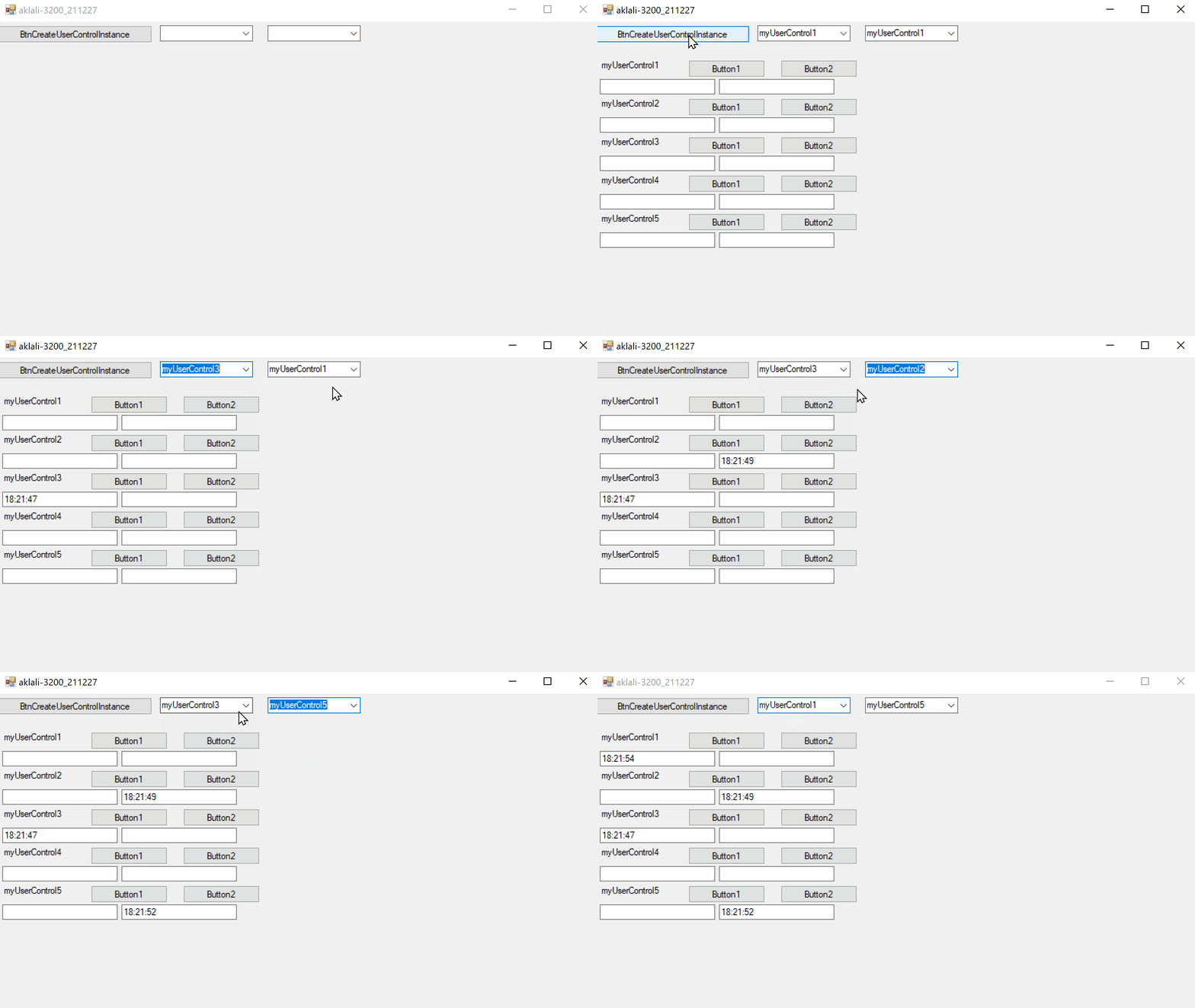
Result:
Thank you so much sir...
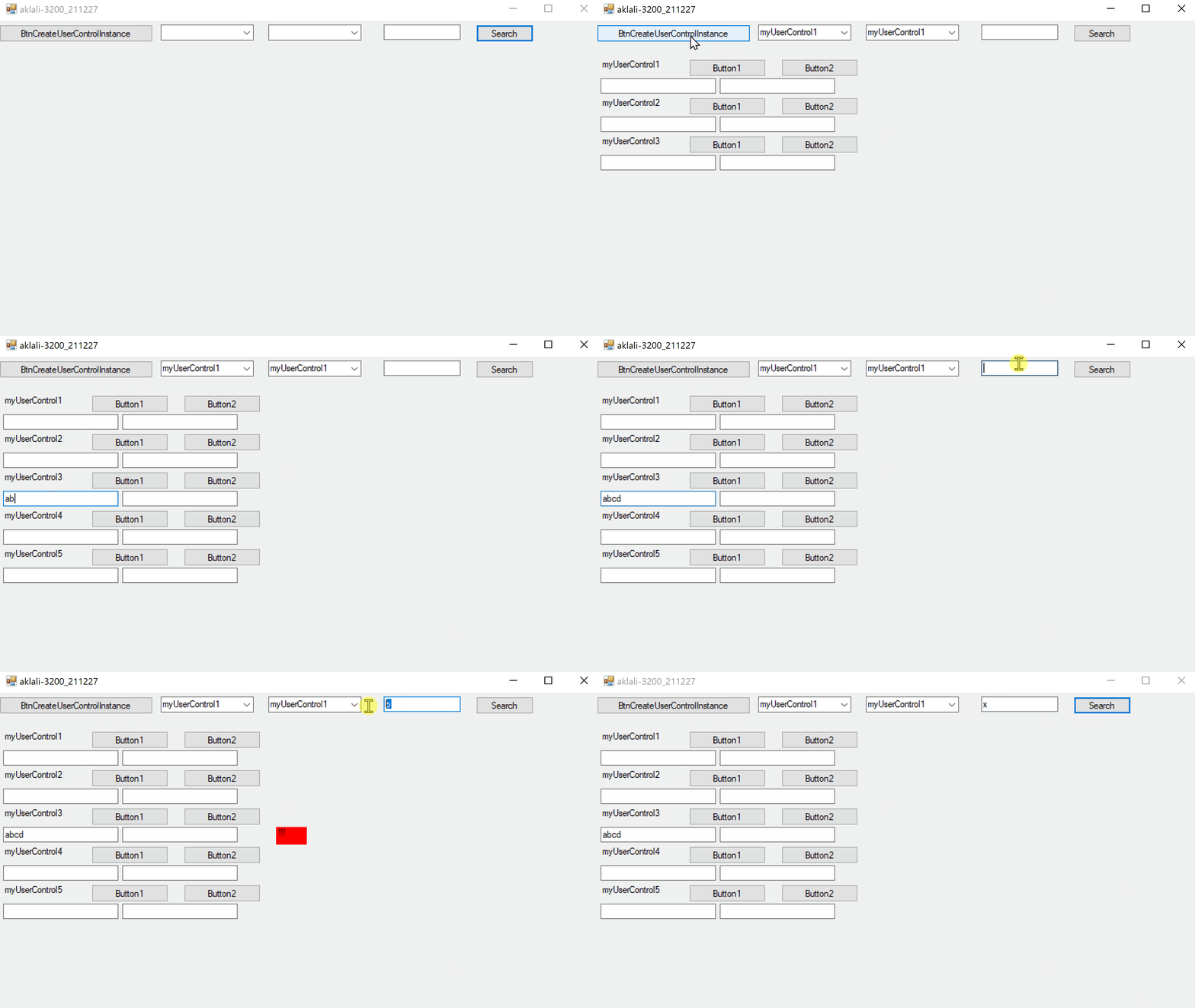
If you could please indicate how to search for a UserControl TextBox1.text=<search_text>. Maybe I wasn't clear about the question ealier. my Bad.
What I am trying is locate and get access the UserControl whose TextBox1.Text has a text value, say some Name of person, which would be varying but unique in the collection.
Its a great help.
Thank you so much sir. I can Now Take Off with this guidance. God Bless you sir.
One more query, With use of DataBindings, Click() action is working fine but How do we Trigger MouseDown or MouseUp Event ?
Hi,
Please, for new questions start new threads.
I already did...
https://learn.microsoft.com/en-us/answers/questions/679446/raiseevent-mousedown-of-a-usercontrol-button.html
If you can please check it out and help me