Microsoft 365 and Office | Excel | For business | Windows
A family of Microsoft spreadsheet software with tools for analyzing, charting, and communicating data

This browser is no longer supported.
Upgrade to Microsoft Edge to take advantage of the latest features, security updates, and technical support.
' cx='32' cy='32' r='32' /%3E%3Ctext x='50%25' y='55%25' dominant-baseline='middle' text-anchor='middle' fill='%23FFF' %3ED%3C/text%3E%3C/svg%3E)
Hi : I received this excel file and some of the cells filled with pink color. I tried Ctrl+1 to change to fill color, but it didn't work. I also looked into if the cells fill color being populated through conditional formatting (using formulas). No conditional formatting has been applied.
Can you please let me know how do I change the cell fill color? Please find attached the file pdf version as I am not upload the excel file.
Many Thanks

Hi @Datasavvy
Please refer to OssieMac's suggestions to have a check first.
--------- Update --------
I have checked the file, conditional formatting formula is indeed used.
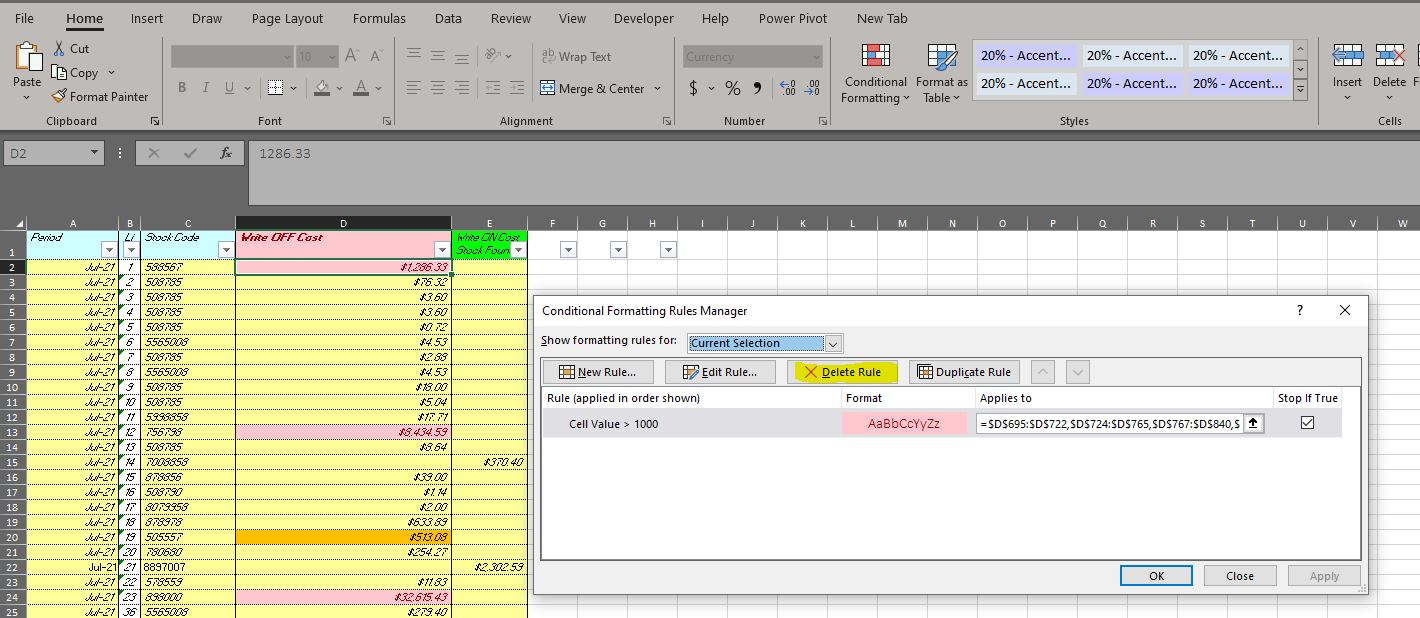
To change the pink, you could delete the rule.
If the answer is helpful, please click "Accept Answer" and kindly upvote it. If you have extra questions about this answer, please click "Comment".
Note: Please follow the steps in our documentation to enable e-mail notifications if you want to receive the related email notification for this thread.
Thanks Emily. I have checked earlier I couldn't see any ruling for conditional formatting. I have checked again after I read your post, guess that there is conditional formatting in place. Sorry for the inconvenience.

Can't really help much from a pdf file which is only same as a screen shot. Need to access the Excel file.
However, can you change anything else in the cells because it might be protected.
You can check if protection has been applied as follows
Select Home ribbon
Click Format
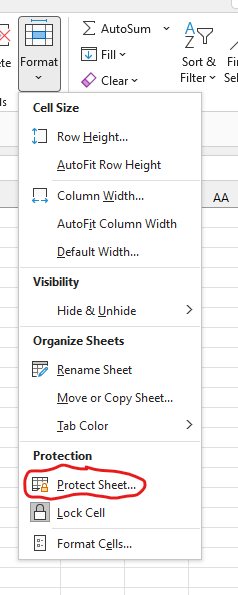
In the dialog it will show Protect if NOT protected as per the following screen shot
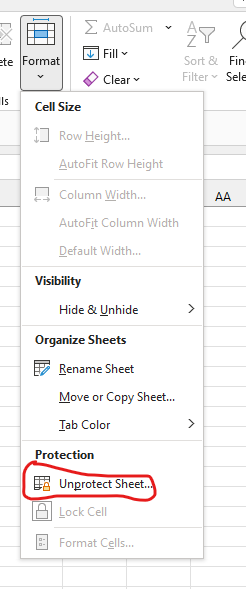
In the dialog it will show Unprotect if it IS protected as per the following screen shot
Hi Thank you for your reply. Please see the link below for the excel file. I want to change the cell colors where it showing pink color.

Start tab, right site => Delete => Delete Format