SQL Server Reporting Services
A SQL Server technology that supports the creation, management, and delivery of both traditional, paper-oriented reports and interactive, web-based reports.
This browser is no longer supported.
Upgrade to Microsoft Edge to take advantage of the latest features, security updates, and technical support.
' cx='32' cy='32' r='32' /%3E%3Ctext x='50%25' y='55%25' dominant-baseline='middle' text-anchor='middle' fill='%23FFF' %3EA%3C/text%3E%3C/svg%3E)
Hello There,
I recently started learning SSRS; tried to create a data source in VS Report Designer tool. I have a concern here: what is the difference between creating a Data Source from project pane and from Report Data Pane in report designer tool?
While tried to create a data source from Report Data Pane, I found 2 options to select as follows:
Embedded Connection (which is clear to understand)
Use shared data reference -- I couldn't figure out about the purpose of this option? initially, I thought this option is for creating a shared data source, but, however, I as attempted to do so, realized this is something not I presumed to be.
Would anyone please help me understand my concerns?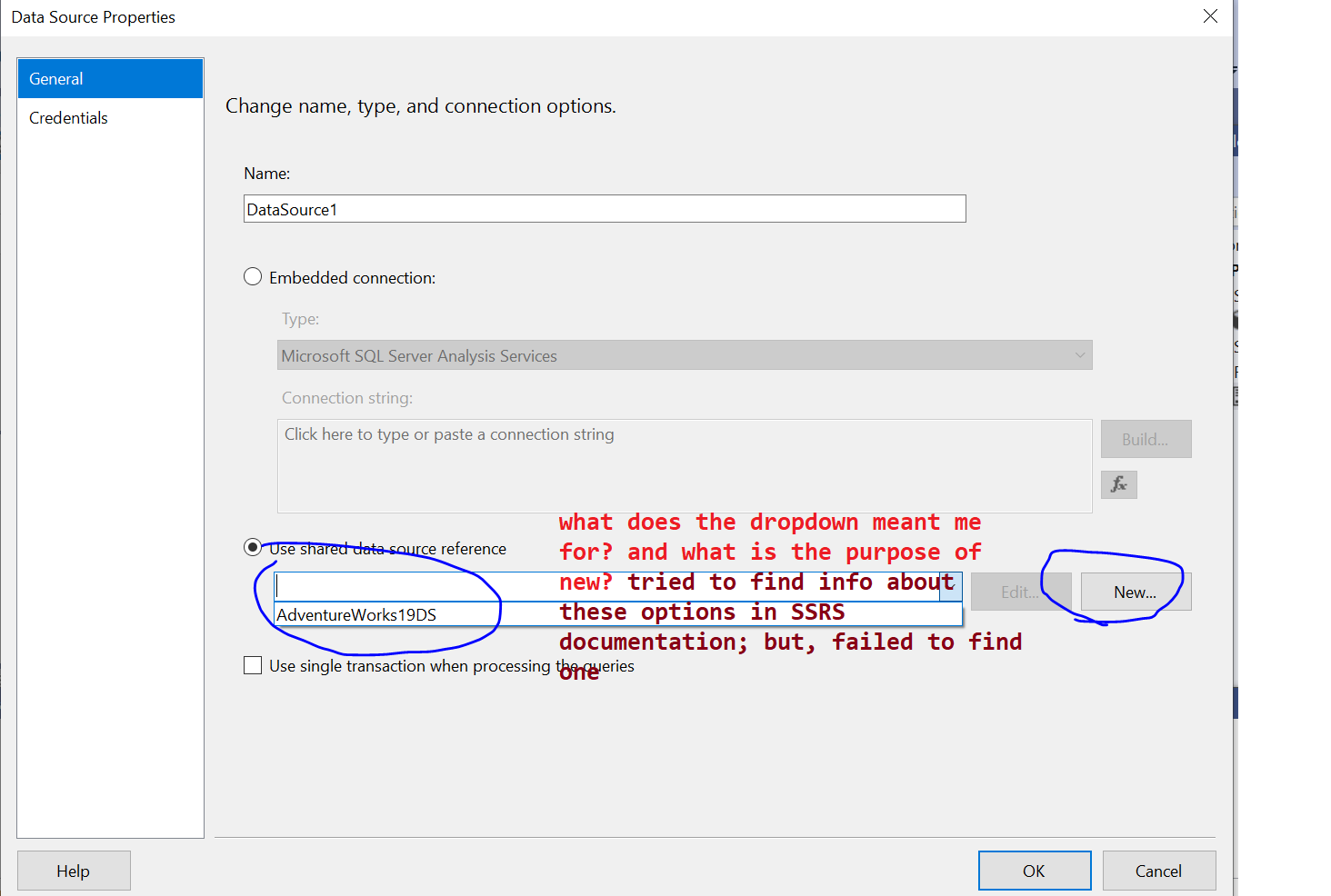

Hi @ArunRaaman ,
The embedded data source created in the Data Pane is only applicable to the opened report. The shared data source created in the Data Pane is the same as the one created in the project pane, and it will appear in the project pane. The data source created in the project pane is used throughout the project (shared data source).
You can connect to data with either a shared or an embedded data source. A shared data source is defined independent of any report. You can use it in multiple reports on a report server or SharePoint site. An embedded data source is defined in a report . You can only use it in that report.
The difference between embedded and shared data sources is in how they are created, stored, and managed.
For more information, please refer to: Compare shared and embedded data sources-Report Builder & Reporting Services (SSRS).
Best Regards,
Joy
If the answer is the right solution, please click "Accept Answer" and kindly upvote it. If you have extra questions about this answer, please click "Comment".
Note: Please follow the steps in our documentation to enable e-mail notifications if you want to receive the related email notification for this thread.
Deploying the shared data source to the server can be used in multiple reports on the report server. It can also be imported into Report Designer for designing reports.
Please see:
Create, Modify, and Delete Shared Data Sources (SSRS).
Create and Modify Embedded Data Sources.

Use shared data reference -- I couldn't figure out about the purpose of this option?
Advantage of shared data source is if the source moves to a different (SQL) server you modify the data source once instead of touching every report.