Microsoft 365 and Office | Development | Other
Building custom solutions that extend, automate, and integrate Microsoft 365 apps.

This browser is no longer supported.
Upgrade to Microsoft Edge to take advantage of the latest features, security updates, and technical support.
' cx='32' cy='32' r='32' /%3E%3Ctext x='50%25' y='55%25' dominant-baseline='middle' text-anchor='middle' fill='%23FFF' %3EYP%3C/text%3E%3C/svg%3E)
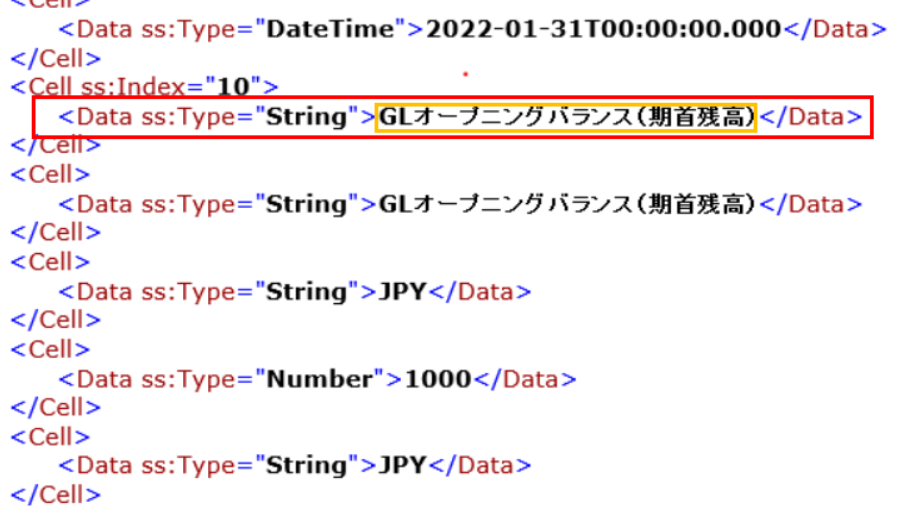
For Office Excel with edit and proofreading language in English, add below yellow frame highlighted Japanese texts and save, then open XML source code, it keeps in below red frame highlighted contents, this is what we are expected
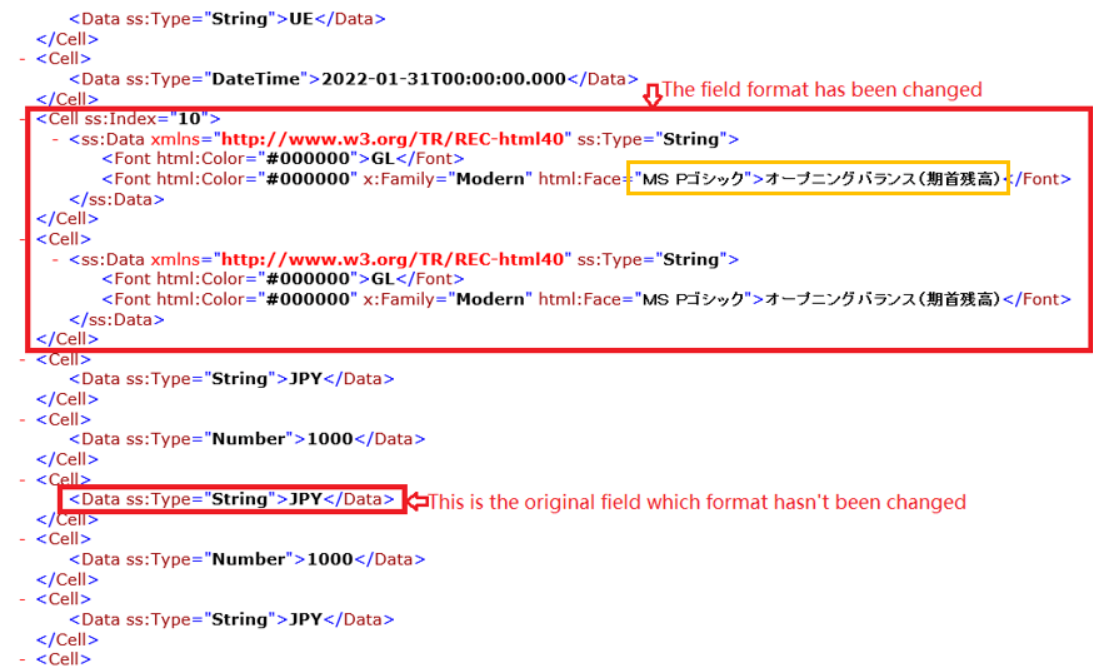
For Office Excel with edit and proofreading language as Japanese, add below yellow frame highlighted Japanese texts and save, then open XML source code, it changes in below red frame highlighted contents
Compared with previous English version, redundant Font html Color and Family attributes are added, we are wondering why such change happens ? And how to achieve the same English source code format in Japanese language ?
Thanks so much
Image
BRs
Pitt

Hi @Ye, Pitt ,
Welcome to Q&A forum.
But please note, the tag "office-excel-itpro" focuses more on general issue of Excel client, but your issue is related to XML.
To help you better, I would modify the tag to be "office-addins-dev". Thanks for your understanding.