Azure Data Factory
An Azure service for ingesting, preparing, and transforming data at scale.
This browser is no longer supported.
Upgrade to Microsoft Edge to take advantage of the latest features, security updates, and technical support.
' cx='32' cy='32' r='32' /%3E%3Ctext x='50%25' y='55%25' dominant-baseline='middle' text-anchor='middle' fill='%23FFF' %3EDK%3C/text%3E%3C/svg%3E)
Dear Team,
I am pretty new to Azure Data Factory and API'.s
I have a requirement to load the data from external API to our Blob storage.
Our API structure follows the below.
API method URL: https://xxx-attendance
HTTP method: GET
X-API-Key: xyz==
Username: yyy
Password: zzz
****curl request**:**
curl -X GET "https://attendance" -H "accept: text/plain" -H "InitialLoad: true" -H "Username: xxx" -H "Password: yyy==" -H "X-API-Key: xyz"
I need to pass API key and user name / password to extract the files.
I tried to use REST API linked service, but I am not sure how to frame the base URL along with API key.
Can someone assist me on how to frame the base URL along with API key in REST API linked service or Web ?
Thanks,
P.K.Divakar
' cx='32' cy='32' r='32' /%3E%3Ctext x='50%25' y='55%25' dominant-baseline='middle' text-anchor='middle' fill='%23FFF' %3ESS%3C/text%3E%3C/svg%3E)
Hi @Divakar Krishnan
Thanks for using Microsoft Q&A !!
When you are using a web activity you can pass headers using the headers property from Web Activity Settings tab as shown below -
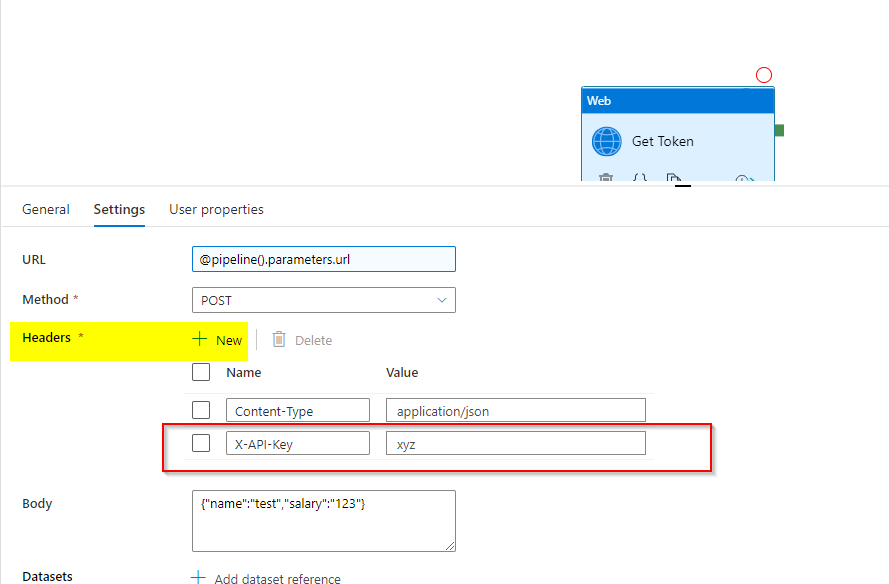
Or you can pass headers as part of web activity dynamic content using the below properties in json
"headers":{
         "X-API-Key":"xyz"
      },
Please refer to Web activity in Azure Data Factory for details.
When you are using a REST API, you can configure authentication headers by using the json editor of the REST linked service and passing the required json properties -
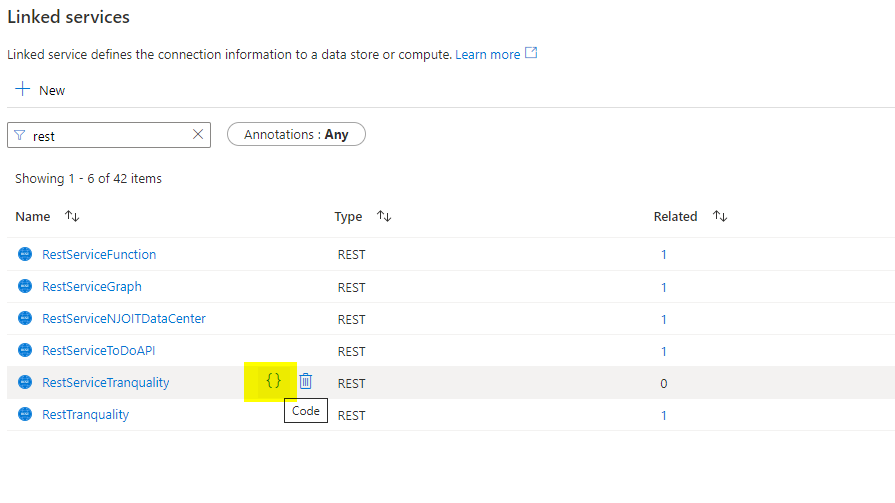
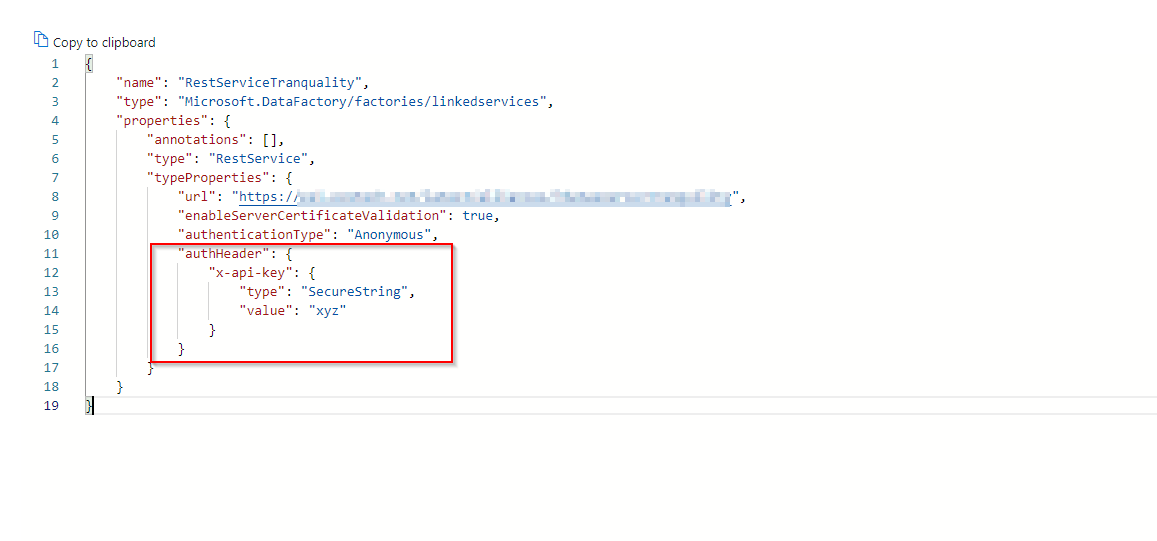
Please refer to the Using authentication headers section of REST documentation.
Please let me know if you have any other questions.
Thanks
Saurabh
----------
Please do not forget to "Accept the answer" wherever the information provided helps you to help others in the community.