
Take a look here.
--please don't forget to upvote and Accept as answer if the reply is helpful--
This browser is no longer supported.
Upgrade to Microsoft Edge to take advantage of the latest features, security updates, and technical support.
' cx='32' cy='32' r='32' /%3E%3Ctext x='50%25' y='55%25' dominant-baseline='middle' text-anchor='middle' fill='%23FFF' %3ESM%3C/text%3E%3C/svg%3E)
Hi Guys,
I want to test a virtual firewall in my Win10 hyper V environment. I have one firewall and two Windows 10 machines installed in my Hyper-V
So I need the following to test-
Firewall
One external (which should connect with my host interface for internet)
Two internal interface, each of which should connect to my two Windows 10 machine
Windows 10
One internal interface in each Windows 10 for connecting to my two internal interface on my firewall.
My question, is it possible to configure the following config for my interfaces in firewall and Win10 Vm's -
The external interface of the firewall should only connect with my host interface for internet.
The two internal interface of the firewall should only connect to my each Win10 VM (each interface should be bound to one VM and should not connect to my host or any other interface).
' cx='32' cy='32' r='32' /%3E%3Ctext x='50%25' y='55%25' dominant-baseline='middle' text-anchor='middle' fill='%23FFF' %3EA%3C/text%3E%3C/svg%3E)
Take a look here.
--please don't forget to upvote and Accept as answer if the reply is helpful--
Just checking if there's any progress or updates?
--please don't forget to upvote and Accept as answer if the reply is helpful--
Thanks for your reply.
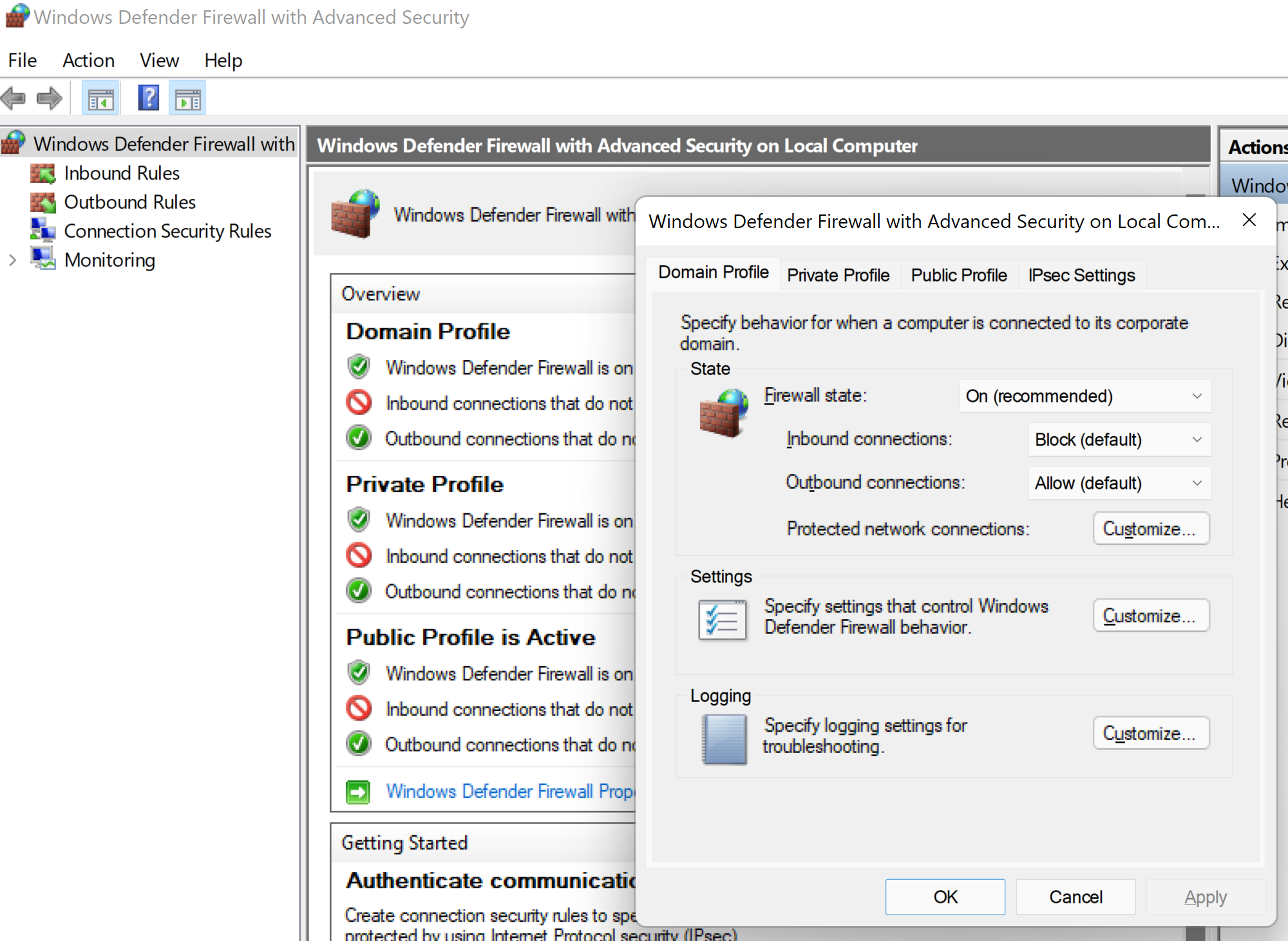
I opened my host Win firewall, but i cannot see any profile in there.
Is there any method of achieving this through Hyper-V only?
The windows firewall is per instance of windows so configure each instance of windows firewall as needed. If you have two or more interfaces per windows then you can open the firewall Advanced Security, click on the profile in question, then Protect network connections and choose the interface this profile applies to.
--please don't forget to upvote and Accept as answer if the reply is helpful--