Microsoft 365 and Office | SharePoint | For business | Windows
A group of Microsoft Products and technologies used for sharing and managing content, knowledge, and applications.

This browser is no longer supported.
Upgrade to Microsoft Edge to take advantage of the latest features, security updates, and technical support.
' cx='32' cy='32' r='32' /%3E%3Ctext x='50%25' y='55%25' dominant-baseline='middle' text-anchor='middle' fill='%23FFF' %3EHP%3C/text%3E%3C/svg%3E)
Hello, Currently we're doing migration process from our File server to SharePoint.
But, due to have a large numbers of file ( Approx. 300GB of files & Data for each department ) ,
There some drop off files sometime while doing migration process,
After finish initial migration, We'd like to migrate only those " failed to migrate " files manually,
But SPTM tool is only support Incremental migration right now.
Is there any possible way to check failed files and reuploading to Sharepoint via SPTM?
Thanks.

Hello @HyoJun Park ,
Welcome to Q&A Forum!
According to my research, there is currently no way to check the failed files and reupload these to SharePoint Online via SPTM.
You can refer to the below workaround:
1.Naviagtion to the following path: ** C:\Users\<account>\AppData\Roaming\Microsoft\MigrationTool\domain.onmicrosoft.com\<TaskID>\Report\ **
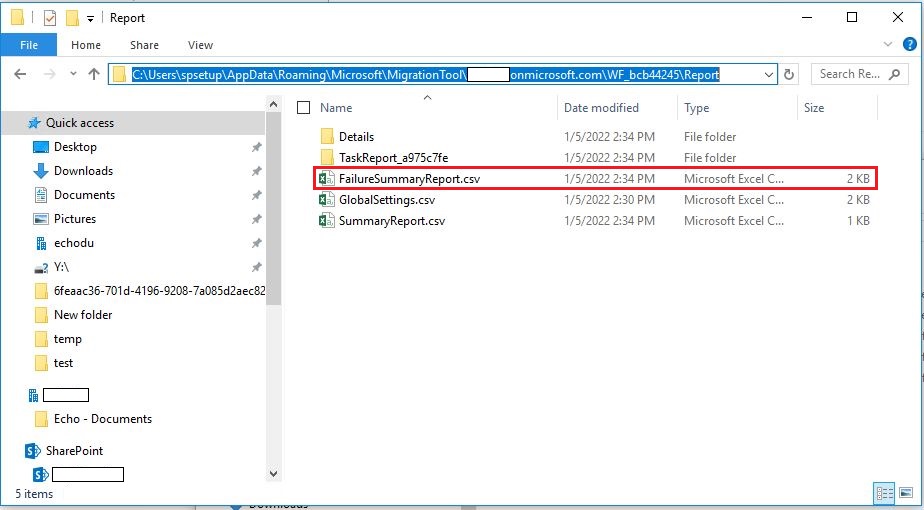
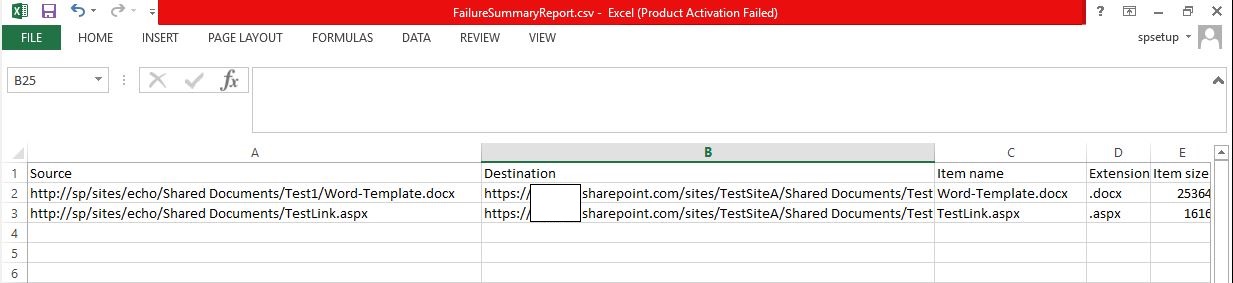
2.Open the FailureSummaryReport.csv
3.You can see the details of these failed files when the migration process
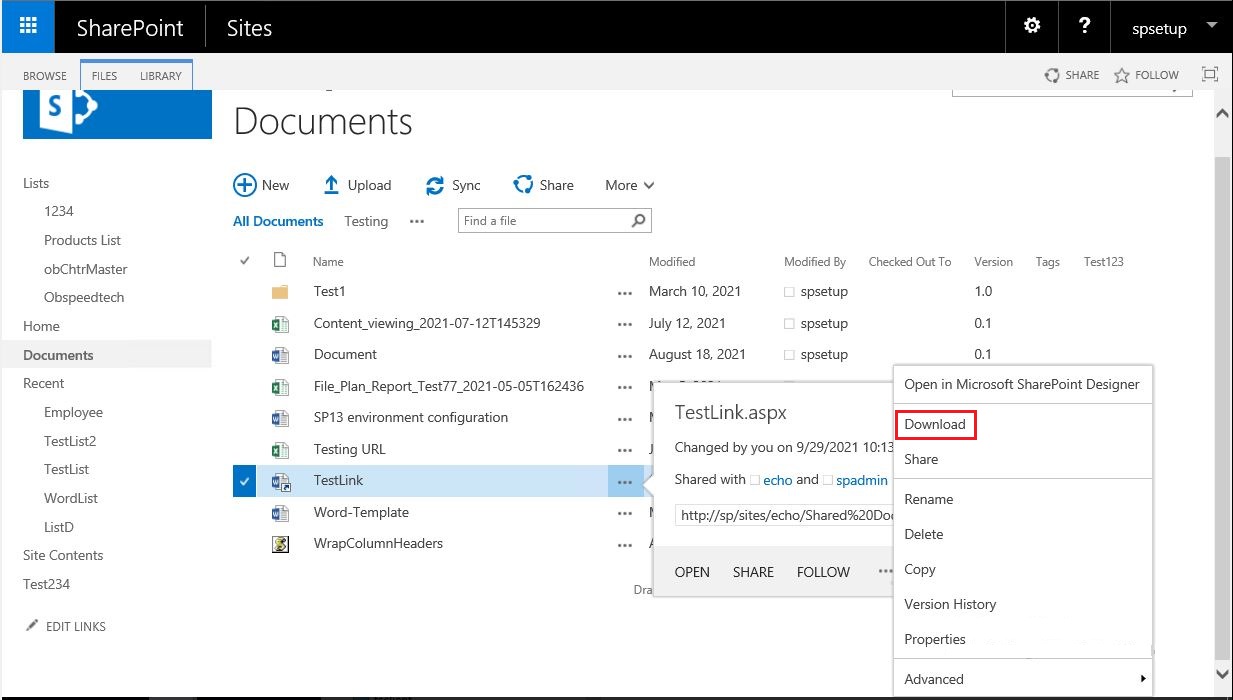
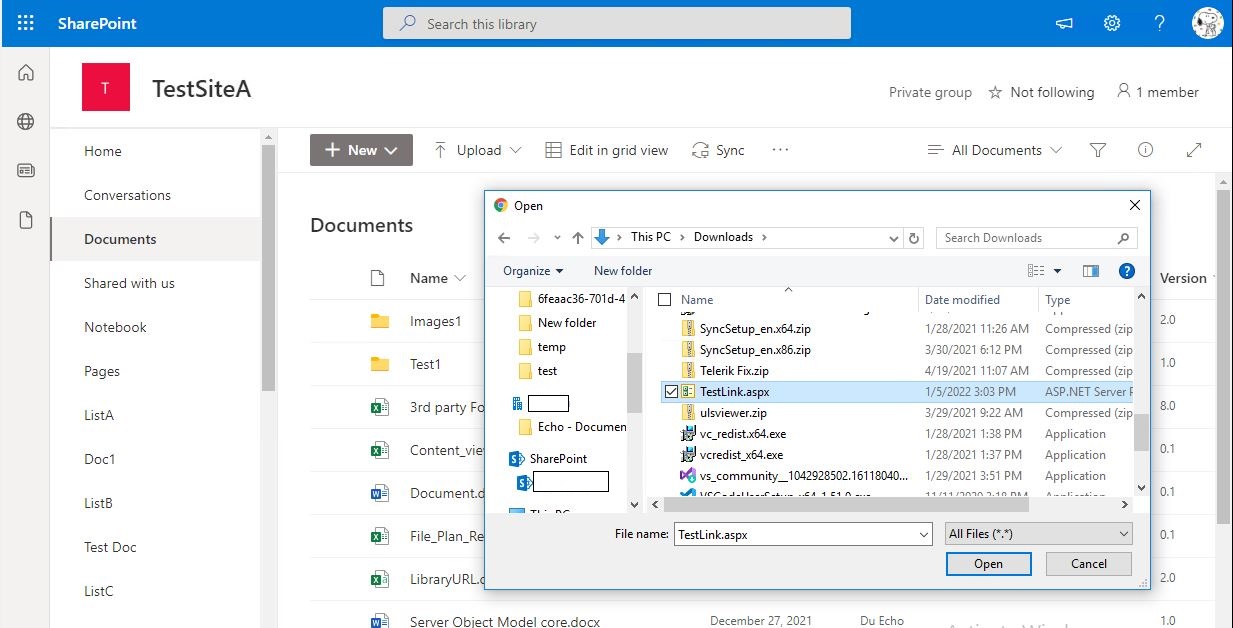
4.You need to manually upload these failed files to SharePoint Online
For more information, please see "Monitoring and reporting status of migration tasks" article.
Thanks,
Echo Du
=====================================
If the answer is helpful, please click "Accept Answer" and kindly upvote it. If you have extra questions about this answer, please click "Comment".
Note: Please follow the steps in our documentation to enable e-mail notifications if you want to receive the related email notification for this thread.
Hi @HyoJun Park ,
Is there anything else I can help with regarding this issue?
You can comment us at any time and we will continue to follow up.
Thanks,
Echo Du

Hello @HyoJun Park ,
Have you tried the above solutions?
Would you please provide us with an update on the status of your issue?