7,023 questions
This browser is no longer supported.
Upgrade to Microsoft Edge to take advantage of the latest features, security updates, and technical support.
' cx='32' cy='32' r='32' /%3E%3Ctext x='50%25' y='55%25' dominant-baseline='middle' text-anchor='middle' fill='%23FFF' %3EAE%3C/text%3E%3C/svg%3E)
I'm using Windows 2019 servers. AD Connect is installed on a member server not the AD server. Password changes sync fine from the on prem AD server to Azure. I have enabled the permissions listed in this article: https://learn.microsoft.com/en-us/azure/active-directory/authentication/tutorial-enable-sspr-writeback for the account listed in the Connect application under "View current config". It's listed under "Synchronized Directories". Writeback does not work from Azure to the on prem AD.
The user has the following permissions.
Reset password
Write lockoutTime
Write pwdLastSet
Group policy Minimum password age is set to 0
Do I also need to delegate control to this user? Anything else?
I'm not seeing anything in event viewer, but I'm also not sure where to look.

Have you gone through the troubleshooting guide?
https://learn.microsoft.com/en-us/azure/active-directory/authentication/troubleshoot-sspr-writeback
I'm going through the troubleshooting guide. The section: Verify that Azure AD Connect has the required permissions, step 10 reset password does not have a checkmark. I went through the steps again here https://learn.microsoft.com/en-us/azure/active-directory/authentication/tutorial-enable-sspr-writeback to assign Reset password, Write permissions on lockoutTime, Write permissions on pwdLastSet but reset password still does not have a checkmark on step 10.
Where are you applying the permissions? At the root domain level for all descendant objects?
Yes, root domain level for descendant user objects.
and the accounts you are looking at have inheritance enabled? They arent elevated accounts or in an OU with inheritance disabled or disabled at the account level?
Inheritance was disabled. I'm not sure how to check if the account is elevated.
Inheritance is now enabled and when checking effective access the correct permissions are now displaying assigned. I tested password writeback by resetting a user's password in 365 admin center. It's still not syncing with the on prem AD.
Ok, I would give it a few a try again. Then look for any error messags on the AADConnect server.
Elevated accounts would be any in an elevated group like Domain Admins etc... Password writeback wont work for those accounts.
Event Viewer > Windows Logs > Application
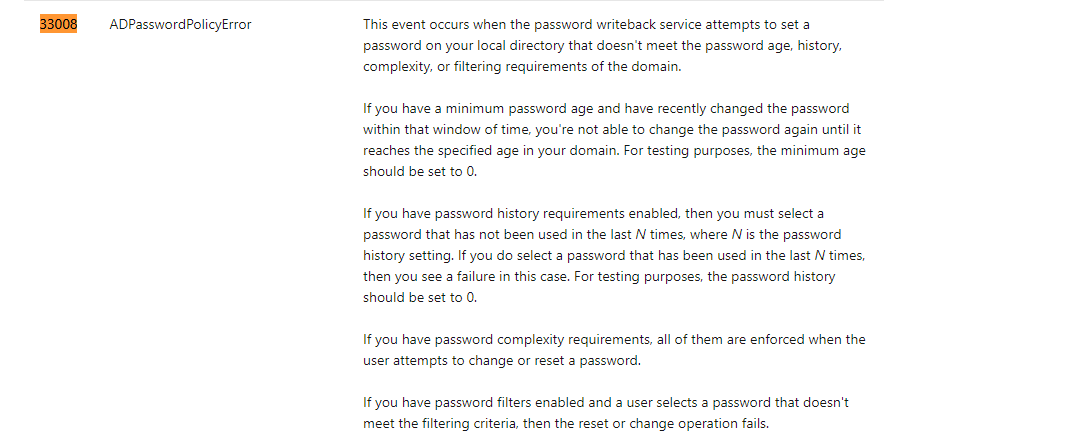
Error PasswordReset 33008
TrackingId: 196a4fc0-101a-4dff-a419-094fd5a1c27d, Reason: Synchronization Engine returned an error hr=80230619, message=A restriction prevents the password from being changed to the current one specified., Context: cloudAnchor: User_c14e72c3-1b0b-4bd6-add3-d73494a51405, SourceAnchorValue: 2vZeyqwvoU6n5xUhis4jlQ==, UserPrincipalName: testuser@keyman .com, unblockUser: True, Details: Microsoft.CredentialManagement.OnPremisesPasswordReset.Shared.PasswordResetException: Synchronization Engine returned an error hr=80230619, message=A restriction prevents the password from being changed to the current one specified.
at AADPasswordReset.SynchronizationEngineManagedHandle.ThrowSyncEngineError(Int32 hr)
at AADPasswordReset.SynchronizationEngineManagedHandle.ResetPassword(String cloudAnchor, String sourceAnchor, String password, Boolean fForcePasswordChangeAtLogon, Boolean fUnlockAccount, Boolean isSelfServiceOperation)
at Microsoft.CredentialManagement.OnPremisesPasswordReset.PasswordResetCredentialManager.ResetUserPassword(String passwordResetXmlRequestString, Boolean unlockUser)
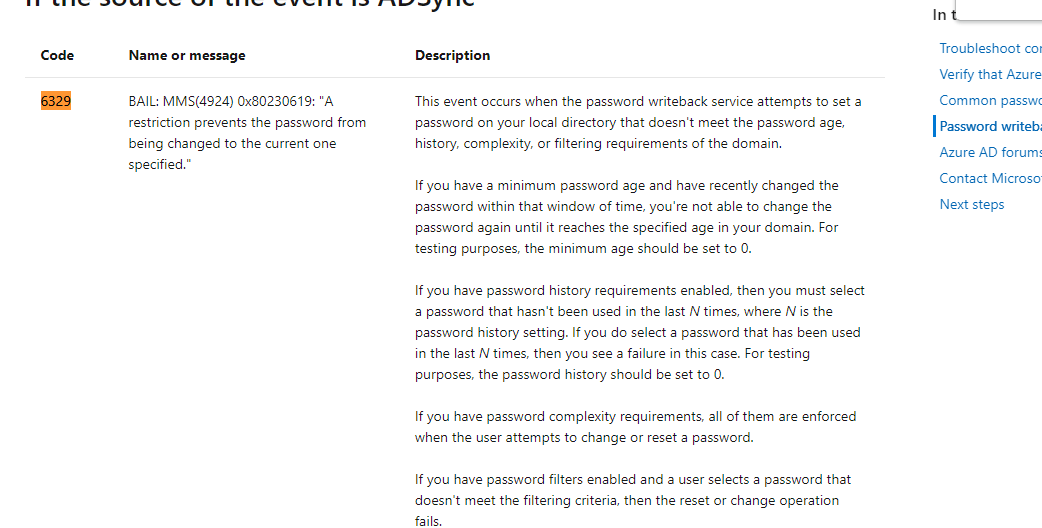
Error ADSync 6329
An unexpected error has occurred during a password set operation.
"WARNING: MMS(8408): ..\nscsimp.cpp(304): g_PrfData.AddInstance failed
WARNING: MMS(8408): ..\nscsimp.cpp(399): g_PrfData.AddInstance failed
ERR_: MMS(8408): C:__w\1\s\src\dev\sync\ma\shared\inc\MAUtils.h(58): Failed getting registry value 'ADMADoNormalization', 0x2
BAIL: MMS(8408): C:__w\1\s\src\dev\sync\ma\shared\inc\MAUtils.h(59): 0x80070002 (The system cannot find the file specified.): Win32 API failure: 2
BAIL: MMS(8408): C:__w\1\s\src\dev\sync\ma\shared\inc\MAUtils.h(114): 0x80070002 (The system cannot find the file specified.)
ERR_: MMS(8408): C:__w\1\s\src\dev\sync\ma\shared\inc\MAUtils.h(58): Failed getting registry value 'ADMARecursiveUserDelete', 0x2
BAIL: MMS(8408): C:__w\1\s\src\dev\sync\ma\shared\inc\MAUtils.h(59): 0x80070002 (The system cannot find the file specified.): Win32 API failure: 2
BAIL: MMS(8408): C:__w\1\s\src\dev\sync\ma\shared\inc\MAUtils.h(114): 0x80070002 (The system cannot find the file specified.)
ERR_: MMS(8408): C:__w\1\s\src\dev\sync\ma\shared\inc\MAUtils.h(58): Failed getting registry value 'ADMARecursiveComputerDelete', 0x2
BAIL: MMS(8408): C:__w\1\s\src\dev\sync\ma\shared\inc\MAUtils.h(59): 0x80070002 (The system cannot find the file specified.): Win32 API failure: 2
BAIL: MMS(8408): C:__w\1\s\src\dev\sync\ma\shared\inc\MAUtils.h(114): 0x80070002 (The system cannot find the file specified.)
BAIL: MMS(8408): admaexport.cpp(2934): 0x80230619 (A restriction prevents the password from being changed to the current one specified.)
BAIL: MMS(8408): admaexport.cpp(3312): 0x80230619 (A restriction prevents the password from being changed to the current one specified.)
ERR_: MMS(8408): ..\ma.cpp(8257): ExportPasswordSet failed with 0x80230619
Azure AD Sync 2.0.89.0"