Install Chocolatey using azure cli command

Vedanth Pulipati 241 Reputation points
2022-01-12T14:51:09.057+00:00

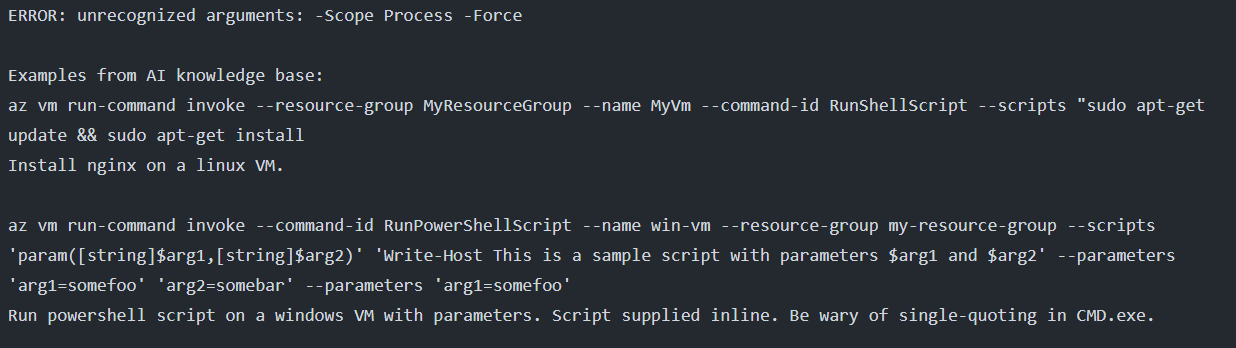
I am trying to install chocolatey in windows VM using azure invoke command in an automation script but i am unable to install. The command i used to install is

az vm run-command invoke -resource-group $resourceGroupName
-name $serverName -command-id RunpowerShellScript
-scripts ""Set-ExecutionPolicy Bypass -Scope Process -Force; [System.Net.ServicePointManager]::SecurityProtocol
= [System.Net.ServicePointManager]::SecurityProtocol -bor 3072; iex ((New-Object System.Net.WebClient).DownloadString('https://community.chocolatey.org/install.ps1'))";choco install -y python3"

it was showing an error attached screenshot.

164288-image.png

Windows for business | Windows Server | User experience | Other
0 comments No comments

Answer accepted by question author

Manu Philip 20,661 Reputation points MVP Volunteer Moderator
2022-01-12T19:45:16.733+00:00

I have added the required corrections.

az vm run-command invoke -g tf -n ckk1 --command-id RunpowerShellScript --scripts "[System.Net.ServicePointManager]::SecurityProtocol = [System.Net.ServicePointManager]::SecurityProtocol -bor 3072; iex ((New-Object System.Net.WebClient).DownloadString('https://community.chocolatey.org/install.ps1'))" ; "choco install -y python3"  

Here is how I ran it in one of my Windows VM
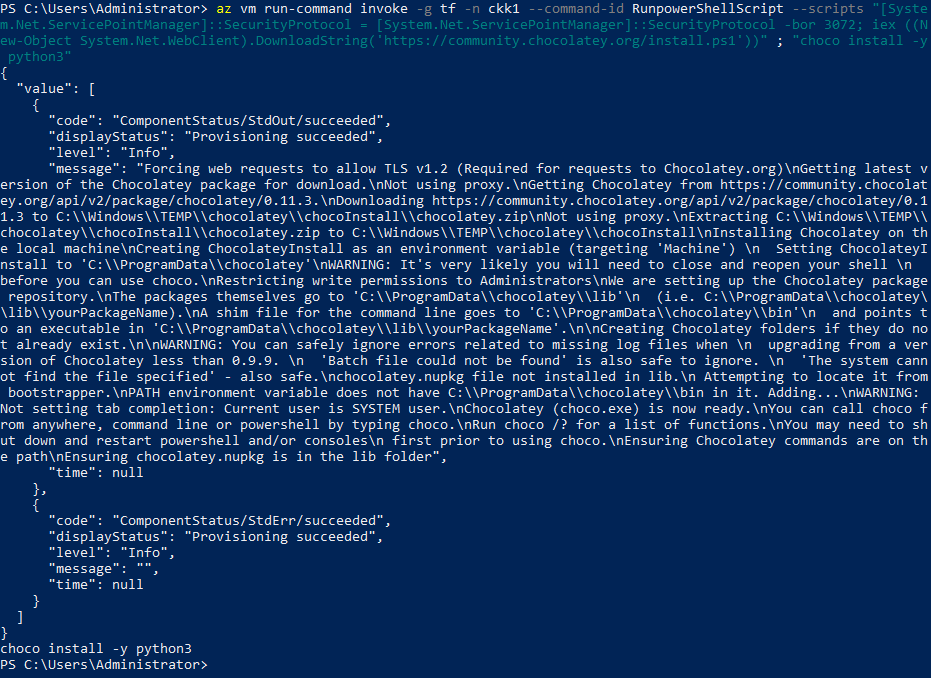
164473-image.png

----------

If the Answer is helpful, please click "Accept Answer" and upvote it

Was this answer helpful?

0 comments No comments

0 additional answers

Sort by: Most helpful

Your answer

Answers can be marked as 'Accepted' by the question author and 'Recommended' by moderators, which helps users know the answer solved the author's problem.