Microsoft 365 and Office | SharePoint Server | For business
A family of Microsoft on-premises document management and storage systems.

This browser is no longer supported.
Upgrade to Microsoft Edge to take advantage of the latest features, security updates, and technical support.
' cx='32' cy='32' r='32' /%3E%3Ctext x='50%25' y='55%25' dominant-baseline='middle' text-anchor='middle' fill='%23FFF' %3EN%3C/text%3E%3C/svg%3E)
When trying to migrate data from a fileserver to sharepoint via the Sharepoint Migration Tool Powershell cmdlets I recieve the followinf error when verifying my script:
Task GUID did NOT pass the parameter validation, the error message is 'Username or password for target site https://Org.sharepoint.com/sites/... is not correct'
if (-not $cred) {$cred = Get-Credential}

# Specify Migration Endpoints
$filesource = "\\Path\to\files"
$SharePointUrl = "https://contoso.sharepoint.com/sites/example"
$TargetList = "Dokumente/Folder"

# Setup Migration Task
Register-SPMTMigration -SPOCredential $cred -IncludeHiddenFiles $false -MigrateWithoutRootFolder -Force
Add-SPMTTask -FileShareSource $filesource -TargetSiteUrl $SharePointUrl -TargetList $TargetList

# Verify Migration Settings
Start-SPMTMigration -ParametersValidationOnly
I have checked the requirements with the powershell and sharepoint Version as suggested in another question on this issue sharepoint-migration-tool-powershell-permissions-e.html
The Account in question also has the permissions to access the desired Shareppoint site and can upload and change files there from the web.
Also disabled MFA, but there was no change in behaviour.
After some research I have found a footnote on the following site, citing that in Germany it was not available with some providers via powershell.
overview-spmt-ps-cmdlets
Any suggestions on how I might verify if this was the case for me, or some other advice on troubleshooting the issue before digging through the Logs?

Hi there,
Try to use Office 365 Global Administrator or Site Collection Administrator to do the migration because the product needs to use the credential to discover the SP tree data.
Here is a thread as well which discusses the same issue and you can try out some troubleshooting steps from this and see if that helps you to sort the Issue.
https://social.technet.microsoft.com/Forums/en-US/416a2b0c-7042-4972-94e5-103befdae10d/sharepoint-migration-tool-error-failed-to-authenticate?forum=sharepointadmin
If you are redirected with the below error code then you can try checking your credentials.
0x0201000C Check your credentials and then reenter your username and password.
Troubleshooting common SPMT issues and errors
https://learn.microsoft.com/en-us/sharepointmigration/troubleshooting-common-spmt-issues
------------------------------------------------------------------------------------------------------------
--If the reply is helpful, please Upvote and Accept it as an answer--
Thanks a lot, it was the permissions after all.
I lacked the Site Collection Admin permissions for this particular Sharepoint Site I was trying to export the files to.
' cx='32' cy='32' r='32' /%3E%3Ctext x='50%25' y='55%25' dominant-baseline='middle' text-anchor='middle' fill='%23FFF' %3ER%3C/text%3E%3C/svg%3E)
Hi @Anonymous ,
Please check your $cred first. It should be like following code
$User = "Domain01\User01"
$PWord = ConvertTo-SecureString -String "P@sSwOrd" -AsPlainText -Force
$Credential = New-Object -TypeName System.Management.Automation.PSCredential -ArgumentList $User, $PWord
You can also check your data location by following link
https://admin.microsoft.com/AdminPortal/Home?#/Settings/OrganizationProfile
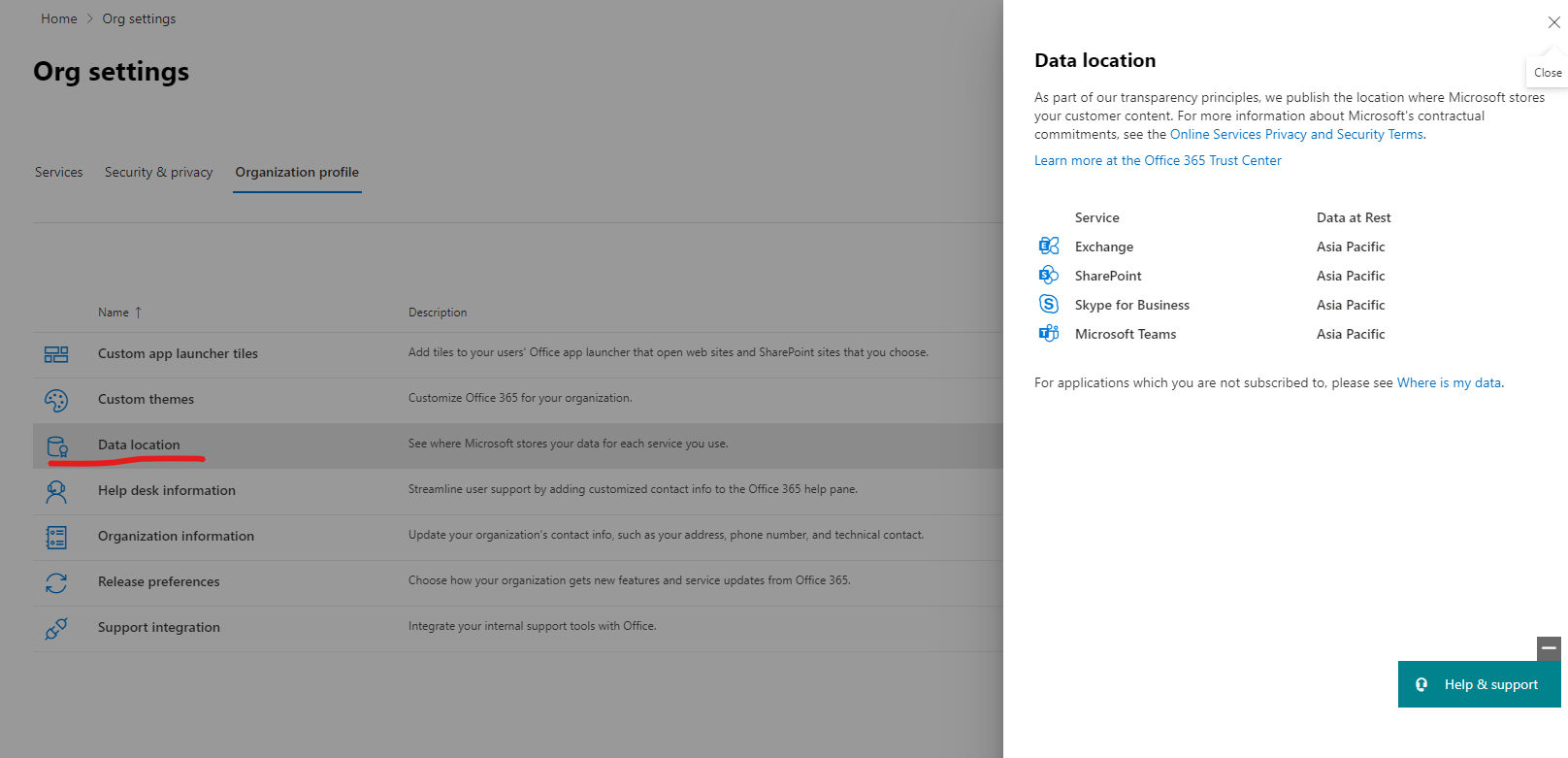
For more details
https://learn.microsoft.com/en-us/microsoft-365/enterprise/o365-data-locations?view=o365-worldwide
If the answer is helpful, please click "Accept Answer" and kindly upvote it. If you have extra questions about this answer, please click "Comment".
Note: Please follow the steps in our documentation to enable e-mail notifications if you want to receive the related email notification for this thread.
The data source location is the European Union, so this should not be an issue.
I have also tried the suggested change about the stored credentials and also tried using my domain internal username instead of my mail address. Unfortunately it still created this error.
I think that creating the credential object through Get-Credential, or by manually specifying it like suggested, should not make a difference, since both create a PSCredential Object, with the same parameters.
Guess I will be having a look into the logfiles after all
Hi @Anonymous ,
According to your error message. Please check if you have completed the previous steps in following document
https://learn.microsoft.com/en-us/microsoft-365/enterprise/microsoft-365-integration?view=o365-worldwide
and
https://learn.microsoft.com/en-us/microsoft-365/admin/add-users/add-users?view=o365-worldwide
Hi @Anonymous ,
I am checking to see if the problem has been resolved.
