Exchange Online
A cloud-based service included in Microsoft 365, delivering scalable messaging and collaboration features with simplified management and automatic updates.
This browser is no longer supported.
Upgrade to Microsoft Edge to take advantage of the latest features, security updates, and technical support.
' cx='32' cy='32' r='32' /%3E%3Ctext x='50%25' y='55%25' dominant-baseline='middle' text-anchor='middle' fill='%23FFF' %3ETA%3C/text%3E%3C/svg%3E)
Hi,
Since this morning, emails sent from our private Exchange server hosted at OVH (ovh.com) cannot send emails anymore to Office 365 (and maybe other Microsoft) recipients.
45 users are impacted since 7 hours.
Wanted to delist our IP address on "https://sender.office.com/" but it seems that the server IP is not blacklisted.
Remote Server returned '550 5.7.511 Access denied, banned sender[xxx.xxx.xxx.xxx]. To request removal from this list please forward this message to ******@messaging.microsoft.com. For more information please go to http://go.microsoft.com/fwlink/?LinkId=526653. AS(1410) [VE1EUR03FT056.eop-EUR03.prod.protection.outlook.com]'
Seems that Microsoft made a wrong action and blocked all servers starting with xxx.xxx (cannot list IP here).
Help please!
David
A cloud-based service included in Microsoft 365, delivering scalable messaging and collaboration features with simplified management and automatic updates.
The administration and maintenance of Microsoft Exchange Server to ensure secure, reliable, and efficient email and collaboration services across an organization.
Hi
Thank you for your reply.
The procedure you described had already been executed as mentioned in my post but it didn't solve the issue.
Problem was apparently at another level since the sender.office.com site returned that the IP was not blocked.
Problems is now solved, but I don't have any details on what was exactly the problem.
I have been said that Microsoft made an error and delisted hundreds of servers with IPs starting by xxx.xxx.
' cx='32' cy='32' r='32' /%3E%3Ctext x='50%25' y='55%25' dominant-baseline='middle' text-anchor='middle' fill='%23FFF' %3EJS%3C/text%3E%3C/svg%3E)
You could firstly try the steps list here: Use the delist portal to remove yourself from the blocked senders list
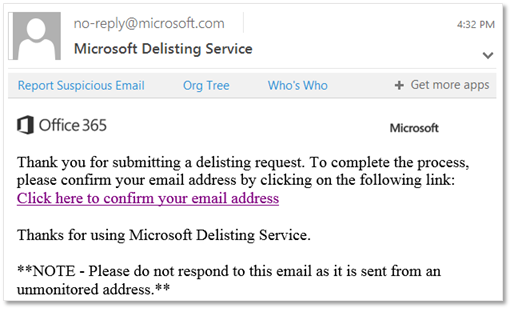
Or we could also follow the suggestion returned above, *To request removal from this list please forward this message to *****@messaging.microsoft.com.
Check if the steps above are able to solve your issue. If not, we may consider openning a ticket with Microsoft to feedback your situation.
If an Answer is helpful, please click "Accept Answer" and upvote it.
Note: Please follow the steps in our documentation to enable e-mail notifications if you want to receive the related email notification for this thread.