Developer technologies | ASP.NET | ASP.NET Core
A set of technologies in the .NET Framework for building web applications and XML web services.
This browser is no longer supported.
Upgrade to Microsoft Edge to take advantage of the latest features, security updates, and technical support.

May I know how to set a default query string value for webapi in .NET 6?
Example code:
[HttpGet]
public Greeting Greeting(string name)
{
return $"Hello {name}!";
}
The name parameter needs to have a default value, if I use string name = "world", it seems not working and throw
"errors":{"name":["The name field is required."]}
Thanks in advanced.
' cx='32' cy='32' r='32' /%3E%3Ctext x='50%25' y='55%25' dominant-baseline='middle' text-anchor='middle' fill='%23FFF' %3EA%3C/text%3E%3C/svg%3E)
Hi @San Me ,
if I use string name = "world", it seems not working and throw "errors":{"name":["The name field is required."]}
After changing the return data from Greeting to string, and set the default value, the code woks well on my side:
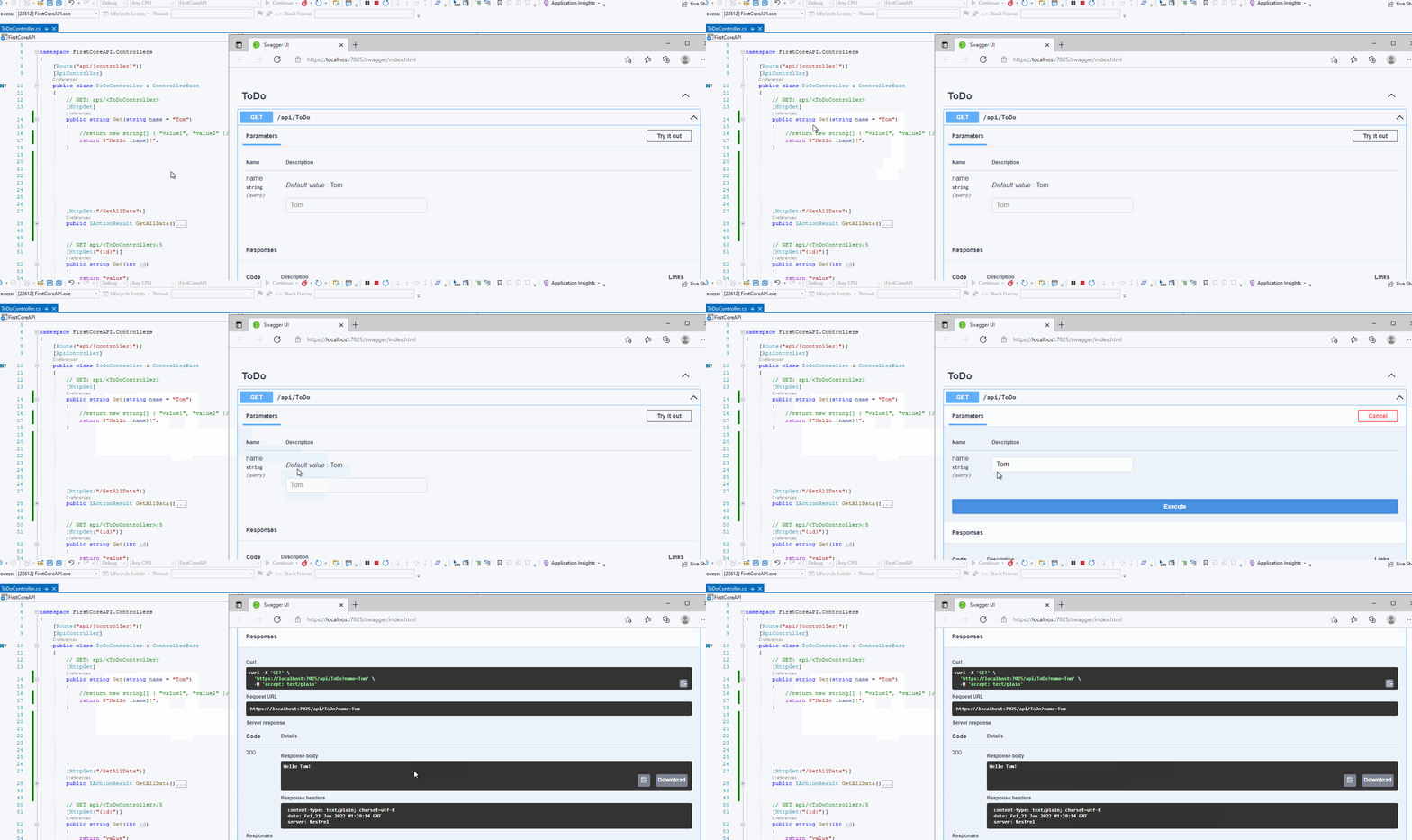
You can try to rebuild the application or create a new controller to check it. If it still shows the validation error. Please check your code is there any custom validation?
Best regards,
Dillion
Hi Dillion,
It is ok if the name is with a value, how about it you put in blank for the name? For my side, it get the error if name is blank although it has set to have a default value in parameter there.
Thanks.

Try the following pattern.
[HttpGet]
public string Greeting(string name = "default value")
{
    return $"Hello {name}!";
}
You can also take a look at routing in ASP.NET Core
Your sample code has an bug where you're returning a "Greeting" type but the actual return type is a string.
Sorry, I have created a wrong example, in my actual scenario it should be Greeting, but if change to string, it get same result if just put blank on the name.
Hi @San Me ,
It is ok if the name is with a value, how about it you put in blank for the name? For my side, it get the error if name is blank although it has set to have a default value in parameter there.
I understand you. If the name is blank, it will show the 400 model invalid error:
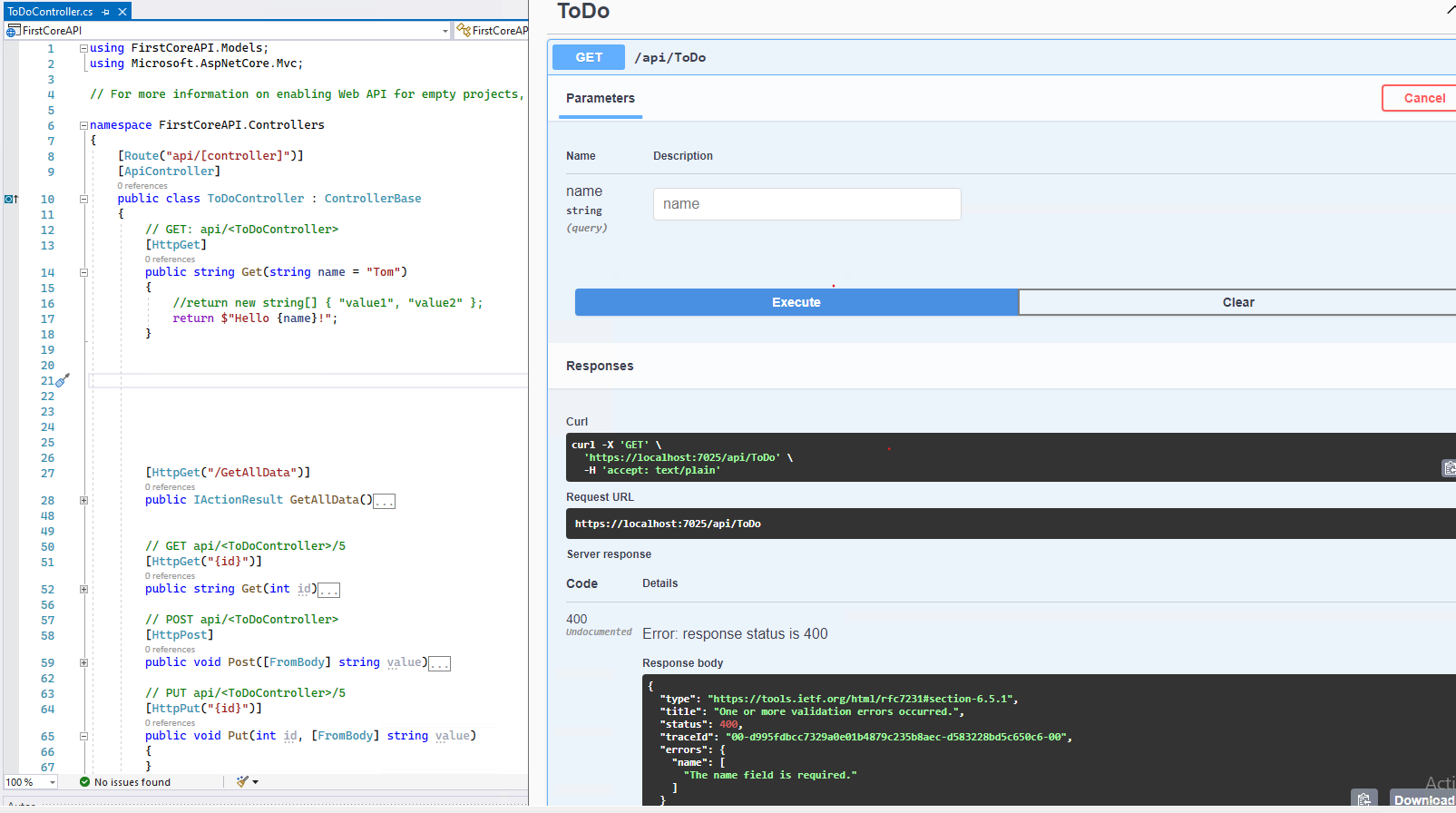
In your scenario, to set the default value, you could try to use custom model binder. Refer to the following steps:
//required reference: using Microsoft.AspNetCore.Mvc.ModelBinding;
// using Microsoft.AspNetCore.Mvc.ModelBinding.Binders;
public class CustomModelBinder : IModelBinder
{
    public Task BindModelAsync(ModelBindingContext bindingContext)
    {
        if (bindingContext == null)
        {
            throw new ArgumentNullException(nameof(bindingContext));
        }

        var model = string.Empty;
        if (bindingContext.ValueProvider.GetValue("name").FirstOrDefault() != null)
        {
            //if the parameter is not null. get the value.
model = bindingContext.ValueProvider.GetValue("name").FirstOrDefault();
        }
        else
        {
            //set the default value.
            model = "Default Value";
        }

        bindingContext.Result = ModelBindingResult.Success(model);
        return Task.CompletedTask;
    }
}

public class MyCustomBinderProvider : IModelBinderProvider
{
    public IModelBinder GetBinder(ModelBinderProviderContext context)
    {
        if (context == null)
        {
            throw new ArgumentNullException(nameof(context));
        }

        // specify the parameter your binder operates on
        if (context.Metadata.ParameterName == "param2")
        {
            return new BinderTypeModelBinder(typeof(CustomModelBinder));
        }

        return null;
    }
}
builder.Services.AddControllers(opt => {
    opt.ModelBinderProviders.Insert(0, new MyCustomBinderProvider());
});
// GET: api/<ToDoController>
[HttpGet]
public string Get([ModelBinder(BinderType = typeof(CustomModelBinder))]string name)
{
    //return new string[] { "value1", "value2" };
    return $"Hello {name}!";
}
Then, the result is like this:
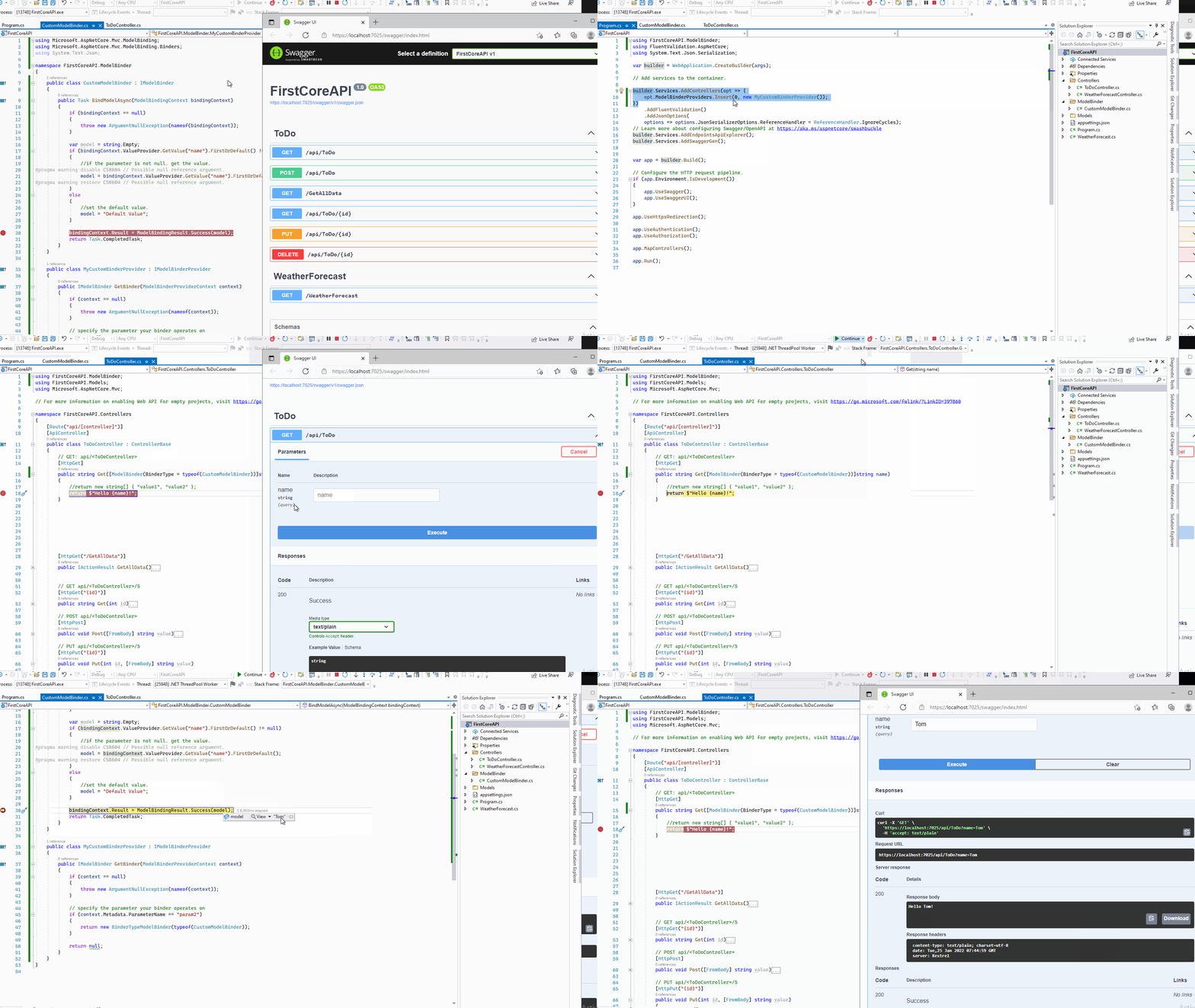
If the answer is the right solution, please click "Accept Answer" and kindly upvote it. If you have extra questions about this answer, please click "Comment".
Note: Please follow the steps in our documentation to enable e-mail notifications if you want to receive the related email notification for this thread.
Best regards,
Dillion
' cx='32' cy='32' r='32' /%3E%3Ctext x='50%25' y='55%25' dominant-baseline='middle' text-anchor='middle' fill='%23FFF' %3ESB%3C/text%3E%3C/svg%3E)
This is a perfect answer. Thanks it has saved me many hours - For OData and .net 6 If you are extending the call with your own query/values do not register the custom Binder just action it within your controller.
' cx='32' cy='32' r='32' /%3E%3Ctext x='50%25' y='55%25' dominant-baseline='middle' text-anchor='middle' fill='%23FFF' %3EHA%3C/text%3E%3C/svg%3E)
Thanks for this information it was so useful for me.