' cx='32' cy='32' r='32' /%3E%3Ctext x='50%25' y='55%25' dominant-baseline='middle' text-anchor='middle' fill='%23FFF' %3ET%3C/text%3E%3C/svg%3E)


Hello Ta3ik
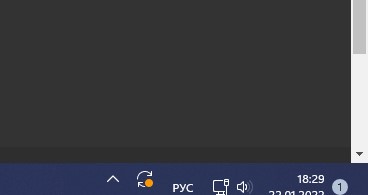
It doesn't seem like something common. Is there any more information you can provide? Are you using a laptop screen or desktop screen? have you tried to change the resolution of the screen? Maybe updating video drivers?
Besides checking the resolutions and screen size detection on monitor, I can recommend a reset of the task bar:
You can execute the next commands from a administrator CMD console (please take a backup of your Registry before proceeding, for security):
REG DELETE HKCU\Software\Microsoft\Windows\CurrentVersion\Explorer\Streams\Desktop /F
taskkill /f /im explorer.exe
taskkill /f /im shellexperiencehost.exe
del %localappdata%\Packages\Microsoft.Windows.ShellExperienceHost_cw5n1h2txyewy\TempState* /q
start explorer.exe
--If the reply is helpful, please Upvote and Accept as answer--