Developer technologies | Windows Presentation Foundation
A part of the .NET Framework that provides a unified programming model for building line-of-business desktop applications on Windows.
This browser is no longer supported.
Upgrade to Microsoft Edge to take advantage of the latest features, security updates, and technical support.
' cx='32' cy='32' r='32' /%3E%3Ctext x='50%25' y='55%25' dominant-baseline='middle' text-anchor='middle' fill='%23FFF' %3EE%3C/text%3E%3C/svg%3E)
hi
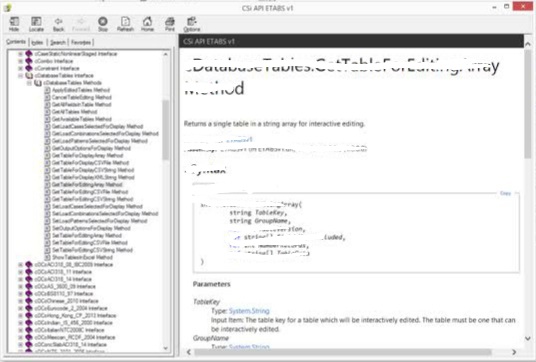
is it a good practice to use wpf to make user Guide ( smth like pic below ) , if not ( as i expected ) , What's the proper tool to use in this case , I'm a beginner developer ,
thanks in advance ,
any help will be appreciated-
A part of the .NET Framework that provides a unified programming model for building line-of-business desktop applications on Windows.
Answer accepted by question author

If you're talking about Help files in .CHM format, the usual way is with HTML Help Workshop

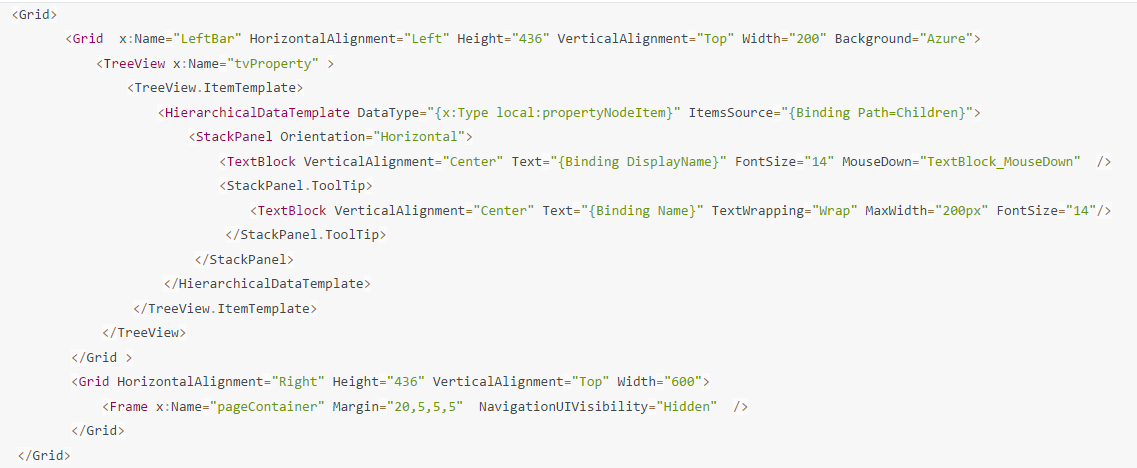
If you are asking about how to implement function as the picture shown. The below is my understanding,in the top of the picture looks like Menu which enables you to hierarchically organize elements associated with commands and event handlers.The left is a TreeView to Navigate different page to the right parts which is Frame in common use.I will show you demo how to use TreeViewItem to Navigate the pages.
Here is my MainWindows.xaml code:
The cs code is:
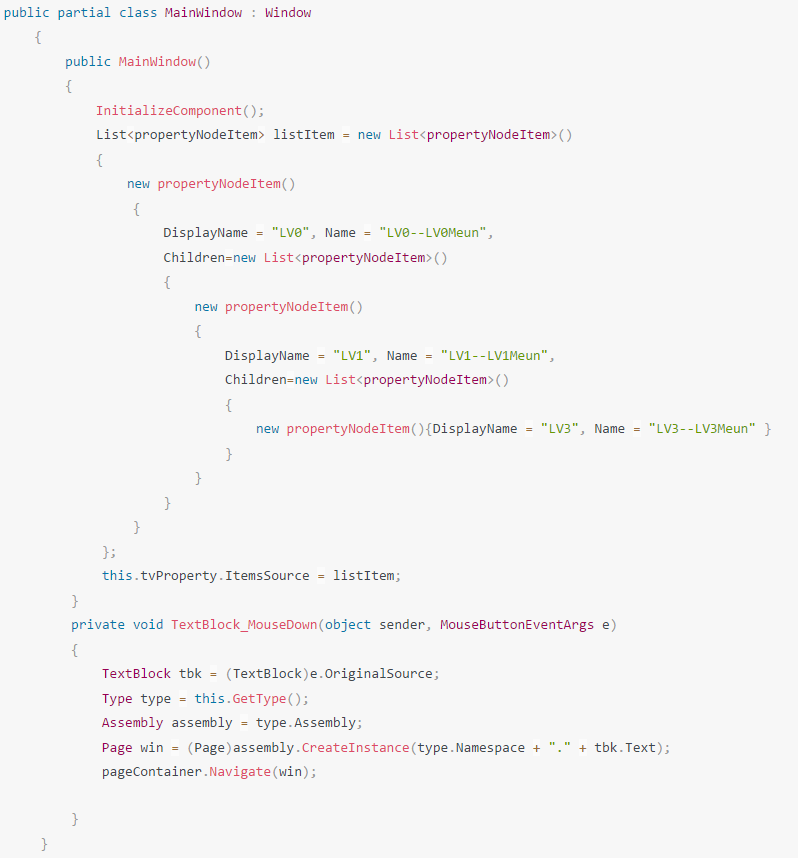
public class propertyNodeItem
    {
        public string Icon { get; set; }
        public string DisplayName { get; set; }
        public string Name { get; set; }
        public List<propertyNodeItem> Children { get; set; }
        public propertyNodeItem()
        {
            Children = new List<propertyNodeItem>();
        }
    }
For the bengining of the developer, you can get the Microsoft WPF samples to get the learning.