Microsoft 365 and Office | Excel | For business | Windows
A family of Microsoft spreadsheet software with tools for analyzing, charting, and communicating data

This browser is no longer supported.
Upgrade to Microsoft Edge to take advantage of the latest features, security updates, and technical support.
' cx='32' cy='32' r='32' /%3E%3Ctext x='50%25' y='55%25' dominant-baseline='middle' text-anchor='middle' fill='%23FFF' %3EJB%3C/text%3E%3C/svg%3E)
I am getting familiar with some new functions in excel 365 and saw that the unique and sort functions could take a large column and could be used in a summary list. Was wondering is there a way to have a manually select column title in another sheet and use those two functions to get all the values from another sheet excluding the title? Then after that to have the text total as I am planning to make an aggregate report using some formulas in other columns.

> Was wondering is there a way to have a manually select column title in another sheet and use those two functions to get all the values from another sheet excluding the title?
Please check whether the following formula is helpful.
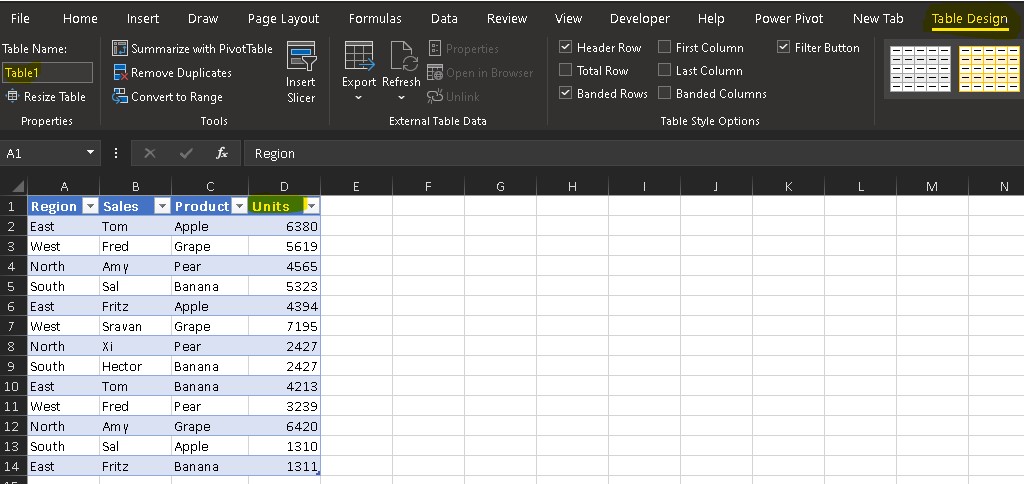
Tabe name[Title name] to be a data range in thoses 2 formulas. 
If I have any misunderstanding, welcome to let me know.
If the answer is helpful, please click "Accept Answer" and kindly upvote it. If you have extra questions about this answer, please click "Comment".
Note: Please follow the steps in our documentation to enable e-mail notifications if you want to receive the related email notification for this thread.