Azure Data Factory
An Azure service for ingesting, preparing, and transforming data at scale.
This browser is no longer supported.
Upgrade to Microsoft Edge to take advantage of the latest features, security updates, and technical support.
' cx='32' cy='32' r='32' /%3E%3Ctext x='50%25' y='55%25' dominant-baseline='middle' text-anchor='middle' fill='%23FFF' %3ERK%3C/text%3E%3C/svg%3E)
Hello Team,
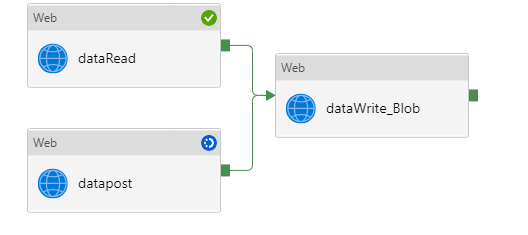
I am calling API via Web Activity and wants to transfer the data to Blob storage in CSV format.
Pipeline :
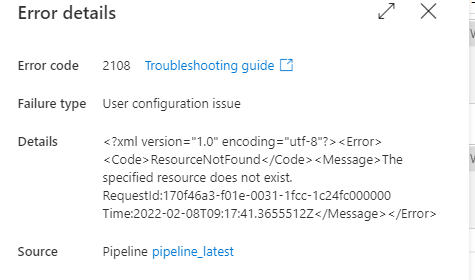
Error Message :
Blob Output :
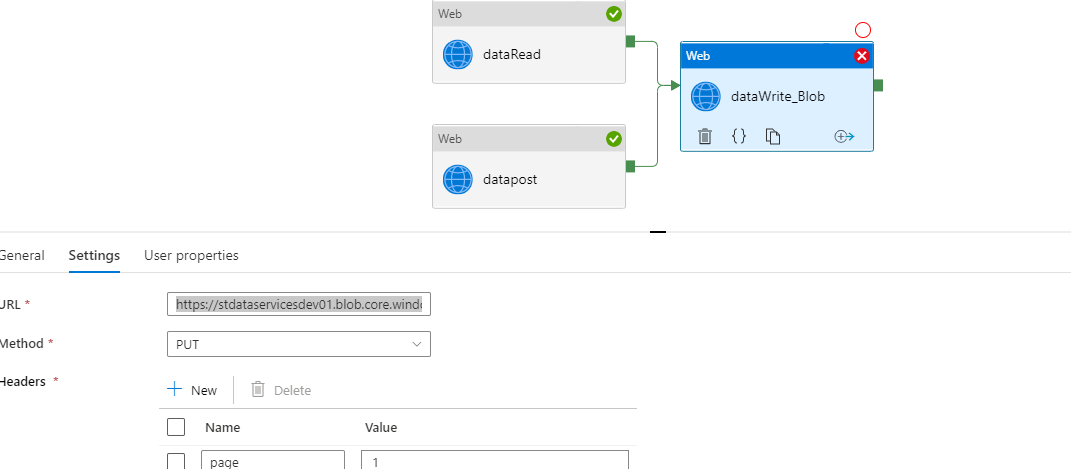
URL :https://storagename.blob.core.windows.net/Warehouse/EmployeDetails.csv
Please advise how this issue can be resolved
Regards
Rk
An Azure service for ingesting, preparing, and transforming data at scale.
' cx='32' cy='32' r='32' /%3E%3Ctext x='50%25' y='55%25' dominant-baseline='middle' text-anchor='middle' fill='%23FFF' %3EMM%3C/text%3E%3C/svg%3E)
Hello @Rohit Kulkarni
We haven’t heard from you on the last response and was just checking back to see if you have a resolution yet .In case if you have any resolution please do share that same with the community as it can be helpful to others . Otherwise, will respond back with the more details and we will try to help .
Thanks
Hello @Rohit Kulkarni ,
We haven’t heard from you on the last response and was just checking back to see if you have a resolution yet .In case if you have any resolution please do share that same with the community as it can be helpful to others .
If you have any question relating to the current thread, please do let us know and we will try out best to help you.
In case if you have any other question on a different issue, we request you to open a new thread .
Thanks
Martin
Welcome back @Rohit Kulkarni .
As I understand the ask, you are using Web Activity to do blob operations, and are getting unexpected errors, and want to know what might be the cause.
It looks like you are using a PUT on a blob, but somehow getting 404 not found. For writing normal block blobs, this shouldn't happen because putting a blob should create it. So, I am looking into what combination could result in 404. There are several other operations which also use the PUT verb on a blob. They typically take the form of adding ?comp={operation} to the URL, and generally require the blob already exist. Some examples are:
https://myaccount.blob.core.windows.net/mycontainer/myblob?comp=properties
https://myaccount.blob.core.windows.net/mycontainer/myblob?comp=metadata
https://myaccount.blob.core.windows.net/mycontainer/myblob?comp=tags
https://myaccount.blob.core.windows.net/mycontainer/myblob?comp=tier
If there is no ?comp= after your URL, there are still a couple possibilities. The Copy Blob operation and the put blob from url operation, which looks like a normal put block, except for the addition of the header x-ms-copy-source:name. They need a source, so 404 might happen when source url has a typo.
Another option is to use Copy activity with HTTP dataset instead of multiple web activities.