Developer technologies | .NET | Xamarin
A Microsoft framework for building cross-platform mobile apps using .NET and C# with native performance and user interfaces.
This browser is no longer supported.
Upgrade to Microsoft Edge to take advantage of the latest features, security updates, and technical support.
' cx='32' cy='32' r='32' /%3E%3Ctext x='50%25' y='55%25' dominant-baseline='middle' text-anchor='middle' fill='%23FFF' %3EEG%3C/text%3E%3C/svg%3E)
I took another approach, instead of initialize a Observable in the MainPage, I do it in the FirebaseServces
FirebaseServices
 public class FirebaseServices {

        private ObservableCollection<NotebookNote> FireBaseNotebooks { get; set; }
        private readonly FirebaseAuthProvider AuthProvider;
        private readonly FirebaseClient Client;
        const string BASE_URL = "https://duonotes-f2b77-default-rtdb.europe-west1.firebasedatabase.app/";
        public FirebaseServices() {

            FireBaseNotebooks = new ObservableCollection<NotebookNote>();
            AuthProvider = new FirebaseAuthProvider(new FirebaseConfig(AppConstant.WEB_API_KEY));
            Client = new FirebaseClient(BASE_URL);
        }
Read Method
    public async Task<ObservableCollection<NotebookNote>> ReadAsync(string ChildName, string NotebookId = "") {

            var list = await Client.Child(ChildName)
                 .OnceAsync<NotebookNote>();

            var collection = new List<NotebookNote>();

            foreach (var item in list) {
                NotebookNote notebookNote = null;
                notebookNote = Convert(ChildName, item);
                collection.Add(notebookNote);
            }

            if (ChildName.Equals(AppConstant.Notes)) {
                collection = collection.Where(n => ((Note)n).NotebookId == NotebookId).ToList();
            } else {
                collection = collection.Where(n => n.UserID == Preferences.Get(AppConstant.UserID, string.Empty)).ToList();
            }
            FireBaseNotebooks.Clear();
            foreach (var element in collection) {
                FireBaseNotebooks.Add(element);
            }

            return FireBaseNotebooks;
        }
Now if I select a notebook, this code will execute
MainPageModel
        public async virtual void SeletedItemActionAsync() {

            if (SelectedNotebook != null) {

                NotesPage notesPage = new NotesPage();
                await Application.Current.MainPage.Navigation.PushAsync(notesPage);
                var viewModel = notesPage.BindingContext as NotesPageModel;
                viewModel.NotebookAction(SelectedNotebook.Id);
                SelectedNotebook = null;
            }
NotesPage
  public Action<string> NotebookAction { get; set; }

        public string NotebookId { get; set; }

        public Note SeletedNote { get; set; }

        public NotesPageModel() {
            FabAnimationCommmand = new Command<Frame>(AnimateButtonCommand);

            NotebookAction = async (id) => {

                NotebookId = id;

                if (!string.IsNullOrEmpty(NotebookId)) {

                    Console.WriteLine($"this is te notebookID I am reciving:  {NotebookId} So I a supose to read");
                   await App.FirebaseServices.ReadAsync(AppConstant.Notes, NotebookId);
                }
            };
        }
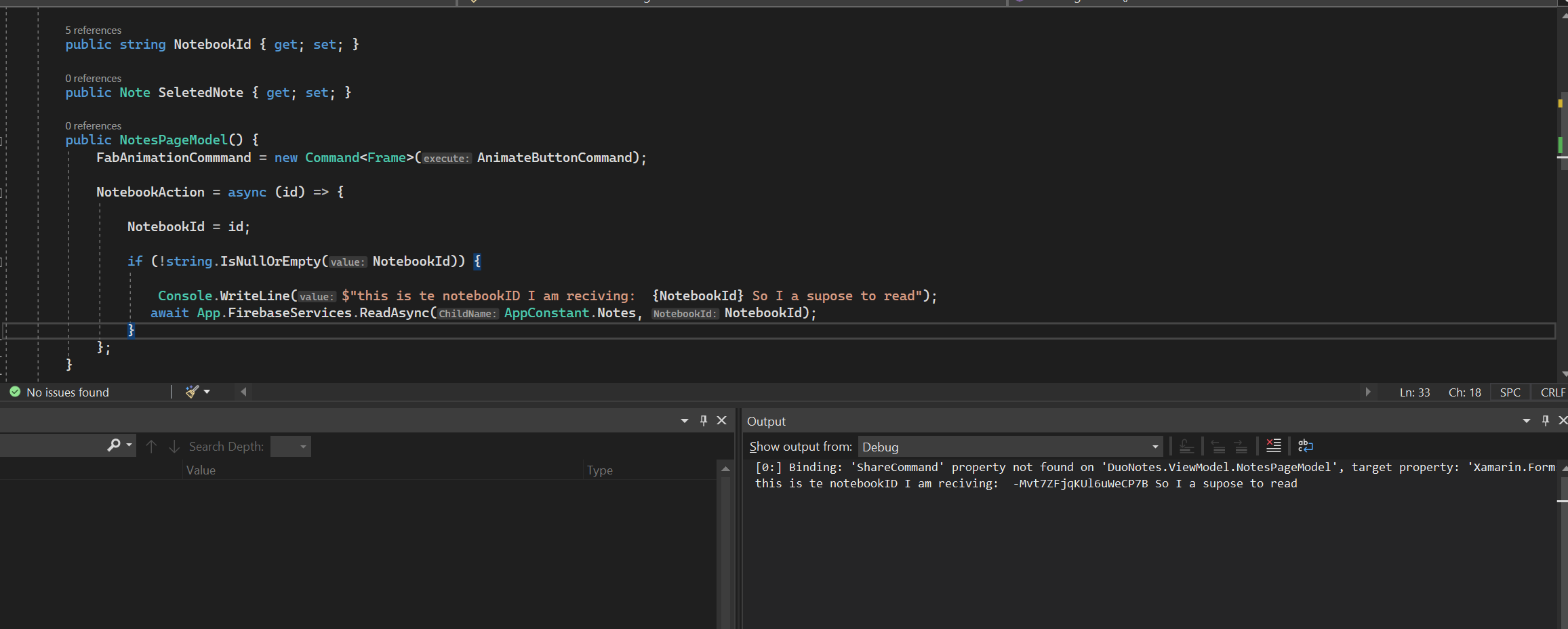
and every time I navigate to this page, I get the NoteookID, and I am suppose to read
A Microsoft framework for building cross-platform mobile apps using .NET and C# with native performance and user interfaces.
Answer accepted by question author
' cx='32' cy='32' r='32' /%3E%3Ctext x='50%25' y='55%25' dominant-baseline='middle' text-anchor='middle' fill='%23FFF' %3EJ%3C/text%3E%3C/svg%3E)
Hello,
Welcome to our Microsoft Q&A platform!
My suspicions are that the empty contractor doesn't initialize an ObservableCollection
Because the 'NotebookAction' will not be called automatically, the action is just initialized in the constructor method of 'NotesPageModel' class. To exectue the action, you need to call action.Invoke(...) command. You could try using 'PageAppearCommand' instead as the 'MainPage' did.
Here is the sample code, you could refer to it.
   public class NotesPageModel : MainPageModel
   {
       public ICommand PageAppearCommand { get; set; }

       public NotesPageModel()
       {
           FabAnimationCommmand = new Command<Frame>(AnimateButtonCommand);

           PageAppearCommand = new Command(NotePageAppearAction);
       }
       private void NotePageAppearAction(object obj)
       {
           App.FirebaseServices.ReadAsync(AppConstant.Notes, Application.Current.Properties["notebook_id"] as string);
       }
       ...
   }
NotesPage.xaml
   <ContentPage x:Class="DuoNotes.View.NotesPage" ...>

       <ContentPage.BindingContext>
           <vm:NotesPageModel />
       </ContentPage.BindingContext>

       <ContentPage.Behaviors>
           <community:EventToCommandBehavior Command="{Binding PageAppearCommand}" EventName="Appearing" />
       </ContentPage.Behaviors>
       ...
   </ContentPage>
Best Regards,
Jarvan Zhang
If the response is helpful, please click "Accept Answer" and kindly upvote it. If you have extra questions about this answer, please click "Comment".
Note: Please follow the steps in our documentation to enable e-mail notifications if you want to receive the related email notification for this thread.
I do no understand To exectue the action, you need to call action.Invoke(...) if I am getting the ID fine
I updated my original post
Here is the code, call action.Invoke command in the constructor method.
public Action<string> NotebookAction { get; set; }
public string NotebookId { get; set; }
public NotesPageModel()
{
    FabAnimationCommmand = new Command<Frame>(AnimateButtonCommand);

    NotebookAction = async (id) => {

        NotebookId = id;

        if (!string.IsNullOrEmpty(NotebookId))
        {

            Console.WriteLine($"this is te notebookID I am reciving:  {NotebookId} So I a supose to read");
            await App.FirebaseServices.ReadAsync(AppConstant.Notes, NotebookId);
        }
    };

    NotebookAction.Invoke("the_id");
}
Hi, @Eduardo Gomez
I have not heard from you for a couple of days. Please let me know if there is anything that I can help here.