Foundry Tools
Formerly known as Azure AI Services or Azure Cognitive Services is a unified collection of prebuilt AI capabilities within the Microsoft Foundry platform
This browser is no longer supported.
Upgrade to Microsoft Edge to take advantage of the latest features, security updates, and technical support.
' cx='32' cy='32' r='32' /%3E%3Ctext x='50%25' y='55%25' dominant-baseline='middle' text-anchor='middle' fill='%23FFF' %3EAP%3C/text%3E%3C/svg%3E)
Hi,
We are trying to create Custom NER project using Azure Language studio while crating it ask to connect with Language resource which was success and while connecting with storage account (container) where our data for tagging is present it throws error saying container must have storage blob owner and Language resource must have reader access. We tried changing the access form IAM but facing same issue while connecting. Can you please provide solution on this .
Priority : HIGH
PFA Screenshot.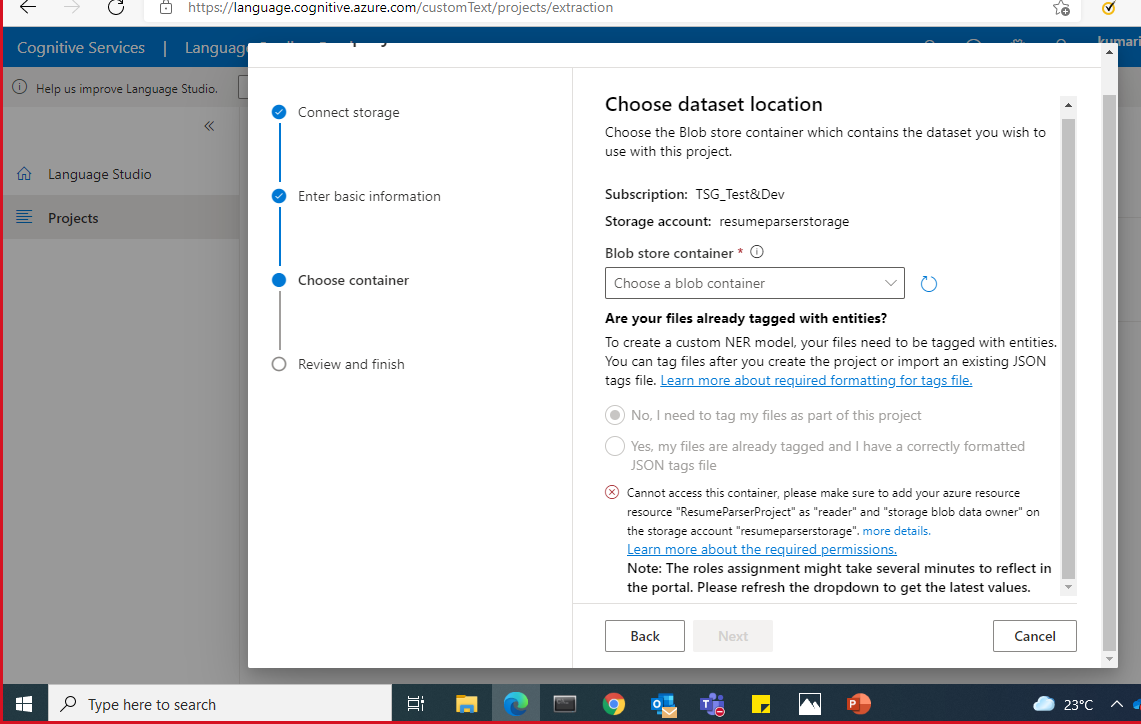
Formerly known as Azure AI Services or Azure Cognitive Services is a unified collection of prebuilt AI capabilities within the Microsoft Foundry platform
Answer accepted by question author
' cx='32' cy='32' r='32' /%3E%3Ctext x='50%25' y='55%25' dominant-baseline='middle' text-anchor='middle' fill='%23FFF' %3EY9%3C/text%3E%3C/svg%3E)
Hello @Akshata Purshottam Palsule ,
Thanks for reaching out to us for this issue. I just countered the same issue as yours and lucky I have figured out the way. I hope you can solve your issue after follow my steps.
There are total 3 roles you need to assign to your blob account. They are:
owner or contributor, and
storage blob data owner or storage blob data contributor, and
reader
Here I select Contributor, Storage blob data contributor and reader as below.
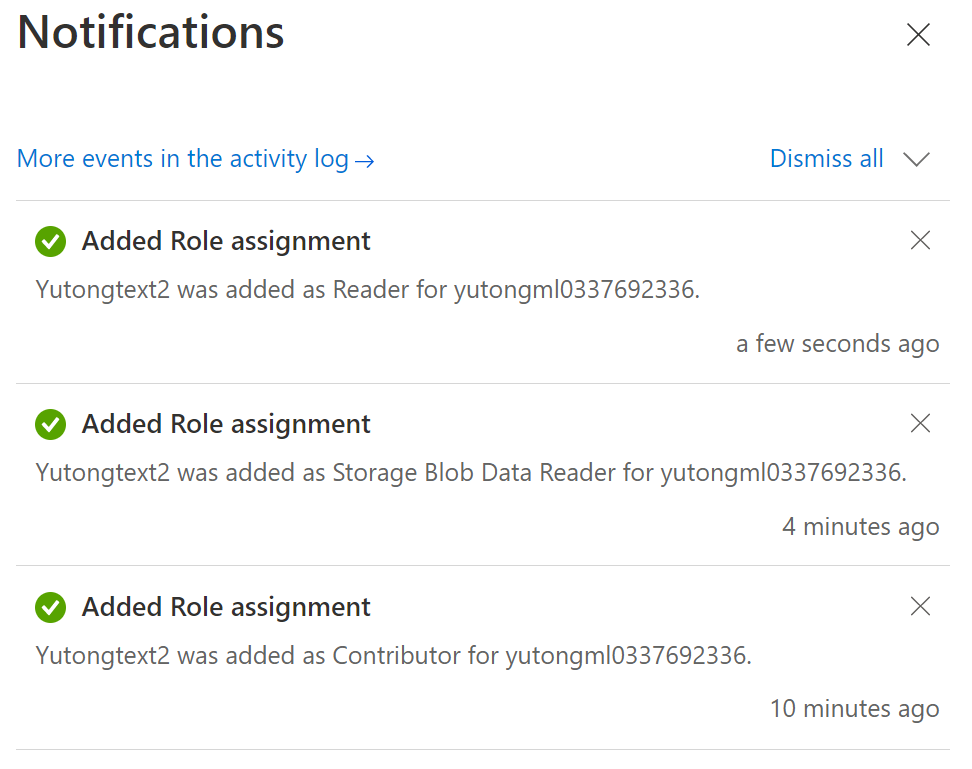
To accomplish this, you need to go to your Storage blob, select IAM, and add those 3 roles as below.
Click Add -> Add role assignment
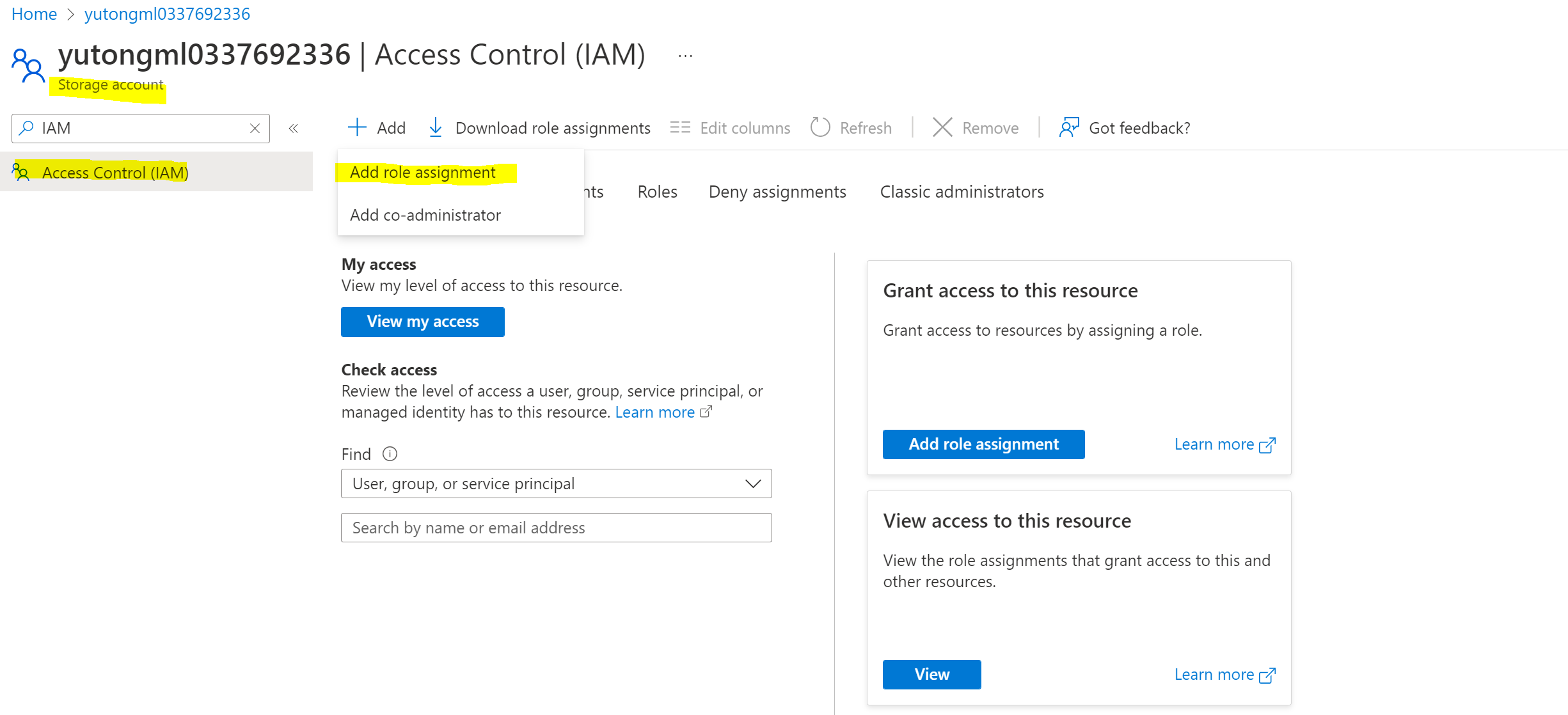
Select Role first, you need to do it one by one.
Let's start with reader.
Click Reader then click member to go to the next step. -> Select Managed identity under Assign access to. ->Select Members and find your resource. In the window that appears, select your subscription, and Language as the managed identity. You can search for user names in the Select field. Repeat this for all roles.
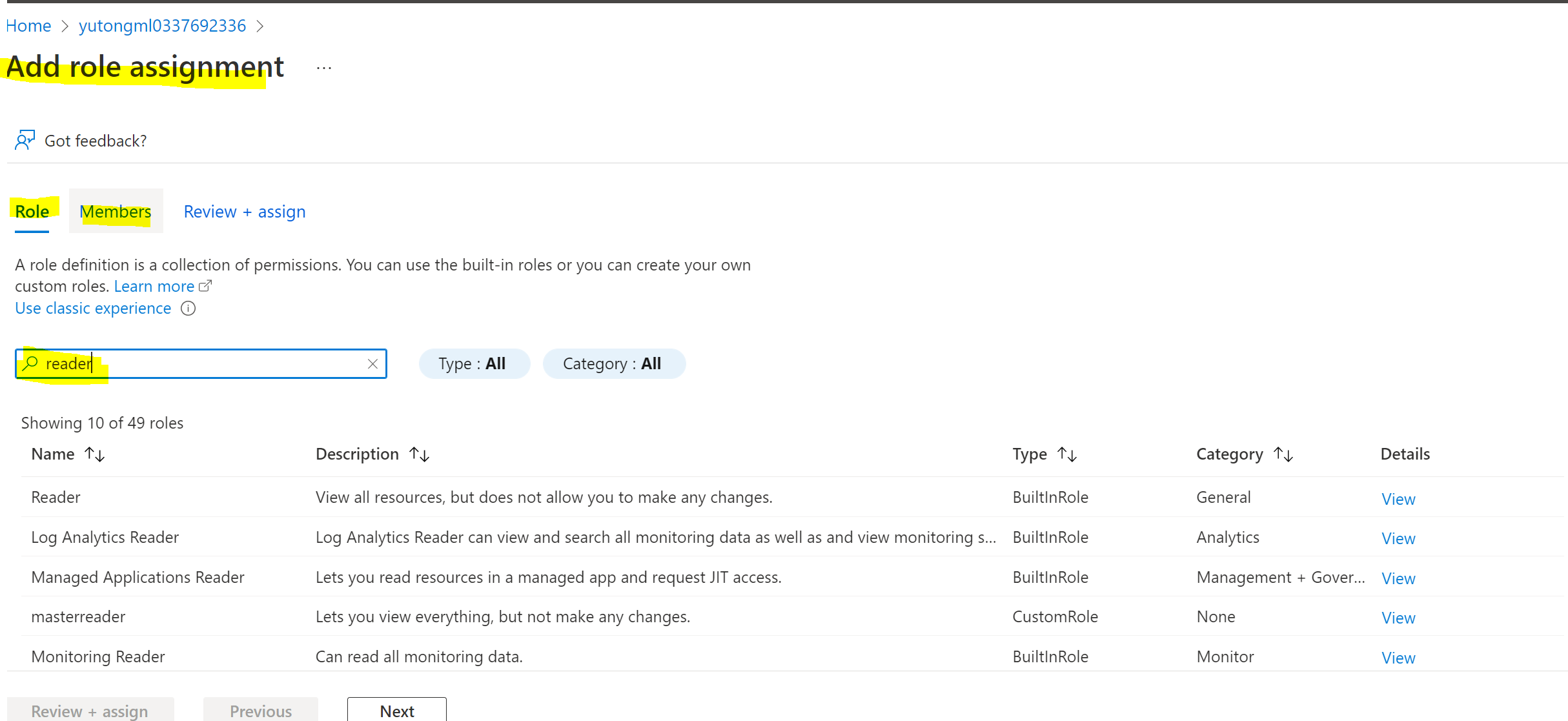
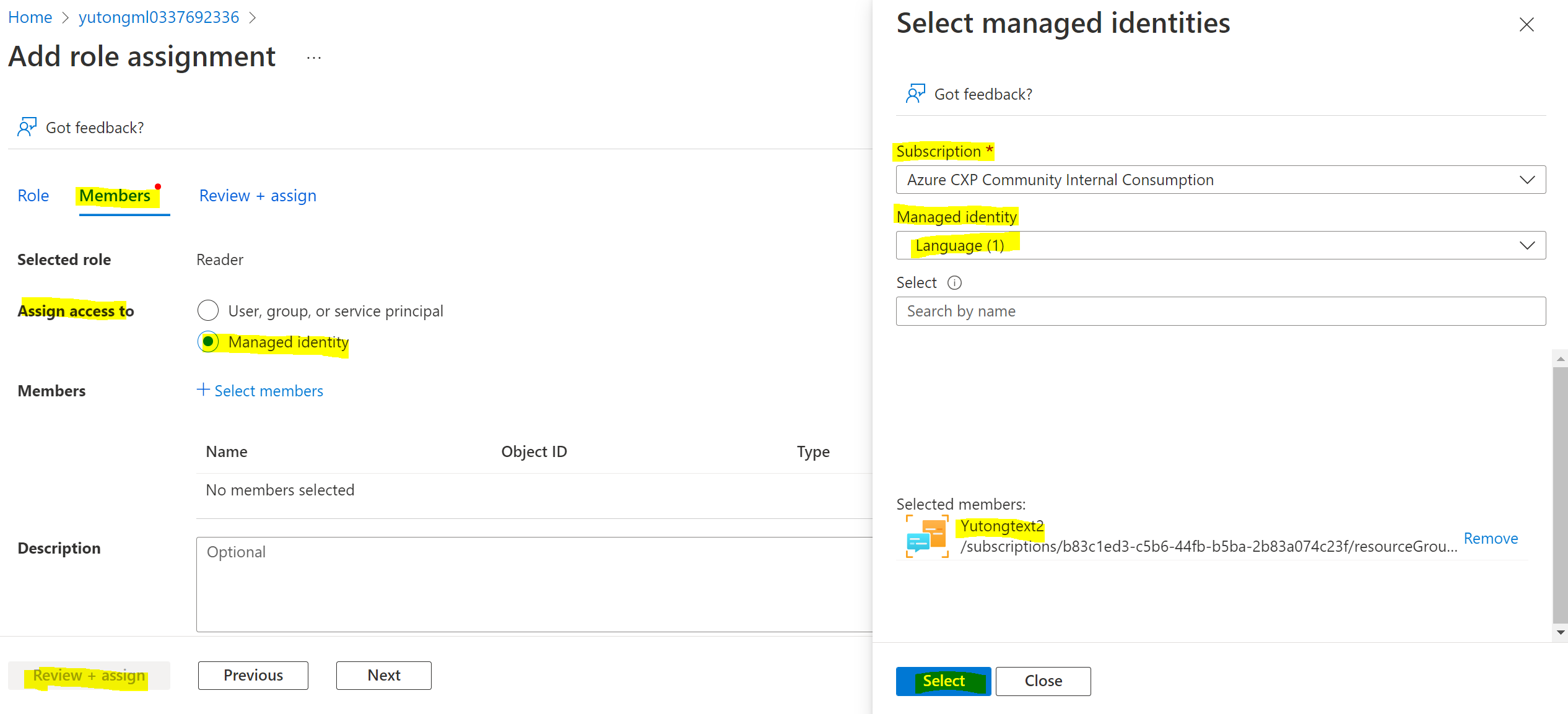
Click Assign. You need to do it for 3 times for every role, then everything should be fine. You should wait for 10mins then there should not be any error.
Hope this helps!
Regards,
Yutong
-Please kindly accept the answer if you feel helpful, your action help the whole community. Thanks.
Hello @Anonymous
Just a question can we add more data in container while our model is trained on some data from container
for eg our model is trained in 100 txt files so can we add new data to attached container and retrain our model ?
Need you help!
Hi,
Do you mean you are adding data when your model is training? In this situation, I don't think your new data is engaged at the time you are training. Please let me know if I didn't get you well.
Regards,
Yutong
Hey @Anonymous
No I mean adding new data in same container after our model is trained and retraining the model using new data
Will it give same error as above
It should not be if you only add new data and retrain, please let me know if you have any blocker to do so.
Regards,
Yutong
Hey @Anonymous
We are facing an issue
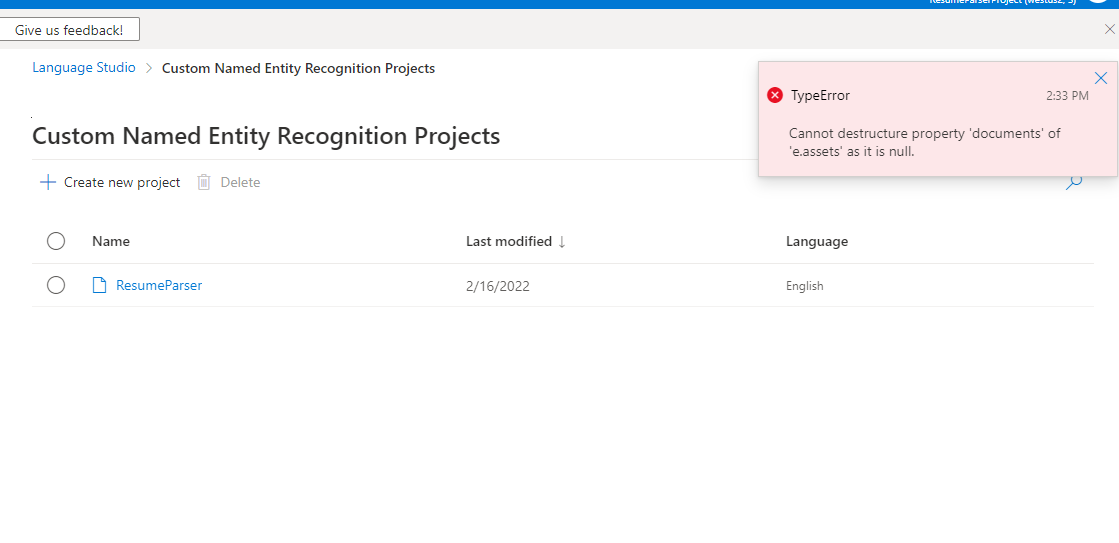
It says "Cannot destructure property 'documents' of 'e.assets' as it is null"
Do you know how to resolve it ?
Glad to know that! Thanks!
Hey @Anonymous
Thankyou for your response.
Now we are able to connect container in custom NER model but there's one more error while clicking on create project
Forbidden: Access to the storage account ![174521-screenshot-385.png][1]storage was denied. The Language resource must have at least 'Reader' and 'Storage Blob Data Owner' access to the storage account.
Can you please guide us through this as well.
Hello @Akshata Purshottam Palsule ,
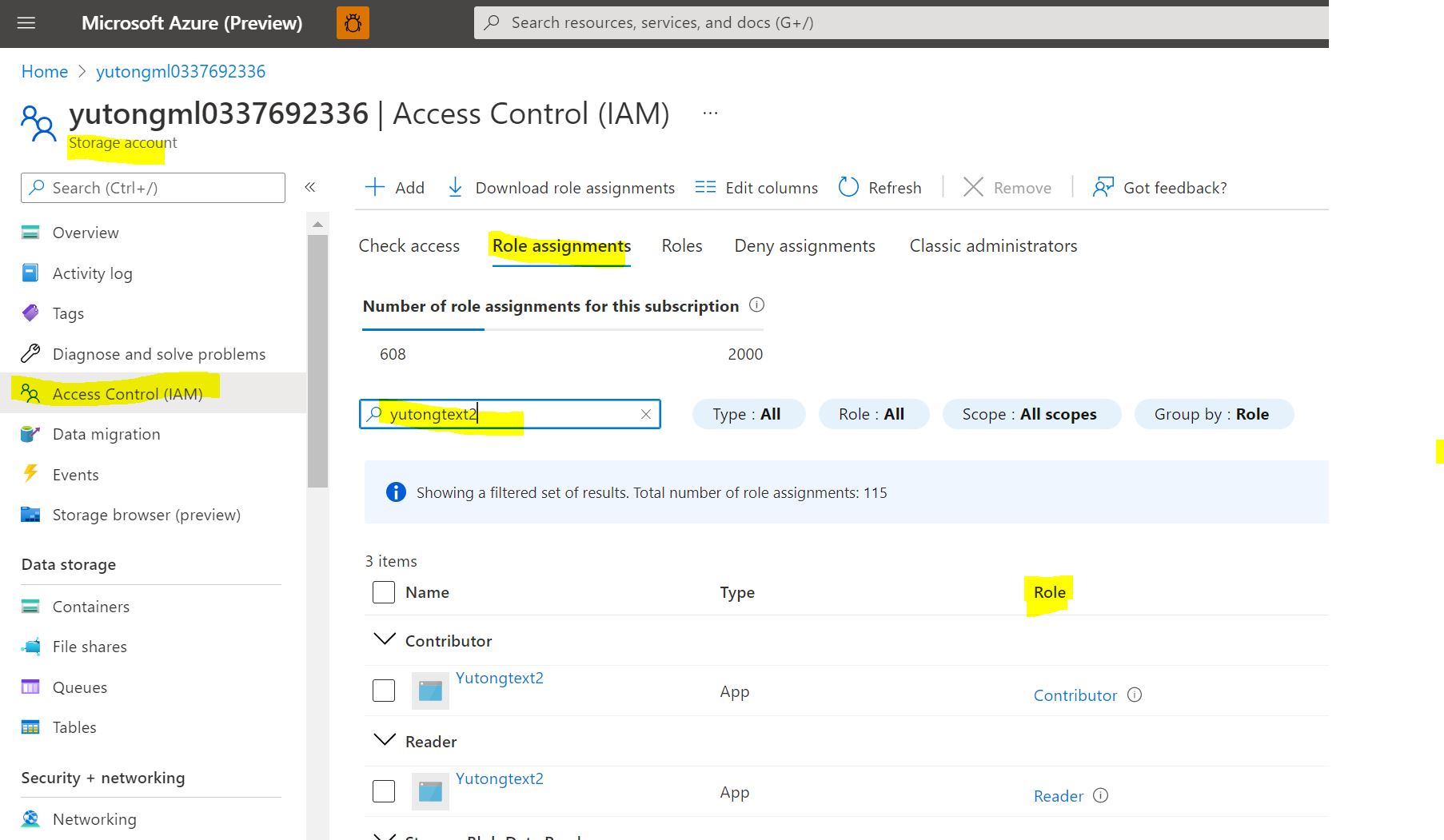
Could you please go to your blob account and check the roles to see what you have for your language service?
You need to go to your blob account -> Role assignments -> search your language service -> check if you have both 'Reader' and 'Storage Blob Data Owner' roles as below screenshot? If not, please assign it as above answer we mentioned. Thanks a lot!
Regards,
Yutong