Microsoft Security | Microsoft Entra | Microsoft Entra ID
A cloud-based identity and access management service for securing user authentication and resource access

This browser is no longer supported.
Upgrade to Microsoft Edge to take advantage of the latest features, security updates, and technical support.
' cx='32' cy='32' r='32' /%3E%3Ctext x='50%25' y='55%25' dominant-baseline='middle' text-anchor='middle' fill='%23FFF' %3EHM%3C/text%3E%3C/svg%3E)
The application has application permission: Group.ReadWrite.All, Directory.ReadWrite.All
However when i try to run
PATCH https://graph.microsoft.com/v1.0/groups/cc54c2e-***-***-**-**
Body:
{
"allowExternalSenders":true
}
It gives me an error:
{
"error": {
"code": "ErrorGroupsAccessDenied",
"message": "User does not have permissions to execute this action.",
A cloud-based identity and access management service for securing user authentication and resource access
An API that connects multiple Microsoft services, enabling data access and automation across platforms

Hi @Harihara Manigandan T
Would you please provide us with an update on the status of your issue?

As noted in the documentation, some operations are only supported for delegate permissions, not application ones. In addition, updating this property is only supported on Microsoft 365 Groups, no other groups types.
' cx='32' cy='32' r='32' /%3E%3Ctext x='50%25' y='55%25' dominant-baseline='middle' text-anchor='middle' fill='%23FFF' %3EJV%3C/text%3E%3C/svg%3E)
@Vasil Michev I could not find an explicit comment about the allowExternalSenders property in the documentation: https://learn.microsoft.com/en-us/graph/api/group-update?view=graph-rest-1.0&tabs=httpI'm wondering if updating this specific property is indeed only supported by the use of user delegated authentication.
' cx='32' cy='32' r='32' /%3E%3Ctext x='50%25' y='55%25' dominant-baseline='middle' text-anchor='middle' fill='%23FFF' %3ESD%3C/text%3E%3C/svg%3E)
To allowExternalSenders property you need to provide these three permissions Group.ReadWrite.All, Directory.ReadWrite.All, Directory.AccessAsUser.All as mentioned in MS documentation.
Attaching the screenshot of my test.
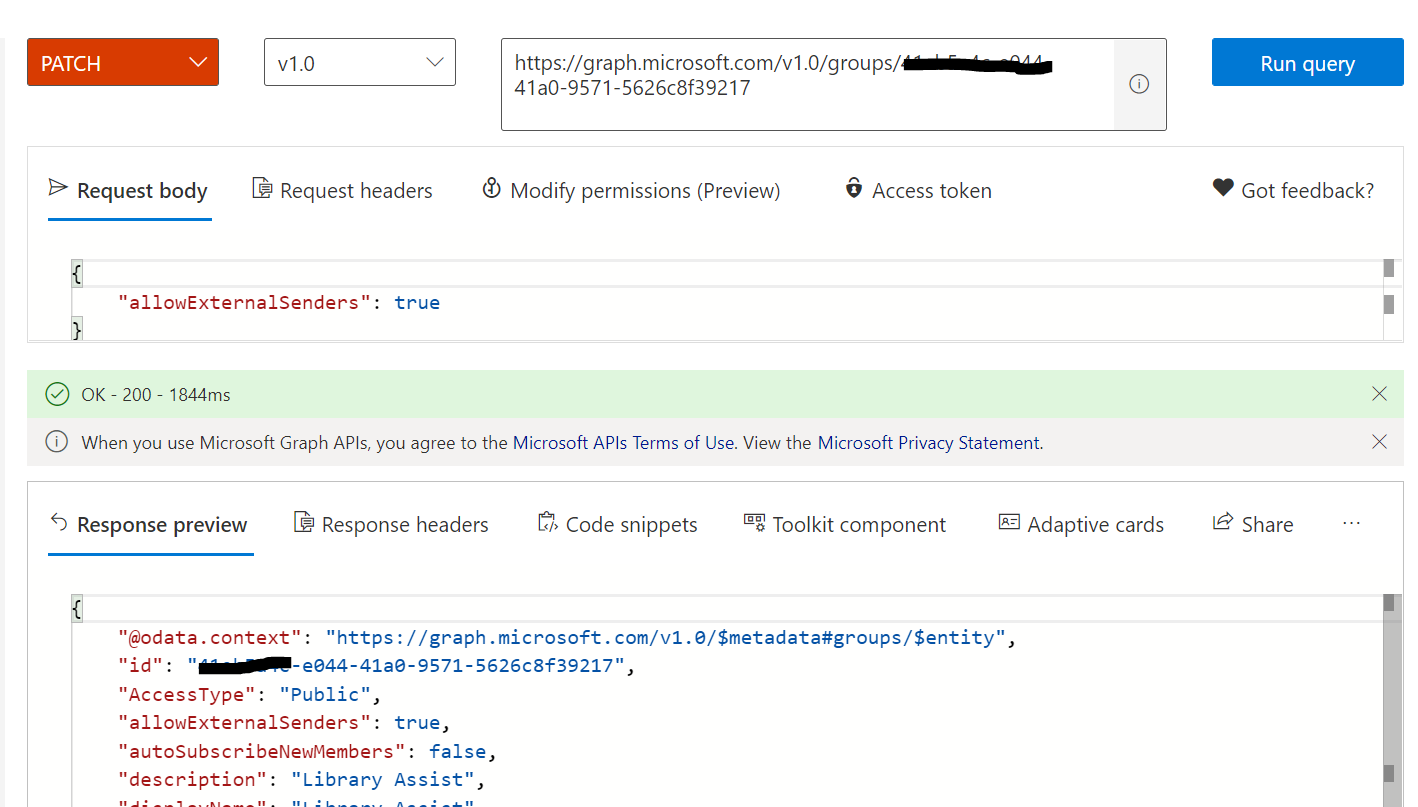
Note : Only a subset of the group API pertaining to core group administration and management support application and delegated permissions. All other members of the group API, including updating autoSubscribeNewMembers, support only delegated permissions. As mentioned here In Ms known issue.
If the answer is helpful, please click "Accept Answer" and kindly upvote it. If you have further questions about this answer, please click "Comment".