Developer technologies | Windows Forms
A set of .NET Framework managed libraries for developing graphical user interfaces.
This browser is no longer supported.
Upgrade to Microsoft Edge to take advantage of the latest features, security updates, and technical support.
' cx='32' cy='32' r='32' /%3E%3Ctext x='50%25' y='55%25' dominant-baseline='middle' text-anchor='middle' fill='%23FFF' %3EJS%3C/text%3E%3C/svg%3E)
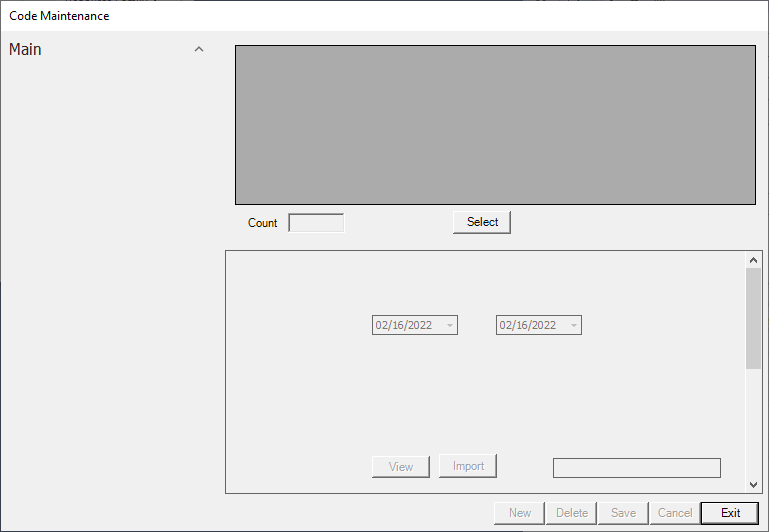
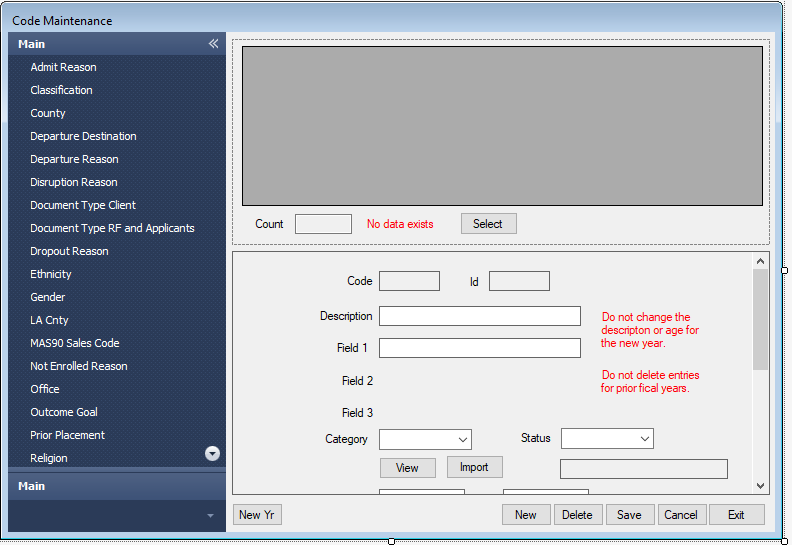
Up until this morning one of the forms in our project always showed correctly. Only very minor code changes were made in the form. First image is how the the form should look like. Second image is how it now displays at runtime. We have no idea what caused this or how to fix it.

Hi
I guess the image is how it should look.
There is insufficient information to go on. Undo those minor changes should put thing back to normal.

One of the 2 windows has Visual Styles disabled
Are you sure it is not unchecked in Application Properties :

I tested other forms in the app and they run fine. However, I did find Enable application framework to be unchecked and when I checked it the form ran fine. Don't know how that item became unchecked.
Thank you, thank you.
Extra cookie for you this week.
Already undid the changes by restoring the files for this form from Monday night. Form should look like this. What other information do you need?
Hi
Put a breakpoint at the beginning of th Form Shown event handler and see if the Form has displayed correctly at that point.