Azure Functions
An Azure service that provides an event-driven serverless compute platform.
This browser is no longer supported.
Upgrade to Microsoft Edge to take advantage of the latest features, security updates, and technical support.
' cx='32' cy='32' r='32' /%3E%3Ctext x='50%25' y='55%25' dominant-baseline='middle' text-anchor='middle' fill='%23FFF' %3EA%3C/text%3E%3C/svg%3E)
I have an Azure time TimerTrigger function
The timer is 0 */5 * * * *
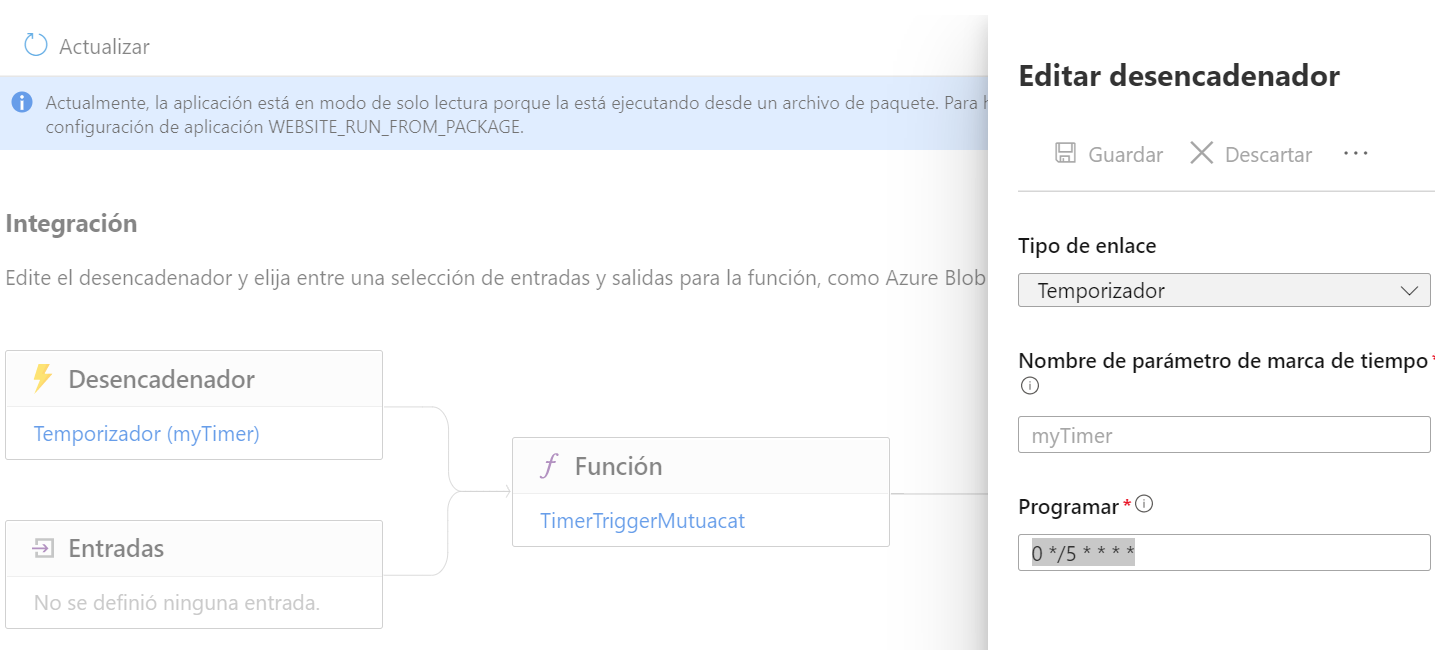
But sometimes the cron doesn't work.
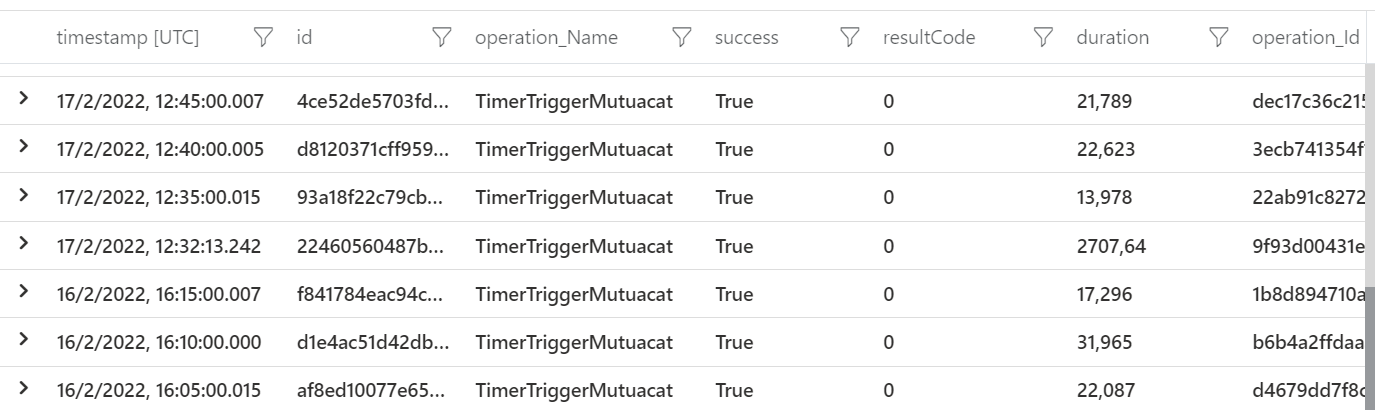
For example, the trigger has not been executed from Feb 16 at 16:15 to Feb 17 at 12:32
' cx='32' cy='32' r='32' /%3E%3Ctext x='50%25' y='55%25' dominant-baseline='middle' text-anchor='middle' fill='%23FFF' %3EMM%3C/text%3E%3C/svg%3E)
Thanks for reaching out to Q&A.
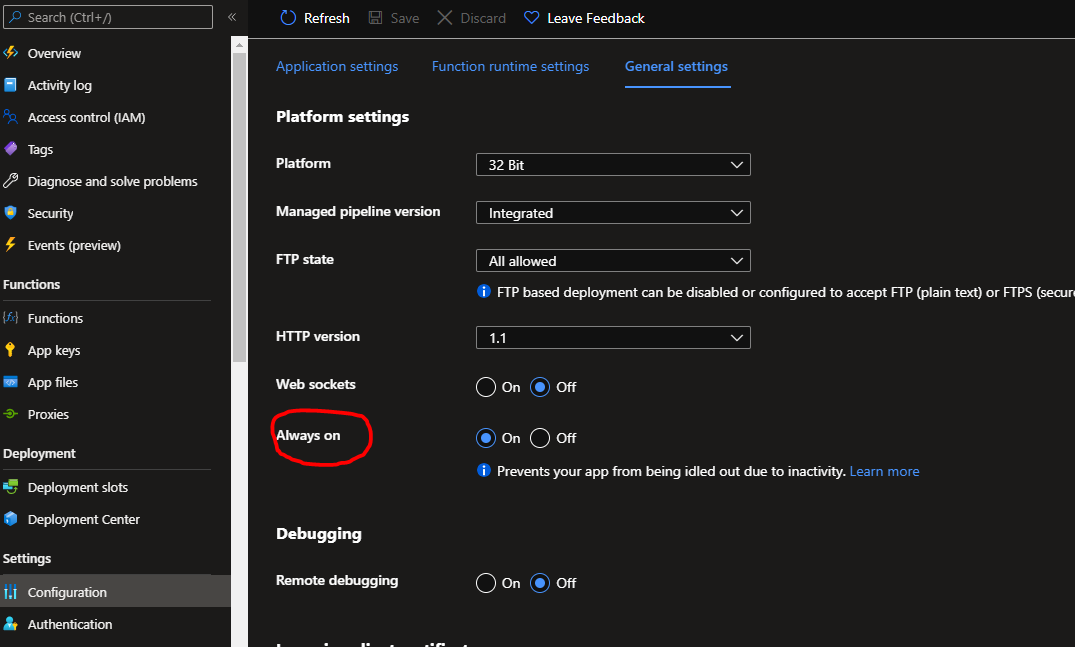
From the function invocation logs screenshot, I can see that the timer trigger didnt get invoked from 16/2/2022 16:20 to 17/2/2022 12:30. First I would suggest you to turn on "Always on" setting if the function app is running on Dedicated App service plan SKU. It is recommended that this setting should be turned on for timer triggers to work properly.
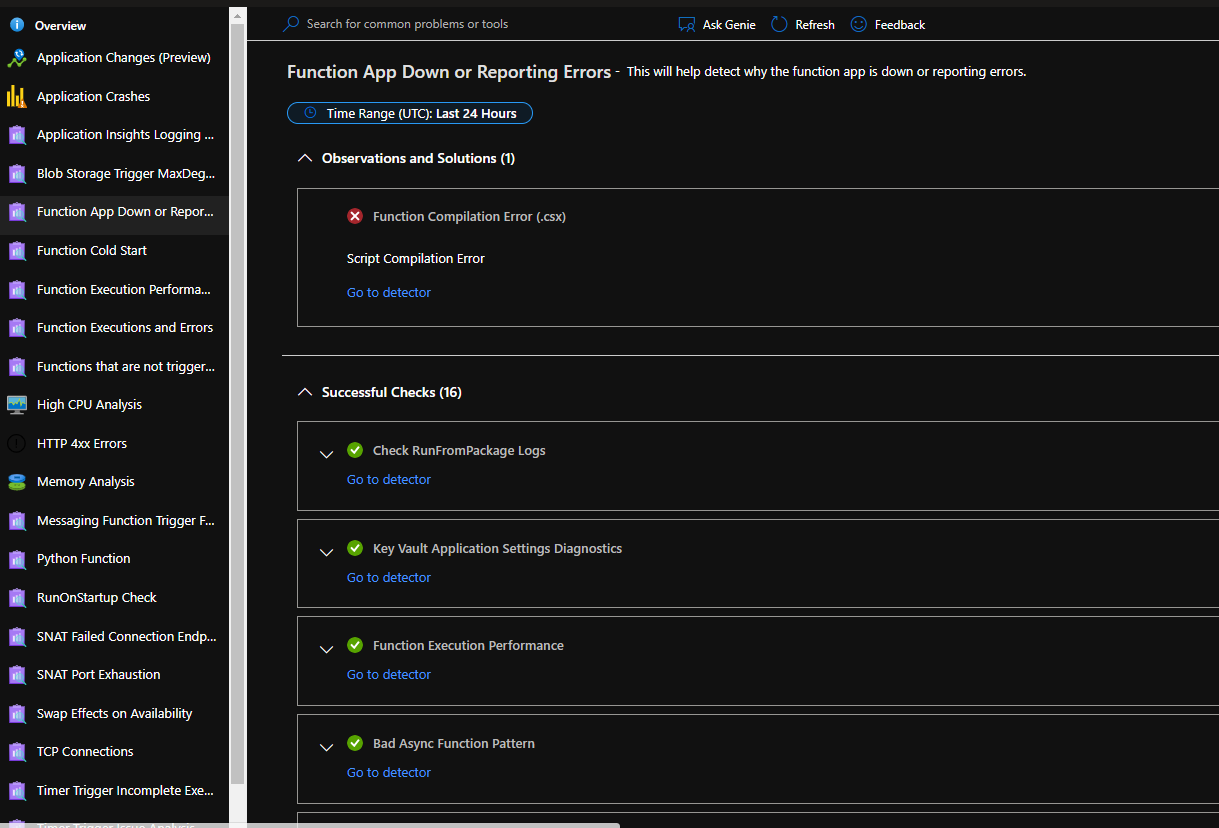
The next thing you need to check is the Diagnose and Solve problems blade. Search for "Function app down and reporting errors" in the Diagnose and solve problems blade in the portal (you will also find it under Popular troubleshooting tools ) and select the timeframe during which the timer trigger didnt run. Multiple checks would be performed by this detector, see if there were any errors that caused the function host to go down during the period the function didnt work as expected.
I hope this helps!
Please 'Accept as answer' and ‘Upvote’ if it helped so that it can help others in the community looking for help on similar topics.
@Alejandra , Just wanted to know if the above answer was helpful or not. Please let me know