Microsoft 365 and Office | SharePoint Server | For business
A family of Microsoft on-premises document management and storage systems.

This browser is no longer supported.
Upgrade to Microsoft Edge to take advantage of the latest features, security updates, and technical support.
' cx='32' cy='32' r='32' /%3E%3Ctext x='50%25' y='55%25' dominant-baseline='middle' text-anchor='middle' fill='%23FFF' %3EII%3C/text%3E%3C/svg%3E)
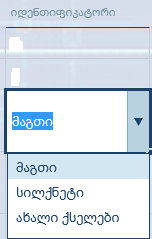
Hi i want change color from choise colum , in sharepoint 2016
i creat list columb but i can t change color
example მაგთი სილქნეტი ახალიქსელები
change RED BLUE GREEN
please help
' cx='32' cy='32' r='32' /%3E%3Ctext x='50%25' y='55%25' dominant-baseline='middle' text-anchor='middle' fill='%23FFF' %3ECM%3C/text%3E%3C/svg%3E)
Hi @Irakli Injgia ,
Do you want to change drop down menu color? You could accomplish this with jQuery or SharePoint Designer.
More detail for reference: How i can change the color font to red in a drop down feild inside sharepoint
Note: Microsoft is providing this information as a convenience to you. The sites are not controlled by Microsoft. Microsoft cannot make any representations regarding the quality, safety, or suitability of any software or information found there. Please make sure that you completely understand the risk before retrieving any suggestions from the above link.
And you could create a calculated column as a workaround.
1.Create calculated column:
List Settings > Columns > Create column > Calculated column
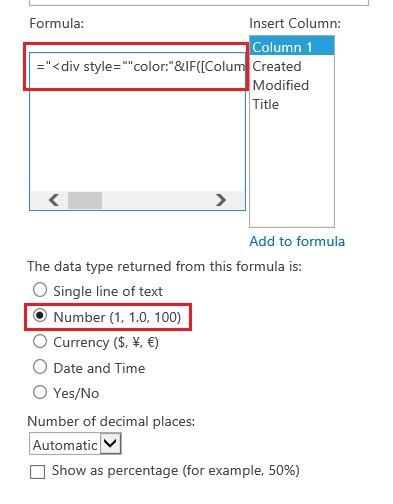
2.Add following codes to Formula:
176158-code.txt
Note: Please replace [Column 1] by [your choice column name].
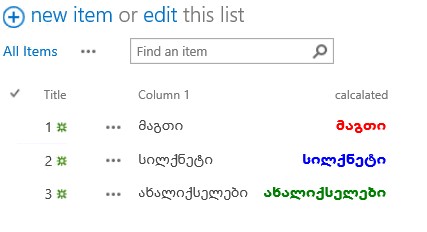
3.My test result:
If the answer is helpful, please click "Accept Answer" and kindly upvote it. If you have extra questions about this answer, please click "Comment".
Note: Please follow the steps in our documentation to enable e-mail notifications if you want to receive the related email notification for this thread.
Thanks CaseyYangMSFT-4714
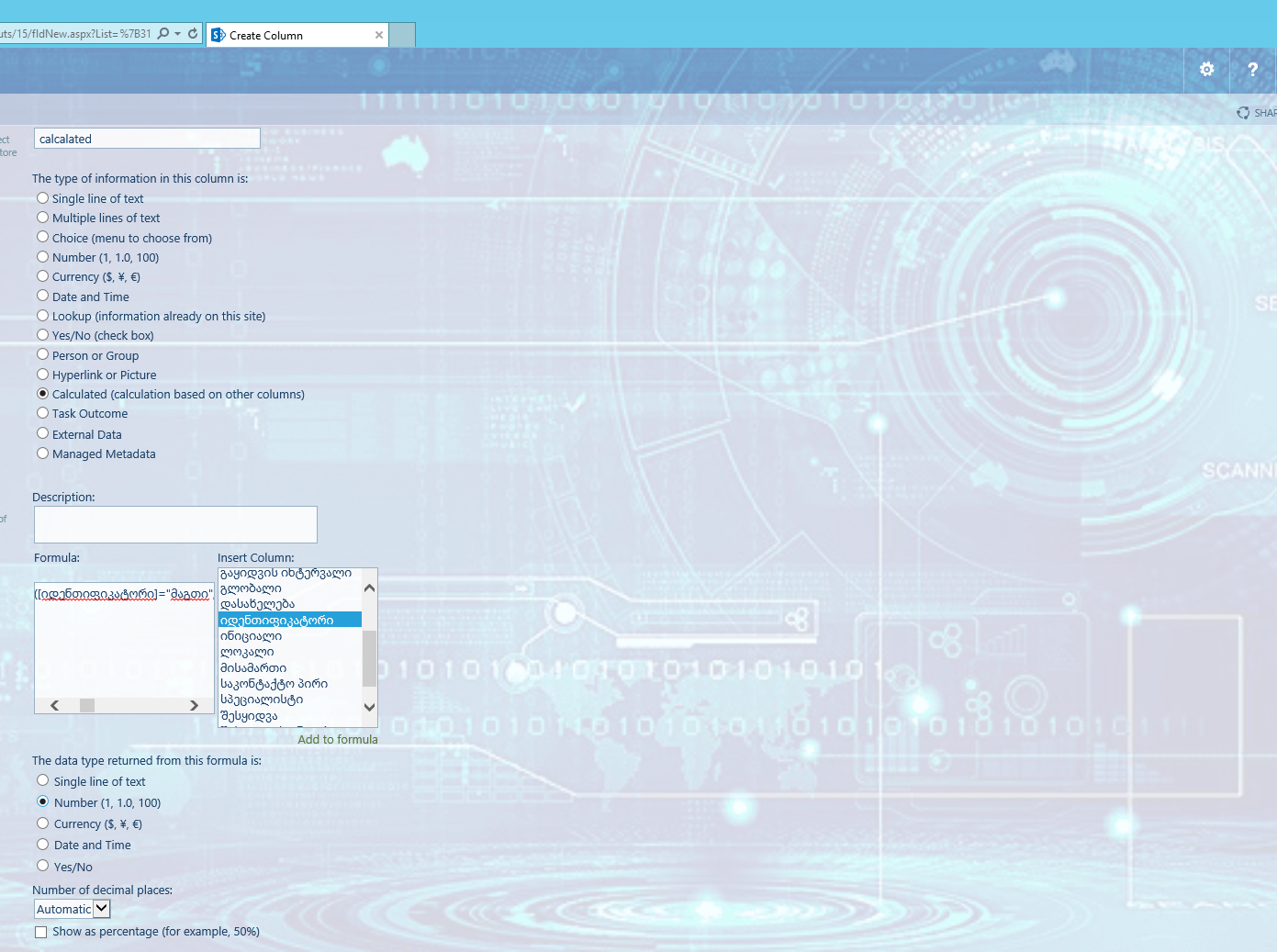
I did as you wrote step by step but gives an error.
I have SharePoint 2016 Server installed
Maybe the problem is in the Georgian language?
Or is there another way to solve the problem?
maybe you have some javascript to bind to Edit Spinet?

Best Regards
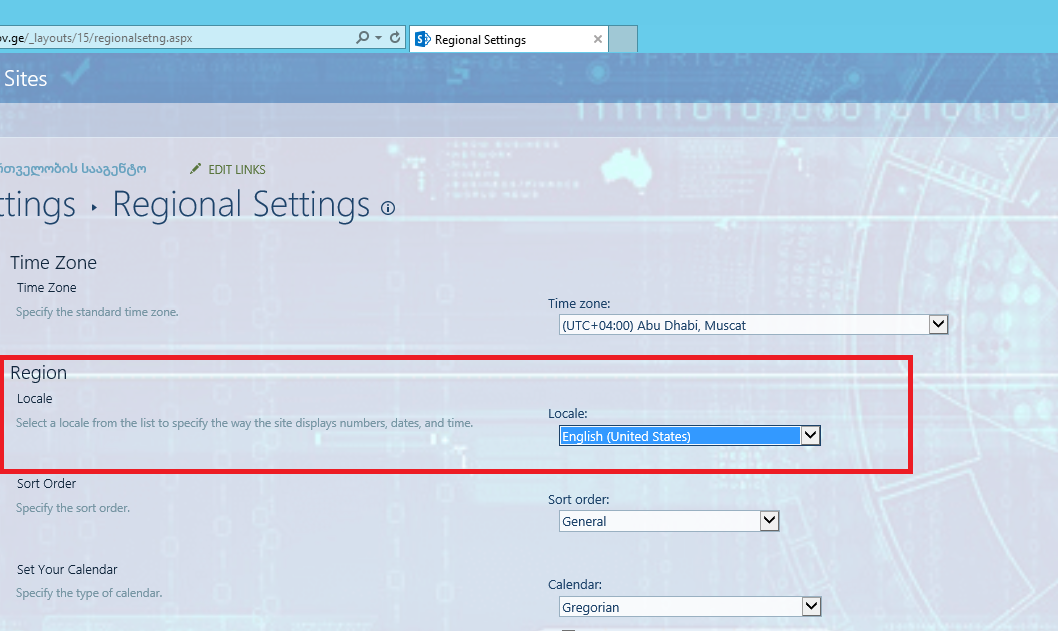
I found a problem why it gave an error
the problem was in the region I had Georgia installed
reinstalled to USA and it worked
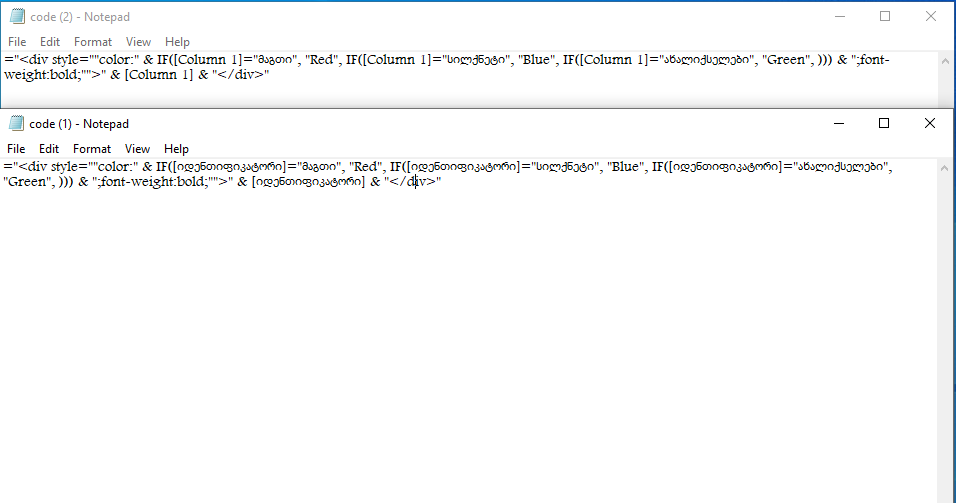
but when I saved the formula, the color did not change
maybe I'm doing something wrong?
this is how i changed the code
Best Regards

Hi @Irakli Injgia ,
What about using this code: 176305-code.txt.
I can't type Georgian, so i create a choice column renamed "მაგთი". You could delete these "[]" and try again. It still works fine in my test environment.
Column name is იდენთიფიკატორი
thanks a lot for your help. the first code worked and works. just had to select Modify View/ Style / Basic Table
BEST REGARDS :)