Microsoft Teams | Microsoft Teams for business | Other
Additional features, settings, or issues not covered by specific Microsoft Teams categories

This browser is no longer supported.
Upgrade to Microsoft Edge to take advantage of the latest features, security updates, and technical support.
' cx='32' cy='32' r='32' /%3E%3Ctext x='50%25' y='55%25' dominant-baseline='middle' text-anchor='middle' fill='%23FFF' %3EI%3C/text%3E%3C/svg%3E)
Hello Teams Community,
Please I need your help on this.
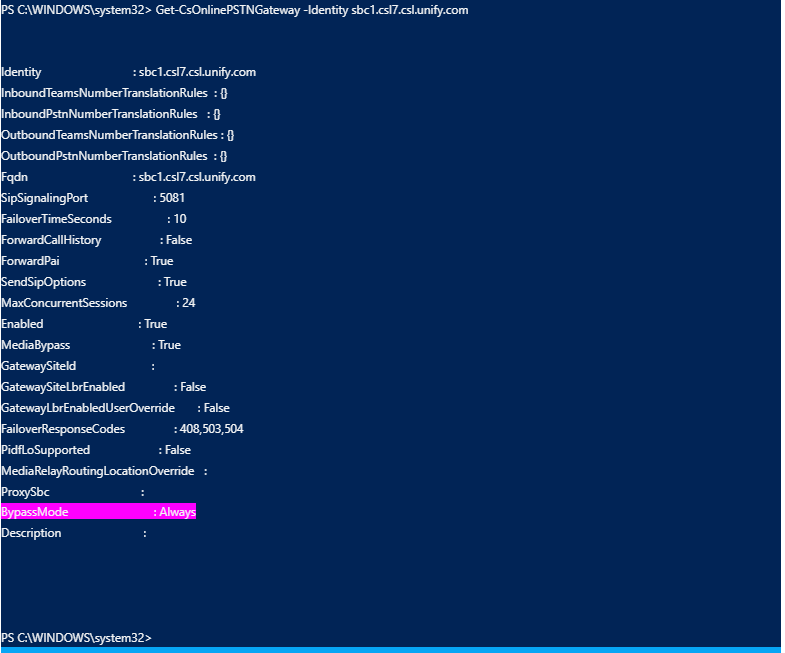
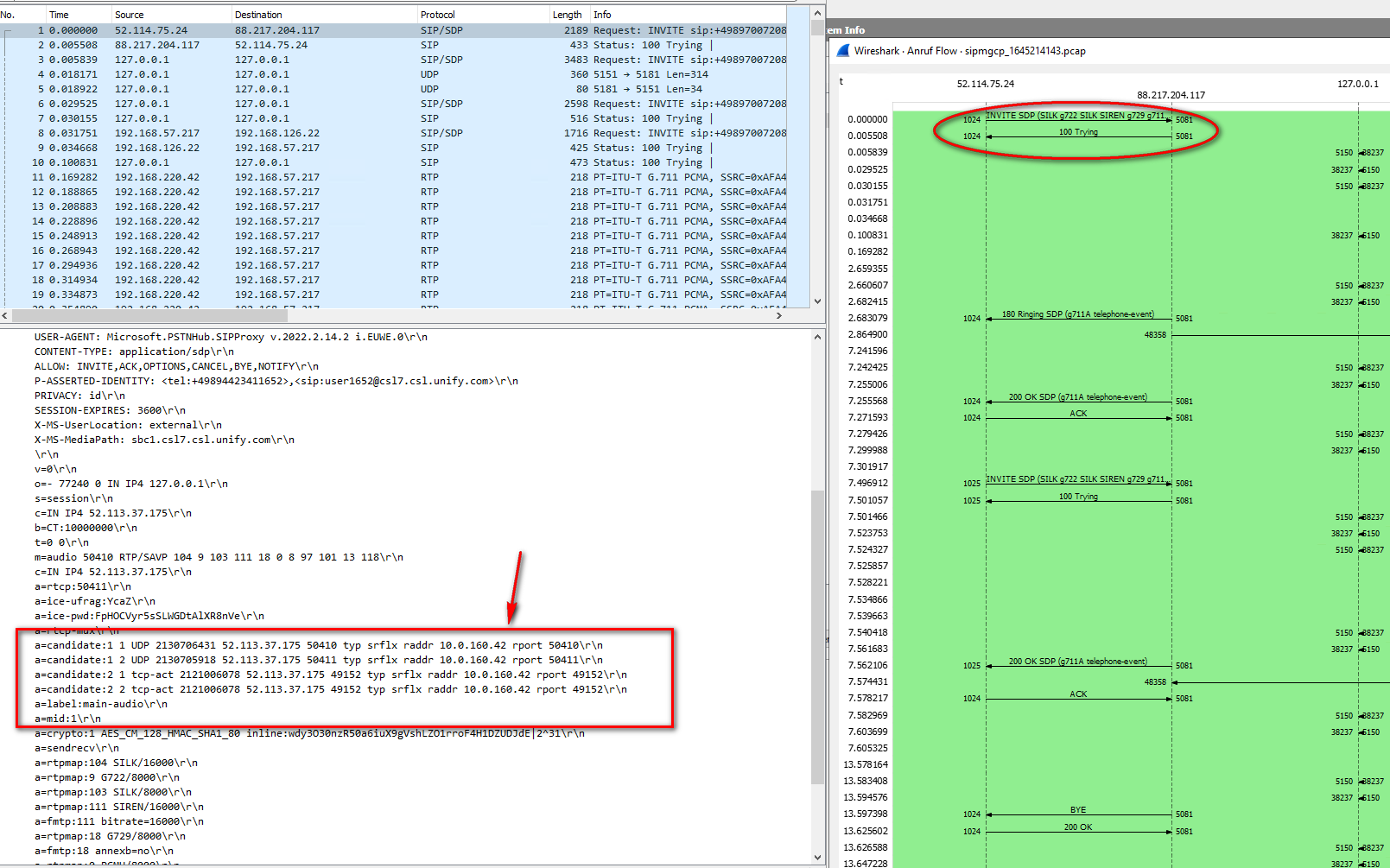
bypass mode for my SBC is turned on, but I do not get any offer for transport relays in ICE.. only the IPs of the MCU are offered.
The second SBC in the same tenant gets an offer for RTP relays along with the client IPs for direct connection when I make a call from the same client via the second SBC.
Media bypass is enabled for the SBC, but when we call from MS Teams via the SBC we never get RTP Relay candidates in the incoming Invite.
There are only the MCUs .. On the screenshot attached below I am calling from MS Teams Client located in home office (Internet).
Additional features, settings, or issues not covered by specific Microsoft Teams categories
Answer accepted by question author
' cx='32' cy='32' r='32' /%3E%3Ctext x='50%25' y='55%25' dominant-baseline='middle' text-anchor='middle' fill='%23FFF' %3EJM%3C/text%3E%3C/svg%3E)
Hi @IBN
Does this issue happened only when you enable media bypass?
Please make sure you are using Teams Media Processors if trunk is configured for media bypass and check if you are using the following ports:
Traffic From To Source port Destination port
SIP/TLS SIP Proxy SBC 1024 - 65535 Defined on the SBC
SIP/TLS SBC SIP Proxy Defined on the SBC 5061
You're welcome. Do you have any further issue on this topic? If the reply is helpful to you, you can try to mark it as a answer to close the thread.