Microsoft 365 and Office | Install, redeem, activate | For business | MacOS
Processes in Microsoft 365 for setting up Office apps, redeeming product keys, and activating licenses.

This browser is no longer supported.
Upgrade to Microsoft Edge to take advantage of the latest features, security updates, and technical support.
' cx='32' cy='32' r='32' /%3E%3Ctext x='50%25' y='55%25' dominant-baseline='middle' text-anchor='middle' fill='%23FFF' %3EJM%3C/text%3E%3C/svg%3E)
Hello together,
I had already searched for a while, but I didn't find any solution here. Maybe someone can help me here.
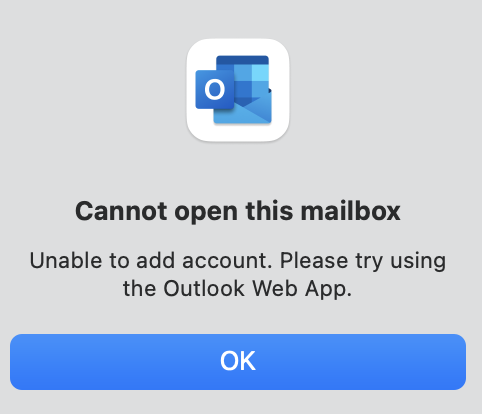
A couple of days ago, with the transition from the old outlook layout to the new, I lost access to a shared mailbox within my desktop outlook app. As usual, I tried to open it again, but I always received the message "Cannot open this mailbox. Unable to add account. Please try using the Outlook Web App.", however in the web app, I can access the mailbox.
Does someone know the reason for the error in the desktop version?
I appreciate any help you can provide.
' cx='32' cy='32' r='32' /%3E%3Ctext x='50%25' y='55%25' dominant-baseline='middle' text-anchor='middle' fill='%23FFF' %3ECM%3C/text%3E%3C/svg%3E)
Hi @Jonas M ,
Welcome to our forum!
What's the version of your Outlook client(Outlook>About Outlook)? Please make sure you have upgraded your Outlook to the latest version.
And does this problem occur when opening a specific shared mailbox or all shared mailboxes?
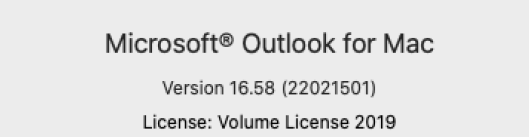
Based on my test on my Outlook for mac(version is as shown below), I can add the shared mailbox successfully in New Outlook, which didn't reproduce your issue.
How did you open the shared mailbox? I do that via Tools>Accounts>choose the account>Delegation and Sharing. For more information about the adding steps, please refer to: Open a Shared or Delegated Mailbox in New Outlook for Mac. Please check if there is any difference between your steps and this.
If the answer is helpful, please click "Accept Answer" and kindly upvote it. If you have extra questions about this answer, please click "Comment".
Note: Please follow the steps in our documentation to enable e-mail notifications if you want to receive the related email notification for this thread.
Hello Christy,
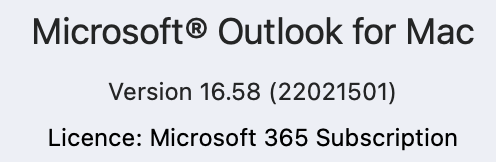
thanks for the quick response. Looking forward to getting this solved. Regarding the outlook version, I am using also the latest:
Indeed its a specific mailbox and I tried two ways with the same output:
(1) Tools -> Accounts ->Delegation & Sharing --> Shared with me --> + --> searching for the mail box
(2) File --> Open --> Shared Calendar --> Add
Are there specific differences in user rights between web app and desktop app? Maybe I am lacking some user rights? However, it's weird as it just happens with the mandatory transition to the new outlook layout some days ago. Before that, I had no issues and could access it easily via Desktop app.
Looking forward to your answer!
Best,
Jonas
Hi @Jonas M ,
Thanks for your reply!
My outlook for Mac is also set as the default new outlook environment, but there is no error. I notice that this problem occurs in a specific mailbox. It's suggested that you could try the following two ways to check whether it is different:
