' cx='32' cy='32' r='32' /%3E%3Ctext x='50%25' y='55%25' dominant-baseline='middle' text-anchor='middle' fill='%23FFF' %3EBZ%3C/text%3E%3C/svg%3E)

' cx='32' cy='32' r='32' /%3E%3Ctext x='50%25' y='55%25' dominant-baseline='middle' text-anchor='middle' fill='%23FFF' %3ESS%3C/text%3E%3C/svg%3E)
' cx='32' cy='32' r='32' /%3E%3Ctext x='50%25' y='55%25' dominant-baseline='middle' text-anchor='middle' fill='%23FFF' %3ESN%3C/text%3E%3C/svg%3E)
' cx='32' cy='32' r='32' /%3E%3Ctext x='50%25' y='55%25' dominant-baseline='middle' text-anchor='middle' fill='%23FFF' %3EAX%3C/text%3E%3C/svg%3E)
Hi @Brian Zhang ,
Do you get the same error when you open public folders in OWA?
Does the problem occur with all users? Or just specific users?
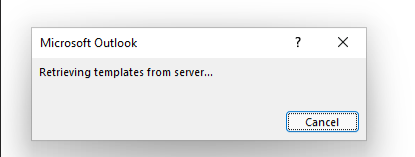
According to this error. This issue can be caused by many reasons.
You could follow below steps to try to solve this issue
Method1: Re-create the outlook profile.
1 Open Control Panel and click on Programs
2 Go through User Accounts , Mail to open Mail items
3 Choose the profile which you want to remove
4 Click the Remove, then add the new outlook profile.
Method2:Switch outlook to cache mode.
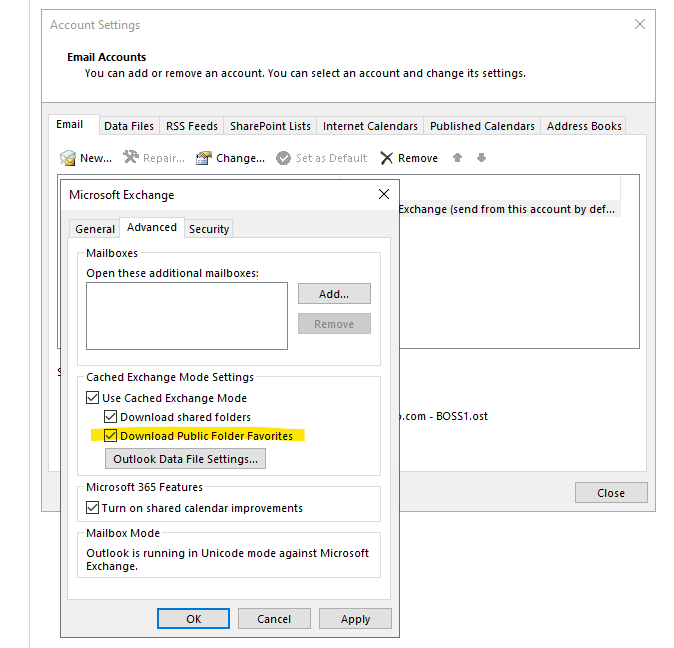
In Outlook, click File > Account Settings > Account Settings, click on the Exchange account, and then click Change.
Under Offline Settings, make sure to select the checkbox before Use Cached Exchange Mode and set to cache 3 months emails.
You can also try going to Account settings > More settings > Advanced to uncheck the option Download Shared Folder and check if the issue still persist.
If the answer is helpful, please click "Accept Answer" and kindly upvote it. If you have extra questions about this answer, please click "Comment".
Note: Please follow the steps in our documentation to enable e-mail notifications if you want to receive the related email notification for this thread.