Developer technologies | Windows Presentation Foundation
A part of the .NET Framework that provides a unified programming model for building line-of-business desktop applications on Windows.
This browser is no longer supported.
Upgrade to Microsoft Edge to take advantage of the latest features, security updates, and technical support.
' cx='32' cy='32' r='32' /%3E%3Ctext x='50%25' y='55%25' dominant-baseline='middle' text-anchor='middle' fill='%23FFF' %3EA%3C/text%3E%3C/svg%3E)
@FabricPam I tried setting the ScrollViewer and StackPanel to the same height, that failed to make a difference. I tried compiling in 4.8 (vs 4.0) that also failed to make a difference. I'm open to other workarounds as well because this issue seems systemic. My intent is to show a Modal Window when an exception is raised, pausing the main thread in the application until the Modal Window exits.
' cx='32' cy='32' r='32' /%3E%3Ctext x='50%25' y='55%25' dominant-baseline='middle' text-anchor='middle' fill='%23FFF' %3EHL%3C/text%3E%3C/svg%3E)
Hi,@Anonymous . Did my answer solve your problem? If so, you could accept it as the answer. It's helpful for community members with similar questions.
' cx='32' cy='32' r='32' /%3E%3Ctext x='50%25' y='55%25' dominant-baseline='middle' text-anchor='middle' fill='%23FFF' %3EF%3C/text%3E%3C/svg%3E)
Let me look into it. @Anonymous
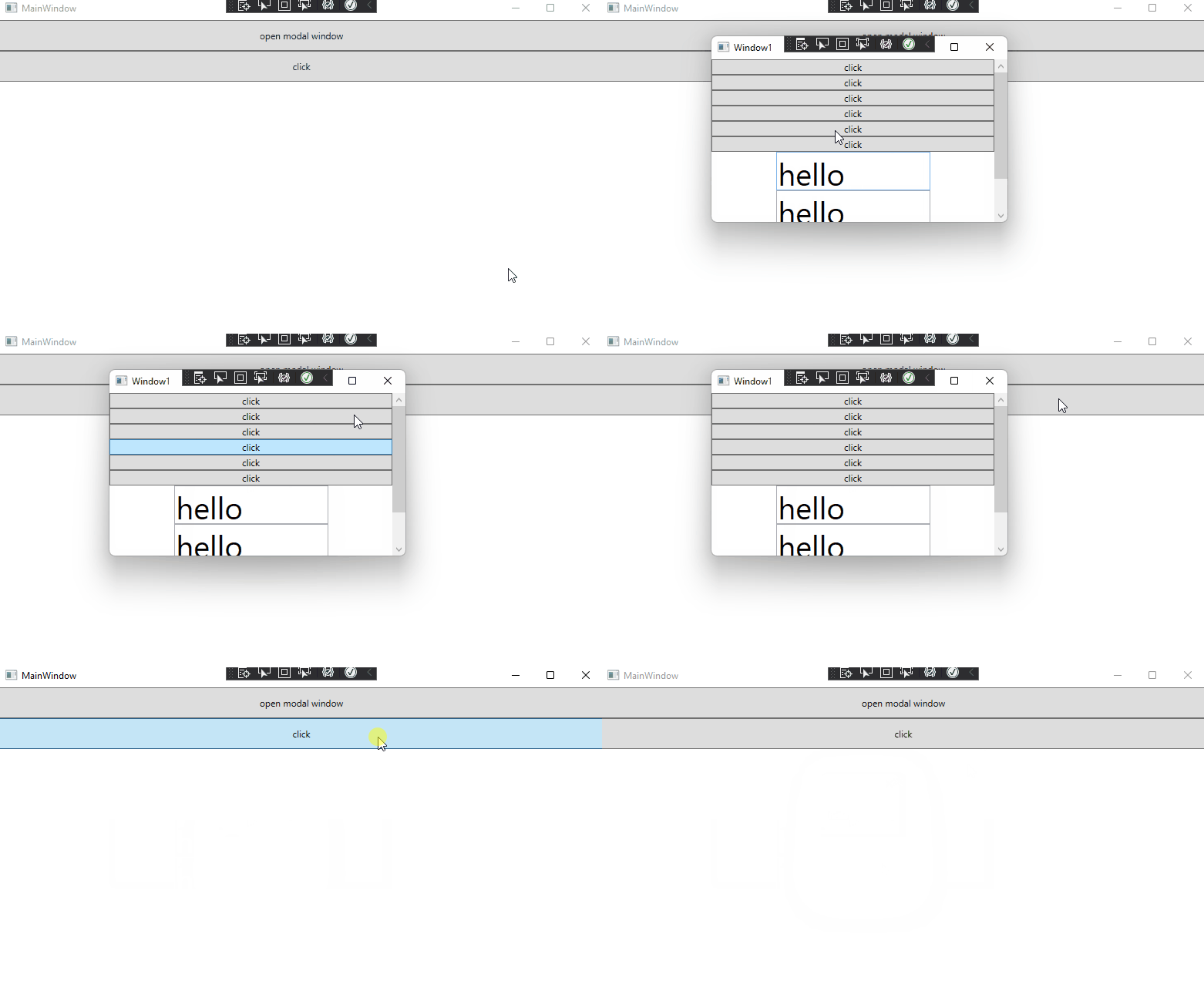
I show an example below. If I misunderstood, please let me know.
ModalWindow.xaml:
<Window x:Class="SaveFileFromMultipleTabItems.Window1"
        xmlns="http://schemas.microsoft.com/winfx/2006/xaml/presentation"
        xmlns:x="http://schemas.microsoft.com/winfx/2006/xaml"
        xmlns:d="http://schemas.microsoft.com/expression/blend/2008"
        xmlns:mc="http://schemas.openxmlformats.org/markup-compatibility/2006"
        xmlns:local="clr-namespace:SaveFileFromMultipleTabItems"
        mc:Ignorable="d"  WindowStartupLocation="CenterScreen"
        Title="Window1" Height="250" Width="400">
    <ScrollViewer>
        <StackPanel>
            <Button Click="Button_Click" Content="click"/>
            <Button Click="Button_Click" Content="click"/>
            <Button Click="Button_Click" Content="click"/>
            <Button Click="Button_Click" Content="click"/>
            <Button Click="Button_Click" Content="click"/>
            <Button Click="Button_Click" Content="click"/>
            <TextBox Width="200" Height="50" Text="hello" TextWrapping="Wrap" FontSize="40"/>
            <TextBox Width="200" Height="50" Text="hello" TextWrapping="Wrap" FontSize="40"/>
            <TextBox Width="200" Height="50" Text="hello" TextWrapping="Wrap" FontSize="40"/>
        </StackPanel>
    </ScrollViewer>
</Window>
Modal.xmal.cs:
 public partial class Window1 : Window
  {
    public Window1()
    {
      InitializeComponent();
    }
    private void Button_Click(object sender, RoutedEventArgs e)
    {
      MessageBox.Show("hello");
    }
  }
MainWindow.xaml:
 <StackPanel >
            <Button Content="open modal window" Height="40" Click="Button_Click"/>
            <Button Content="click" Height="40" Click="Button_Click_1"/>
        </StackPanel>
MainWindow.xaml.cs:
public partial class MainWindow : Window
  {
    public MainWindow()
    {
      InitializeComponent();
    }
    private void Button_Click(object sender, RoutedEventArgs e)
    {
      Window1 window = new Window1();
      window.ShowDialog();
    }
    private void Button_Click_1(object sender, RoutedEventArgs e)
    {
      MessageBox.Show("hello");
    }
  }
The result:
If the response is helpful, please click "Accept Answer" and upvote it.
Note: Please follow the steps in our [documentation][5] to enable e-mail notifications if you want to receive the related email notification for this thread.
[5]: https://learn.microsoft.com/en-us/answers/articles/67444/email-notifications.html