Developer technologies | Windows Presentation Foundation
A part of the .NET Framework that provides a unified programming model for building line-of-business desktop applications on Windows.
This browser is no longer supported.
Upgrade to Microsoft Edge to take advantage of the latest features, security updates, and technical support.

I found that some of the Dependency properties of my UserControl do not have BindingExpressions. I was confused all day.
P.S: i use [PostSharp/AOP][1] to auto implement INotifyPropertyChanged and DepencenyProperty Register.
I believe my problem is not caused by PostSharp because I have tried not using it and the problem persists.
   CSharp
   [NotifyPropertyChanged]
   public class StockThumbnail : UserControl
   {
       public static DependencyProperty StockProviderProperty { get; private set; }

       [DependencyProperty]
       public string AspectRatio { get; set; }

       [DependencyProperty]
       public string Description { get; set; }

       public int DownloadProgress { get; private set; }

       [DependencyProperty]
       public Uri Icon { get; set; }

       [DependencyProperty]
       public string Id { get; set; }

       [DependencyProperty]
       public Uri ImageSource { get; set; }

       [DependencyProperty]
       public bool IsAdded { get; set; }

       [DependencyProperty]
       public bool IsFavorited { get; set; }

       [SafeForDependencyAnalysis]
       public Size MaxSize => (Sizes?.Any()).GetValueOrDefault(false) ? Sizes.MaxBy(x => x.Width * x.Height) : Size.Empty;

       [DependencyProperty]
       public ObservableCollection<Size> Sizes { get; set; }  //⛔ always null.

       [DependencyProperty]
       public string StockProvider { get; set; }  //⛔ always null.

       [SafeForDependencyAnalysis]
       public string SupportSizesToolTip => (Sizes?.Any()).GetValueOrDefault(false) ? "Supports Sizes:\n" + String.Join('\n', Sizes.Select(x => $"{x.Width}x{x.Height}")) : null;

       public ImageSource? Thumbnail { get; private set; }

       public event EventHandler<bool>? IsAddedChanged;

       public event EventHandler<bool>? IsFavoritedChanged;

       public StockThumbnail()
       { }

       protected string GetCacheThumbnailPath()
       {
           var dir = Directory.CreateDirectory(".Caches/Thumbnails");

           return Path.Combine(dir.FullName, $"{StockProvider}.{Id}.jpg");
       }


       protected virtual void OnDecodeFailed(object? sender, ExceptionEventArgs e)
       {
           throw e.ErrorException;
       }

       protected virtual void OnDownloadCompleted(object? sender, EventArgs e)
       {
           if (File.Exists(GetCacheThumbnailPath()))
           {
               return;
           }

           var image = sender as BitmapImage;
           BitmapEncoder encoder = new JpegBitmapEncoder();
           encoder.Frames.Add(BitmapFrame.Create(image));
           using var fileStream = new FileStream(GetCacheThumbnailPath(), FileMode.Create);
           encoder.Save(fileStream);
       }

       protected virtual void OnDownloadProgress(object? sender, DownloadProgressEventArgs e)
       {
           DownloadProgress = e.Progress;
       }

       // OnImageSourceChanged will auto called when dp changed.
       private void OnImageSourceChanged()
       {
           var uri = ImageSource;
           string path = GetCacheThumbnailPath();

           if (File.Exists(path))
           {
               uri = new(path);
           }

           var img = new BitmapImage();
           img.DownloadProgress += (sender, e) => OnDownloadProgress(sender, e);
           img.DownloadCompleted += (sender, e) => OnDownloadCompleted(sender, e);
           img.DecodeFailed += (sender, e) => OnDecodeFailed(sender, e);

           img.BeginInit();
           img.CacheOption = BitmapCacheOption.OnLoad;
           img.UriSource = uri;
           img.EndInit();

           Thumbnail = img;
       }

       // OnIsAddedChanged will auto called when dp changed.
       private void OnIsAddedChanged()
       {
           IsAddedChanged?.Invoke(this, IsAdded);
       }

       // OnIsFavoritedChanged will auto called when dp changed.
       private void OnIsFavoritedChanged()
       {
           IsFavoritedChanged?.Invoke(this, IsFavorited);
       }
   }


   CSharp
   [NotifyPropertyChanged]
   public partial class VideoThumbnail : StockThumbnail
   {
       [DependencyProperty]
       public TimeSpan Duration { get; set; }

       public Brush ThumbnailProgressBarForground { get; private set; } = App.Current.Resources["DefaultProgressBarBrush"] as Brush;

       public Visibility ThumbnailProgressBarVisibility { get; private set; }

       public VideoThumbnail()
       {
           InitializeComponent();
       }

       protected override void OnDecodeFailed(object? sender, ExceptionEventArgs e)
       {
           ThumbnailProgressBarForground = new SolidColorBrush(Colors.Red);
       }

       protected override void OnDownloadCompleted(object? sender, EventArgs e)
       {
           ThumbnailProgressBarVisibility = Visibility.Collapsed;
           base.OnDownloadCompleted(sender, e);
       }

       private void Border_MouseEnter(object sender, System.Windows.Input.MouseEventArgs e)
       {
           imgThumbnail.Stretch = Stretch.UniformToFill;
           vbPlayIndicator.Visibility = Visibility.Visible;
       }

       private void Border_MouseLeave(object sender, System.Windows.Input.MouseEventArgs e)
       {
           imgThumbnail.Stretch = Stretch.Uniform;
           vbPlayIndicator.Visibility = Visibility.Collapsed;
       }

       private void BtnAdd_Click(object sender, RoutedEventArgs e)
       {
           IsAdded = !IsAdded;
       }

       private void BtnFavorite_Click(object sender, RoutedEventArgs e)
       {
           IsFavorited = !IsFavorited;
       }
   }
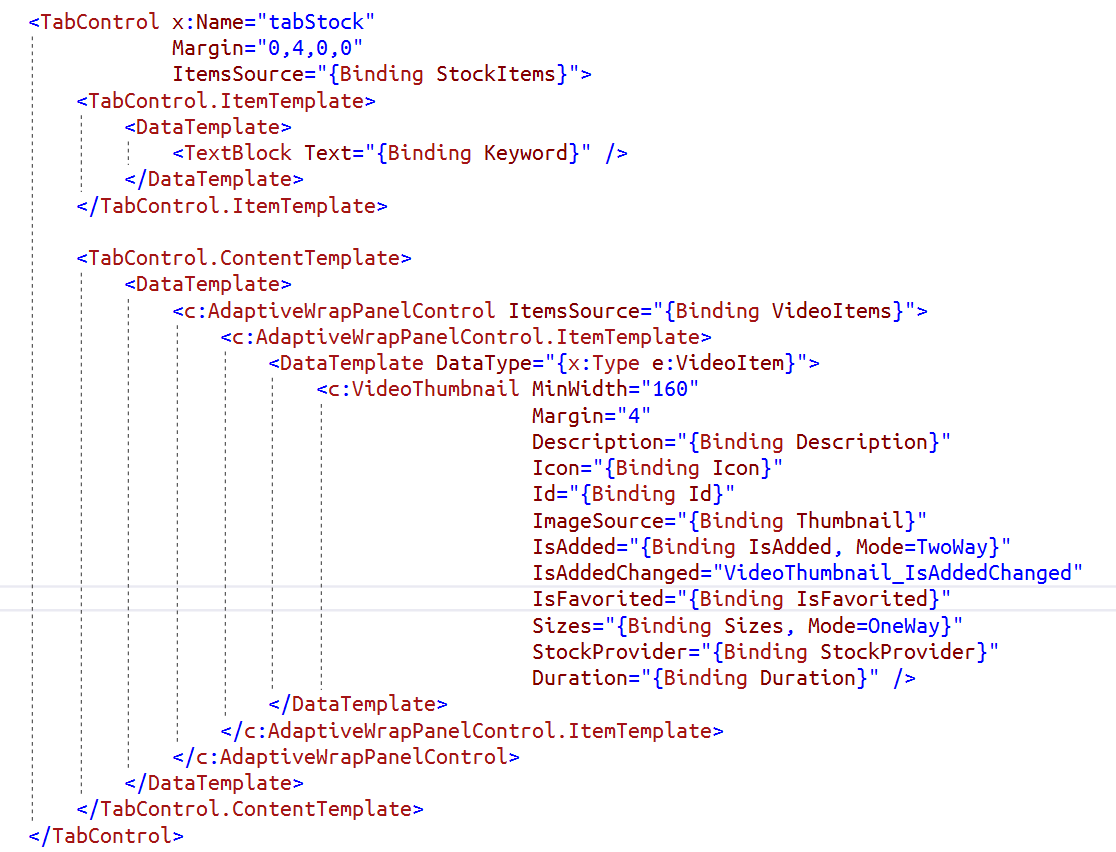
I found StockProvider and Sizes is not set BindingExpression:

And What confuses me is that all other dependency properties work fine(For example Description):
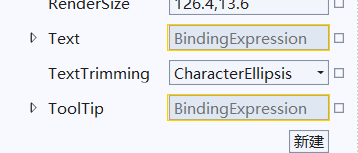
P.S: If I add UI for StockProvider and Sizes, then they bind successfully! But I don't need UI for these two properties.

Why did such a strange thing happen?
----------
Update: i change public ObservableCollection<Size> Sizes { get; set; } -> public IEnumerable<Size> Sizes { get; set; }, it work fine!!!!!!!!!!!
And i add Debug.WriteLine($">>> {StockProvider}.{Id}.jpg"); in GetCacheThumbnailPath():
It will be called multiple times, but finally the StockProvider property will be fetched.
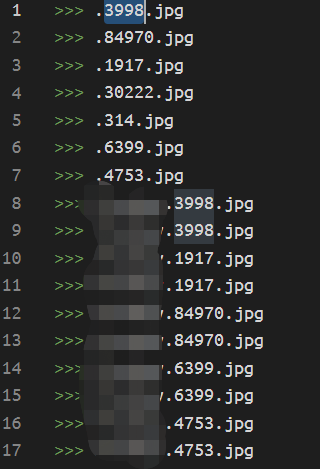
The first StockProvider is null, so File.Exists(path) always returns false.
Finally I found the reason why StockProvider starts as null, the initialization of C# properties is related to their relative position in the source code, I write StockProvider at the beginning of the class and depend on it to write later.