Azure Functions
An Azure service that provides an event-driven serverless compute platform.
This browser is no longer supported.
Upgrade to Microsoft Edge to take advantage of the latest features, security updates, and technical support.
' cx='32' cy='32' r='32' /%3E%3Ctext x='50%25' y='55%25' dominant-baseline='middle' text-anchor='middle' fill='%23FFF' %3EHS%3C/text%3E%3C/svg%3E)
Hello,
i just upgraded my azure function V1 to V3(Core), I am getting some problem with connection string.
Here is function sample
   [FunctionName("Function1")]
        public static void Run([IoTHubTrigger("messages/events", Connection = "ConnectionStrings:IoTHubEndpoint")] EventData message, ILogger log)
        {
            log.LogInformation($"C# IoT Hub trigger function processed a message: {Encoding.UTF8.GetString(message.EventBody.ToArray())}");
        }
I am Getting this error

Here is local.settings.json file.
{
"IsEncrypted": false,
"Values": {
"AzureWebJobsStorage": "UseDevelopmentStorage=true",
"FUNCTIONS_WORKER_RUNTIME": "dotnet",
},
"ConnectionStrings": {
"IoTHubEndpoint": "mystring"
}
}
Getting this string from here
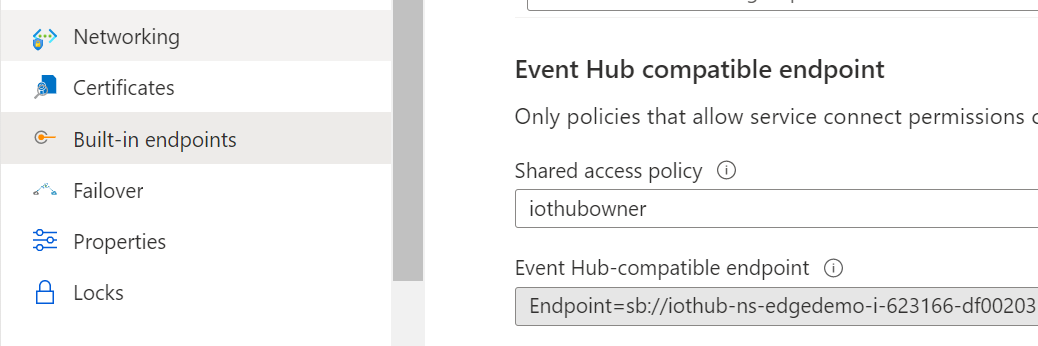
Someone guide me please what i am doing wrong here ?
Thank you so much for your response.
' cx='32' cy='32' r='32' /%3E%3Ctext x='50%25' y='55%25' dominant-baseline='middle' text-anchor='middle' fill='%23FFF' %3EBL%3C/text%3E%3C/svg%3E)
Hi, I tried your code on a v3 function and that worked for me.
Looking on your error looks like your connection string is not correct.
If you copy from here
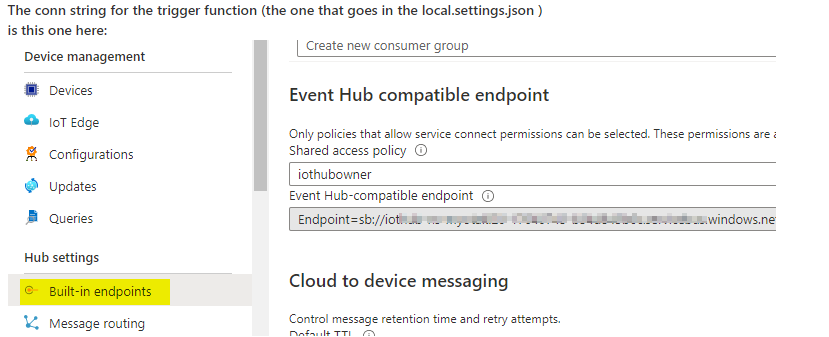
Notice a trigger need a path to a hub. that means you need to replace the "mystring" in ("IoTHubEndpoint": "mystring") with the whole value of the endpoint
that will look like this (don't forget the EntityPath). Look like your error is complaining about the EntityPath bit:
Endpoint=sb://iothub-ns-xxxx-17640743-b3xxx6c.servicebus.windows.net/;SharedAccessKeyName=iothubowner;SharedAccessKey=oxxxyU2B0Hcxm9d9aS5EbkxxxXM8/8teIGuro=;EntityPath=myotakl990
That error is common for sender code. if you add the full connection string including the path you should see that error . for sender with 2 params, one is the entity path and the other is the conn string without the path.

@Bruno Lucas thank you so much for you detailed response,
I am getting this error
Azure.Messaging.EventHubs: The path to an Event Hub may be specified as part of the connection string or as a separate value, but not both. Please verify that your connection string does not have the EntityPath token if you are passing an explicit Event Hub name. (Parameter 'connectionString').
I am already getting string from same place where you show in screen shot.
i am using V3.net Core SDK Function
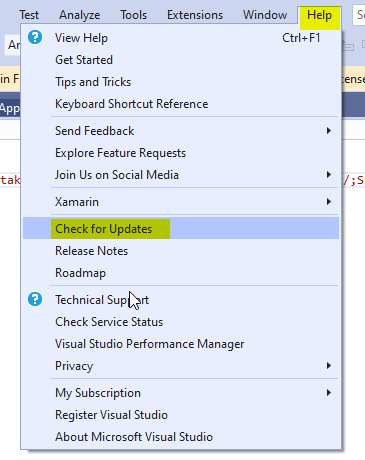
I've seen this error before but not on the trigger. I'll detail what I've done step by step. I did use V3 core 3.1 and I notice some funny stuff happening (more when you upgrade). When I tried this from zero it worked fine. will post is soon. on the mean time, check if your Visual Studio 2019 has the latest updates. Can you also post a full shot of the error
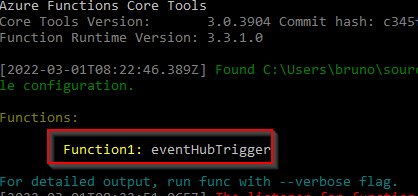
When you debug, do you get to see trigger function name like this?
@Bruno Lucas
Yes i am checking updates and meanwhile i sending you here again error and my code Screenshot. I am using Azure.Messaging.EventHubs; instead of using Microsoft.Azure.EventHubs;
Here is Errors & Code Screeshots
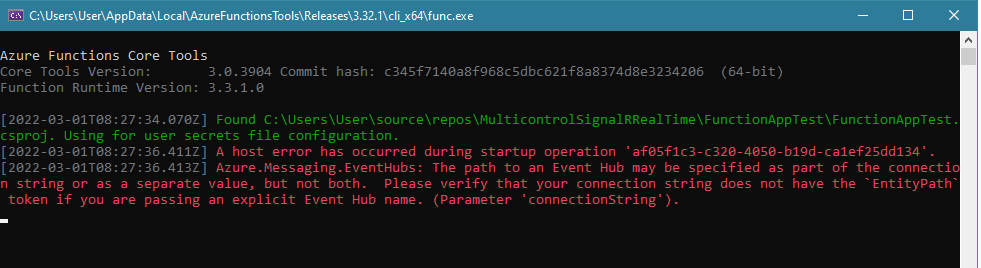

I hope now you will get idea and suggest me better solution.,
Thank you so much for your quickly response
That helps. I made the same changes on my project and seem to work fine. had to change a bit after changeing to using Azure.Messaging.EventHubs. Good thing because it's the latest. What is very strange you don't get to the point of getting an error for using "EventData" with Azure.Messaging.EventHubs. It is breaking before mounting the function

This is how I structured my 'local.settings.json'
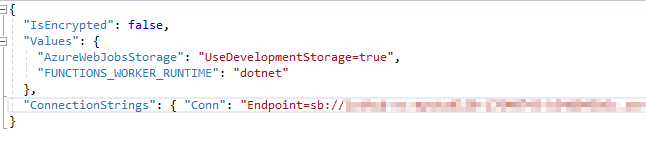
Those are my packages:
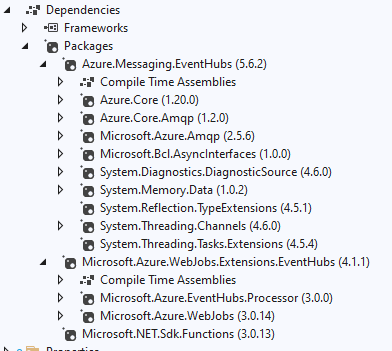
Project seetings :
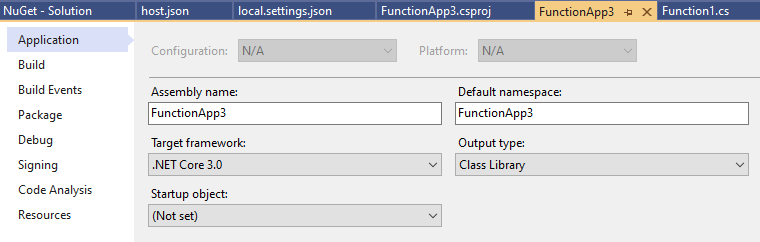
and finally the host.json:
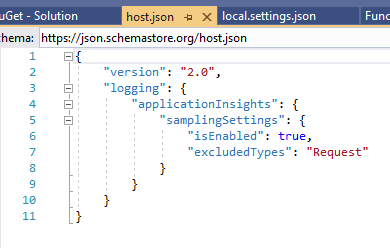
clean, rebuild, debug:
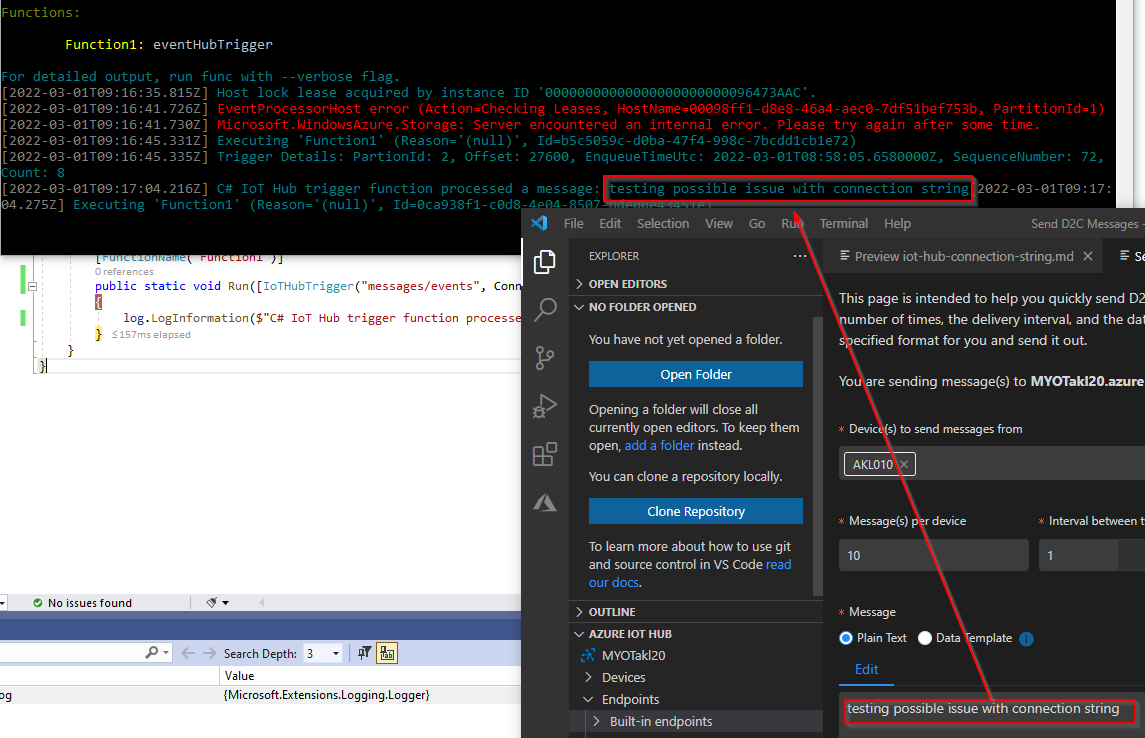
Here it is the whole source. (This is just a VS template for demos) https://github.com/blucas2016/FunctionApp3. you can open on your machine , replace with your conn string and see if it runs
@Bruno Lucas , Thank you so much for your helpfull response,
Is it possible share these images again, we cant see here
I updated the previous post. I also uploaded the code to github : https://github.com/blucas2016/FunctionApp3
@Bruno Lucas Thank you so much for saving my time, thanks you again for your help & time.

Hello @Hassan Shabbir ,
I just created a test project based on your information (using VS Code and azure function template).
I was able to run it locally and ingest messages from an IoT Hub:
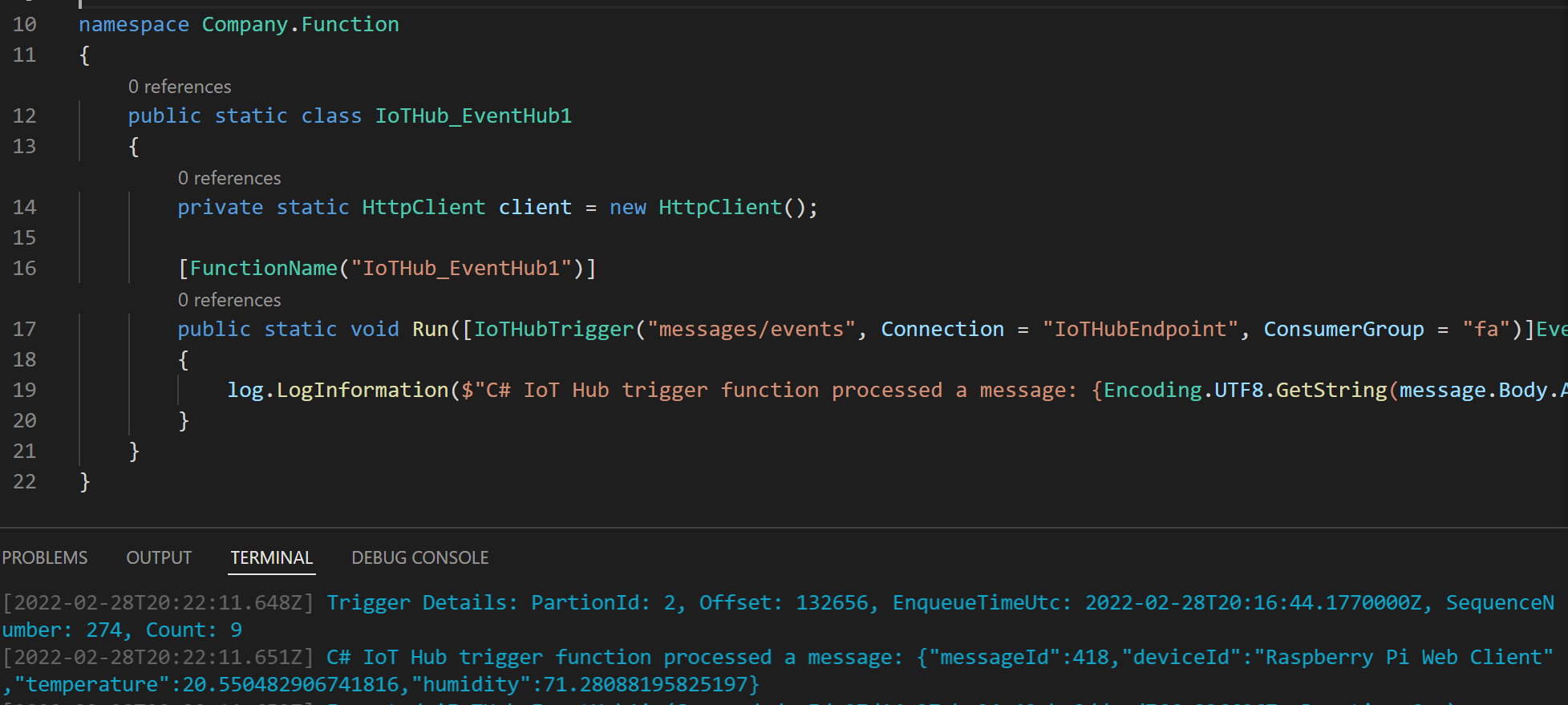
I used this configuration:
{
  "IsEncrypted": false,
  "Values": {
    "AzureWebJobsStorage": "UseDevelopmentStorage=true",
    "FUNCTIONS_WORKER_RUNTIME": "dotnet"
  },
  "ConnectionStrings": {
    "IoTHubEndpoint": "Endpoint=sb://iothub-ns-storage-ro-17651825-0b2daeb2a7.servicebus.windows.net/;SharedAccessKeyName=iothubowner;SharedAccessKey=[a sas key]=;EntityPath=storage-route-test-ih"
  }
}
With this function:
using IoTHubTrigger = Microsoft.Azure.WebJobs.EventHubTriggerAttribute;

using Microsoft.Azure.WebJobs;
using Microsoft.Azure.WebJobs.Host;
using Microsoft.Azure.EventHubs;
using System.Text;
using System.Net.Http;
using Microsoft.Extensions.Logging;

namespace Company.Function
{
    public static class IoTHub_EventHub1
    {
        private static HttpClient client = new HttpClient();

        [FunctionName("IoTHub_EventHub1")]
        public static void Run([IoTHubTrigger("messages/events", Connection = "IoTHubEndpoint", ConsumerGroup = "fa")]EventData message, ILogger log)
        {
            log.LogInformation($"C# IoT Hub trigger function processed a message: {Encoding.UTF8.GetString(message.Body.Array)}");
        }
    }
}
The only thing a changed was adding a consumer group.
I'm not sure why you get that error message. As you can see, it works for me.
Full code example available at GitHub.
Hello @Sander van de Velde | MVP
Thank you so much for your response, Did you create this new project with v3 Core ? because in V3 Core doesnot support microsoft Azure event hubs. its supports Azure.Messaging.EventHubs;
I created this project like this and select V3.Net Core , Can you please try this sample like this.
I badly stuck with this
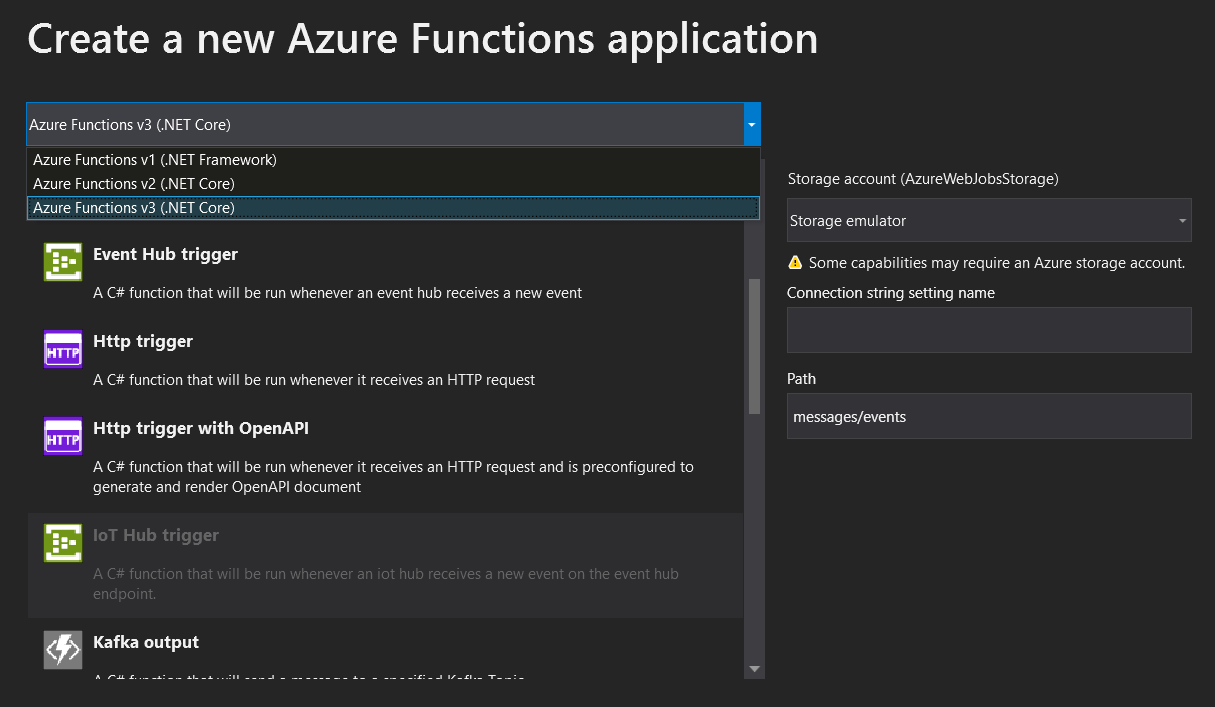
@Sander van de Velde | MVP Sir and i am using Azure.Messaging.EventHubs; instead of using Microsoft.Azure.EventHubs . Sir can you update your code as well on github may be i will get my solution as welll.
' cx='32' cy='32' r='32' /%3E%3Ctext x='50%25' y='55%25' dominant-baseline='middle' text-anchor='middle' fill='%23FFF' %3EMM%3C/text%3E%3C/svg%3E)
Thanks for reaching out to Q&A.
The connection string should be passed in this way Connection = "IoTHubEndpoint". Create a name value pair in the local.settings.json file with the name "IoTHubEndpoint" and connection string obtained from the portal as value.
I hope this helps!
Please 'Accept as answer' and ‘Upvote’ if it helped so that it can help others in the community looking for help on similar topics.
@MughundhanRaveendran-MSFT i tried this its not working, i am using V3 .Net Core, Can you please check this Version.