Microsoft Security | Intune | Configuration Manager | Other
Other Configuration Manager-related features and issues

This browser is no longer supported.
Upgrade to Microsoft Edge to take advantage of the latest features, security updates, and technical support.
' cx='32' cy='32' r='32' /%3E%3Ctext x='50%25' y='55%25' dominant-baseline='middle' text-anchor='middle' fill='%23FFF' %3EVM%3C/text%3E%3C/svg%3E)
Hi All,
We have recently upgrade our CM site from 2103 to 2111…But still getting banner “site version is past the end of support upgrade your site” How do i get rid of this message? I have verified SmsAdminUI.log, ConfigMgrSetup.log, CompMgrProv.log and other server log files but nothing relevant to this message. I have reinstalled console but still remains same.

I need an expert advise on this issue.
Thanks.

Hi, @Vijayaguru M
Thank you for posting in Microsoft Q&A forum.
Do you mean you got this banner when you in site version 2103? And still get it after upgrade to 2111?
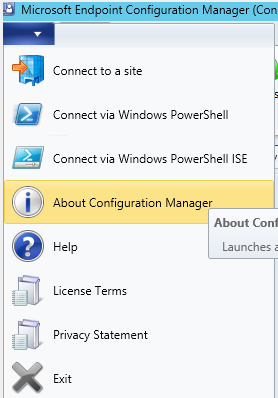
Can you show me the results when you click the upper left corner and click About Configuration Manager?
If the answer is the right solution, please click "Accept Answer" and kindly upvote it. If you have extra questions about this answer, please click "Comment".
Note: Please follow the steps in our documentation to enable e-mail notifications if you want to receive the related email notification for this thread.
Hi,
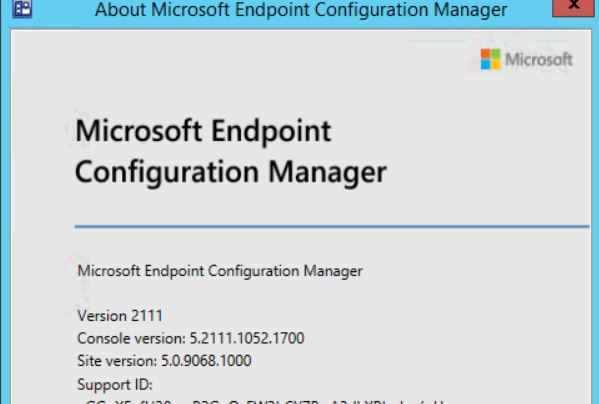
Yes. The message was showing when I have SCCM site in 2103. PFB the screenshot as you requested.
Hi, @Vijayaguru M
It looks like everything is fine, it's a really weird issue.
I think we may try to perform SCCM Configuration Manager Site Reset to see if it can fix this issue:
https://www.prajwaldesai.com/sccm-configuration-manager-site-reset/
Hi Allen,
Yup. Let us try to perform Configmgr site Reset.
Thanks.
May we know if site reset fixed this issue?