SQL Server Integration Services
A Microsoft platform for building enterprise-level data integration and data transformations solutions.
This browser is no longer supported.
Upgrade to Microsoft Edge to take advantage of the latest features, security updates, and technical support.
' cx='32' cy='32' r='32' /%3E%3Ctext x='50%25' y='55%25' dominant-baseline='middle' text-anchor='middle' fill='%23FFF' %3EK%3C/text%3E%3C/svg%3E)
Hi everyone - I am trying to convert the below sql statement in the SSIS conditional split. Could you please let me know if this correct/valid ?
Column : Last_Updated_DT is 'DT_DbTIMESTAMP'
SQL Statement:

SSIS condtional Split:
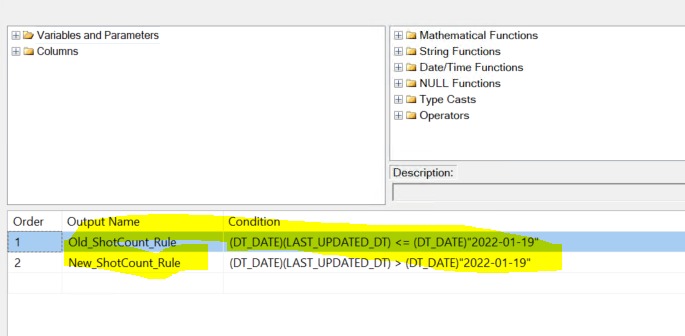

SQL Statement
That's not a SQL statement, it's a screenshot where no one can work on.
Please post table design as DDL, some sample data as DML statement and the expected result.

Hi @kkran ,
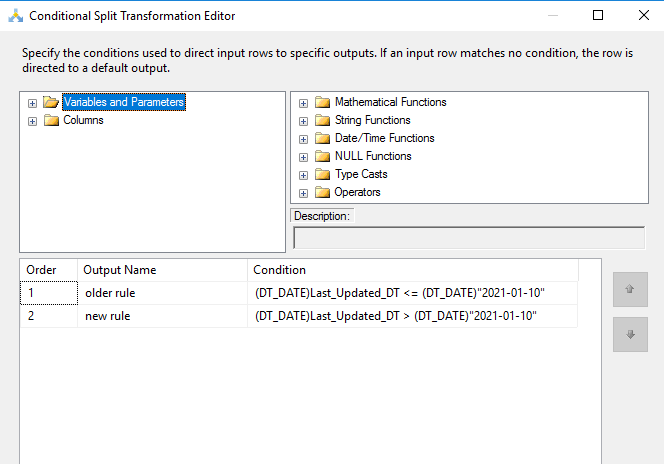
What you do in conditional split is correct.
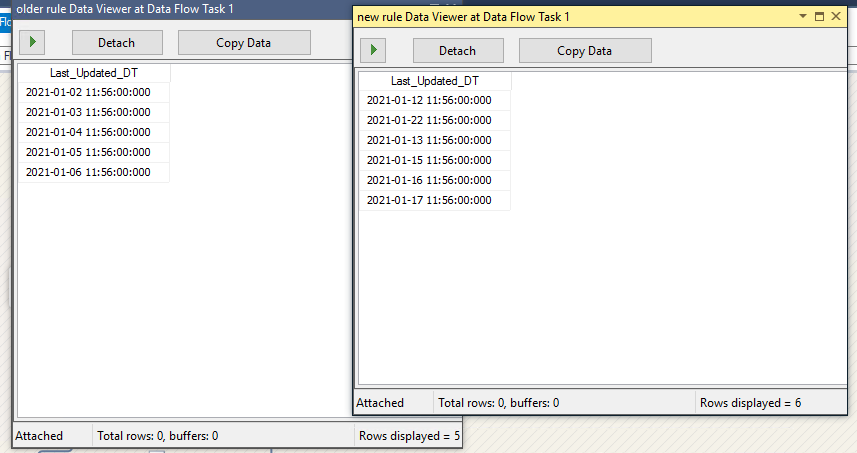
You may enable the data viewer to check if the data is right.
From my side, I use 2022-01-10 as the condition date, the result is shown below.
Regards,
Zoe
If the answer is the right solution, please click "Accept Answer" and kindly upvote it. If you have extra questions about this answer, please click "Comment".
Note: Please follow the steps in our documentation to enable e-mail notifications if you want to receive the related email notification for this thread.