Developer technologies | C#
An object-oriented and type-safe programming language that has its roots in the C family of languages and includes support for component-oriented programming.
This browser is no longer supported.
Upgrade to Microsoft Edge to take advantage of the latest features, security updates, and technical support.

Dear All,
The course box is a "ListViewCustom" control. How to assign code to the next button?
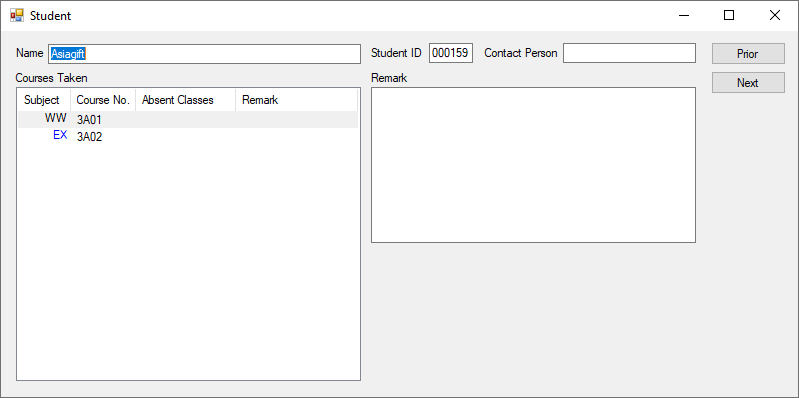

you will get the ListView's selectedIndex, add 1 to it and set that item as selected. Refer the following code.
private void btnNext_Click(object sender, EventArgs e)
{
    // Get the currently selected items index
    int index = listView1.SelectedIndices[0] + 1;

    // If you are in the last record, don't do anything.
    if (index >= listView1.Items.Count)
        return;

    // Set the Selected property to true for the item at the index.
    listView1.Items[index].Selected = true;
}
Hope this helps
Hi @Sreeju Nair
Thank you for your reply. My data comes from SQL Server. Thus your code does meet my need.
Actually the datasource shouldn't matter here. I believe, you are doing the databinding to your data source, right? Once the data is bound to list view, the next action will be helping you to go through each record that is loaded in the list view.
Otherwise, if you dont have the data bound to list view, then you need to fetch the next record on the click of next from db and load it to controls... if you are using this approach, share some code so that the community can guide you.
Hi @Sreeju Nair
Thanks for your reply. It solves part of my problem.