Microsoft Security | Microsoft Entra | Microsoft Entra ID
A cloud-based identity and access management service for securing user authentication and resource access

This browser is no longer supported.
Upgrade to Microsoft Edge to take advantage of the latest features, security updates, and technical support.
' cx='32' cy='32' r='32' /%3E%3Ctext x='50%25' y='55%25' dominant-baseline='middle' text-anchor='middle' fill='%23FFF' %3ECA%3C/text%3E%3C/svg%3E)
Hello,
in our company we have by now more guests than regular users.
I know that there are filters to only show the users you are intrested in at any given time but is there any way to change the default filter? In 99% of the cases when i look into AD I'm not interested in the guests and when I am then I look into the Guests panel anyway.
Any help is much appreciated.
Christian Mielke
A cloud-based identity and access management service for securing user authentication and resource access

@Christian Andreas Mielke
Thank you for your post!
When it comes to editing the default filter, are you referring to what you see within Azure AD or is this within your local AD?
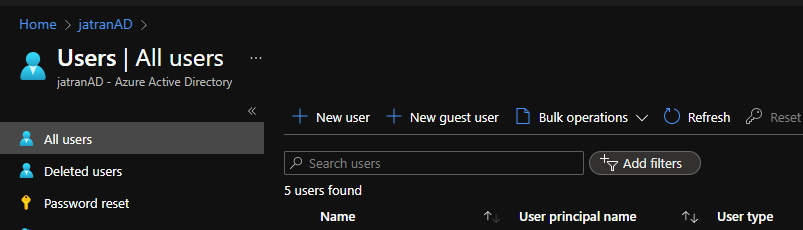
If you have any other questions, please let me know.
Thank you for your time and patience throughout this issue.
Hey James, thanks for the reply. Sorry for being unclear (and wrong even). I am referring to the "Active Users" Tab in the Admin Portal within M365. But I guess having the option to change the default filter within AAD directly would help either.
Any more information about this?
@Christian Andreas Mielke
Thank you for following up and I apologize for the delayed response!
When it comes to the Active Users view within the Microsoft 365 Admin Center portal, the Standard Filter of "All Users" will be displayed by default. When it comes to changing the default User View to a customer filter, this currently isn't possible.
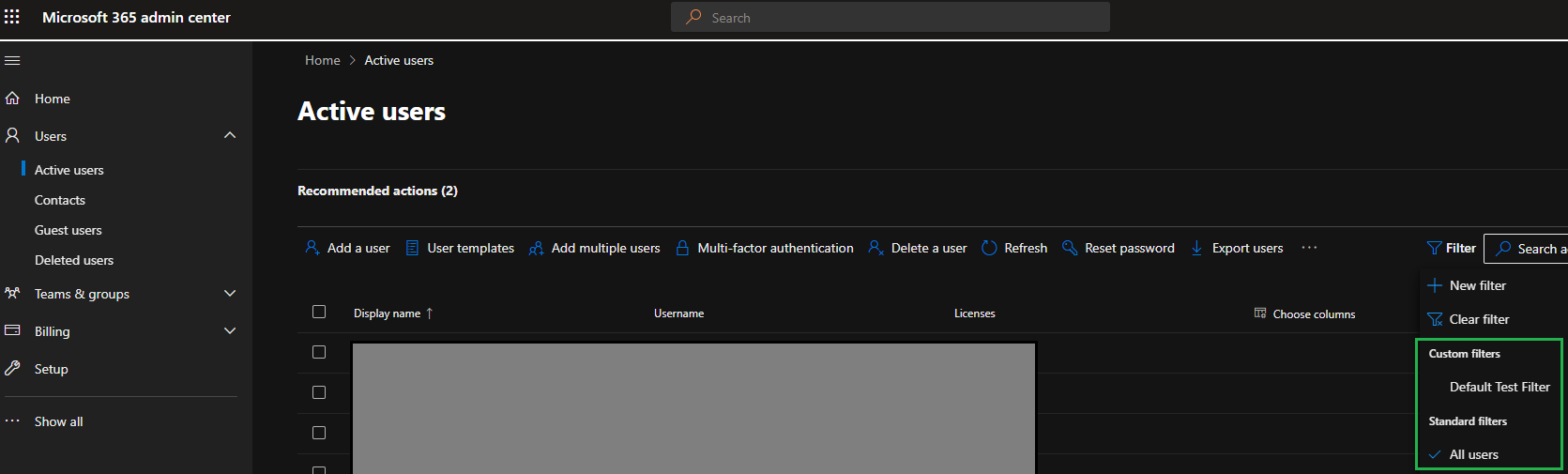
If you'd like this feature to be implemented, I'd recommend leveraging our User Voice forum and creating a feature request, so our engineering team can look into implementing this.
If you have any other questions, please let me know.
Thank you for your time and patience throughout this issue.
----------
Please remember to "Accept Answer" if any answer/reply helped, so that others in the community facing similar issues can easily find the solution.