Developer technologies | .NET | Xamarin
A Microsoft framework for building cross-platform mobile apps using .NET and C# with native performance and user interfaces.
This browser is no longer supported.
Upgrade to Microsoft Edge to take advantage of the latest features, security updates, and technical support.
' cx='32' cy='32' r='32' /%3E%3Ctext x='50%25' y='55%25' dominant-baseline='middle' text-anchor='middle' fill='%23FFF' %3EEG%3C/text%3E%3C/svg%3E)
Hello
I have this code to upload, and get the URL, but I cannot get URL
 private async void SaveAction() {

            //Upload to Azure, with a unique name, and get the location

            var LocalFolder = FileSystem.AppDataDirectory;

            var FilePath = Path.Combine(LocalFolder, $"{Note.Name}.rtf");

            var FileName = Path.GetFileName(FilePath);

            using (StreamWriter sw = new StreamWriter(FilePath)) {

                sw.WriteLine(HtmlText);
            }

           var Location = await App.AzureService.UploadToAzureBlobStorage(FilePath, FileName);
            System.Console.WriteLine(Location);

            File.Delete(FilePath);
Azure Servce
   public async Task<string> UploadToAzureBlobStorage(string filePath, string fileName) {

            var conectionString = AppConstant.ConectionString;
            var containerName = AppConstant.ContanerName;

            var AzureStorage = new BlobContainerClient(conectionString, containerName);

            var blob = AzureStorage.GetBlobClient(fileName);
            await blob.UploadAsync(filePath, true);

            return $"https://notesbucket.blob.core.windows.net/notes/{fileName}";

        }
But I get this
https://notesbucket.blob.core.windows.net/notes/Shopping list.rtf

<Error>
<Code>BlobNotFound</Code>
<Message>The specified blob does not exist. RequestId:162ae91a-801e-0042-2978-31fcf1000000 Time:2022-03-06T16:34:41.3417951Z</Message>
</Error>
My url: https://notesbucket.blob.core.windows.net/notes/Shopping list.rtf
FileName: Shopping list.rtf
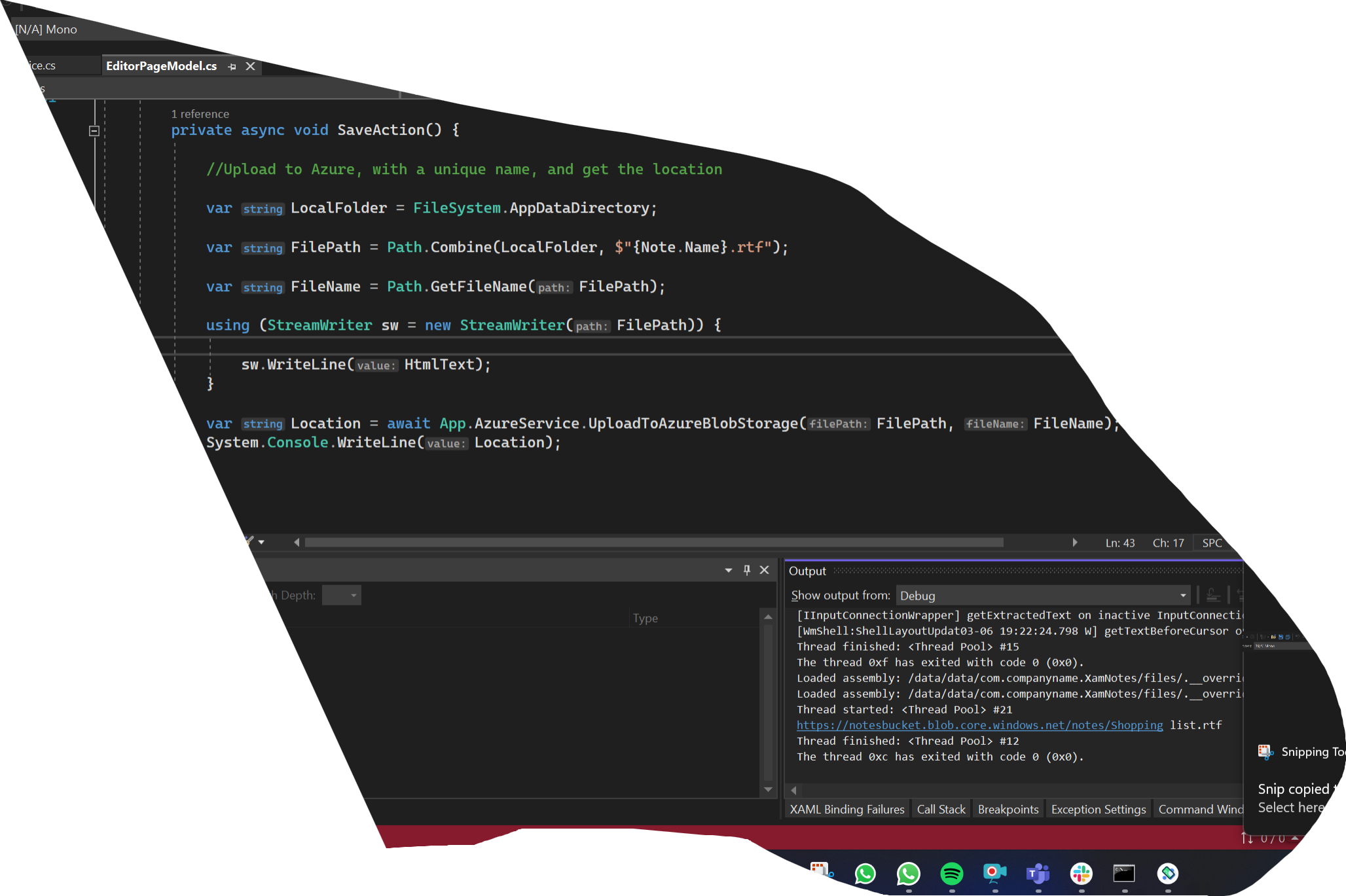
As you can see is public
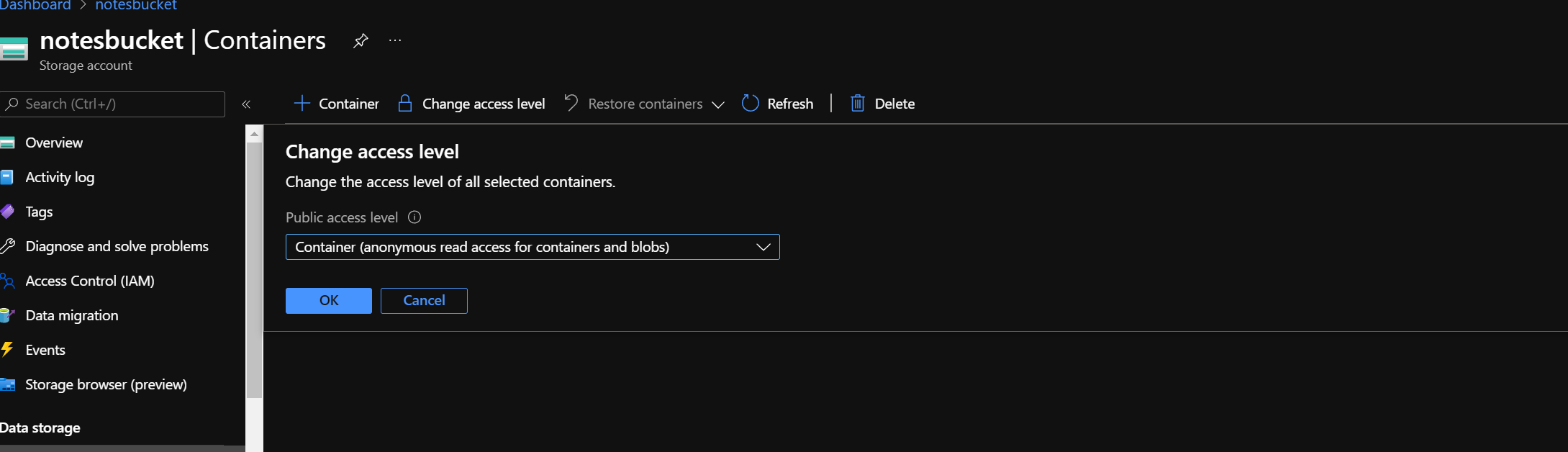

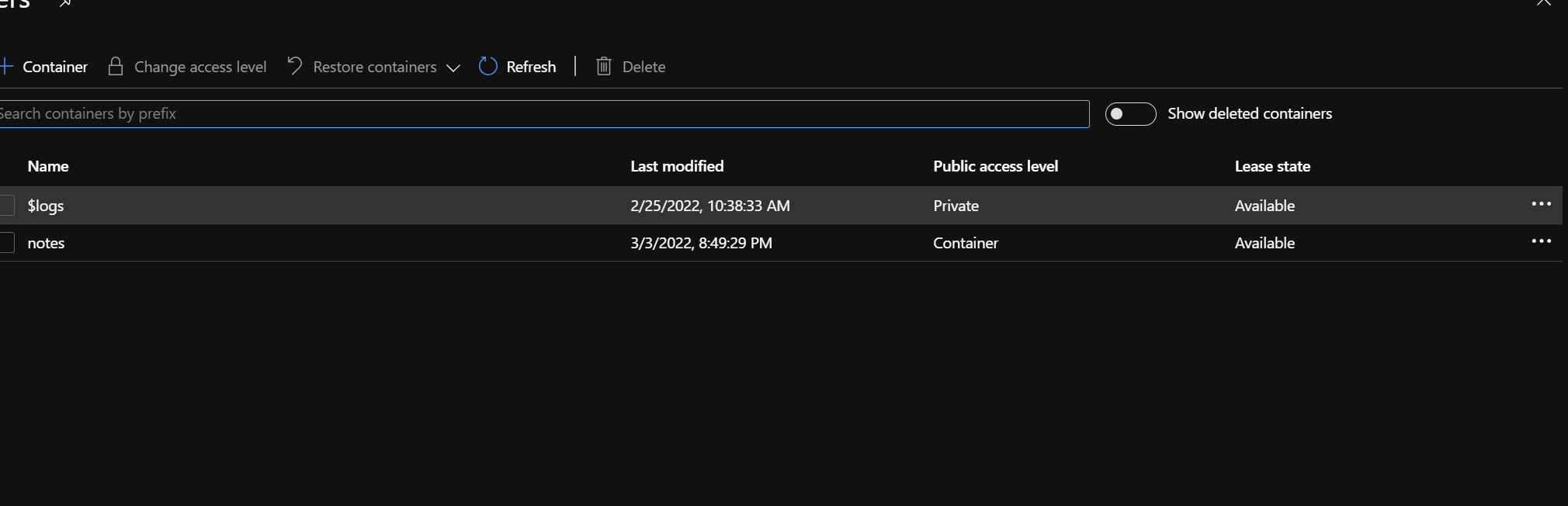
everything is public
' cx='32' cy='32' r='32' /%3E%3Ctext x='50%25' y='55%25' dominant-baseline='middle' text-anchor='middle' fill='%23FFF' %3EA%3C/text%3E%3C/svg%3E)
click the three dots of notes at the end right corner. check the access level
Thank you
@Eduardo Gomez If this issue is solved, I convert comment to answer.
Hello,
Please check the access of container. please set it to public. Go and Edit container meta data on azure blob storage. when you create blob within Storage Account where public access is allowed, the default is to create them as private.
Best Regards,
Leon Lu
If the answer is the right solution, please click "Accept Answer" and kindly upvote it. If you have extra questions about this answer, please click "Comment".
Note: Please follow the steps in our documentation to enable e-mail notifications if you want to receive the related email notification for this thread.