Microsoft Security | Microsoft Entra | Microsoft Entra ID
A cloud-based identity and access management service for securing user authentication and resource access

This browser is no longer supported.
Upgrade to Microsoft Edge to take advantage of the latest features, security updates, and technical support.
' cx='32' cy='32' r='32' /%3E%3Ctext x='50%25' y='55%25' dominant-baseline='middle' text-anchor='middle' fill='%23FFF' %3ED%3C/text%3E%3C/svg%3E)
Hi Team,
can someone help me with setting up MFA for my tenant. I would like to setup phone call authentication for some of users that don't like to have any company apps on their phones.
And as we tested when a user adds his company phone number when setting up O365 MFA he gets this error:

Has anyone had the same issue?
Does someone know how to solve his?

@DanielBanozic-6003
Thank you for your post!
Any additional information would be greatly appreciated.
Thank you for your time and patience throughout this issue.
@DanielBanozic-6003
I just wanted to check in and see if you had any other questions or if you were able to resolve this issue?
Hi James,
My Azure tenant isn't a trail subscription. We are using Microsoft 365 Business Premium which means we are eligible for MFA by this MS article (https://learn.microsoft.com/en-us/azure/active-directory/authentication/concept-mfa-licensing).
The only way we can use MFA is by Microsoft Authentor app push notifications. This issue occurs on all account.
@Daniel
Thank you for following up on this!
Since you were able to confirm that MFA works for users using the Authenticator App, can you see if users are able to register their Phone authentication method on the mysignins page? Once their phone numbers are registered, they can remove the Authenticator app as needed, or add alternate authentication methods.
https://mysignins.microsoft.com/security-info
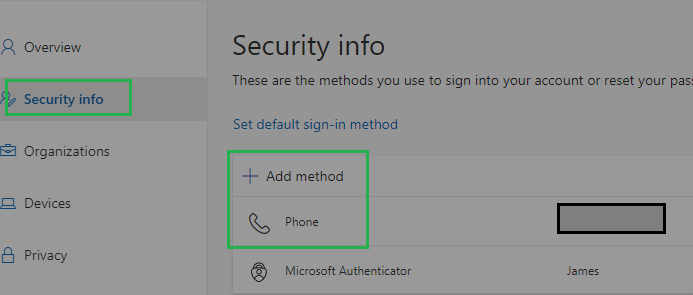
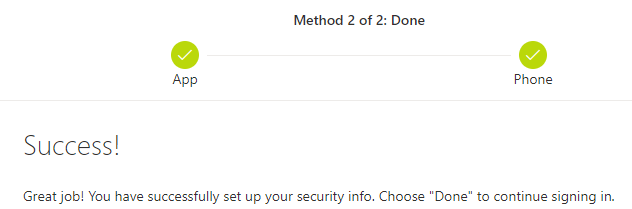
If your users are still having issues please let me know.
Thank you again for your time and patience throughout this issue.
Hi James,
I'm able to add my phone number as alternate verification method:
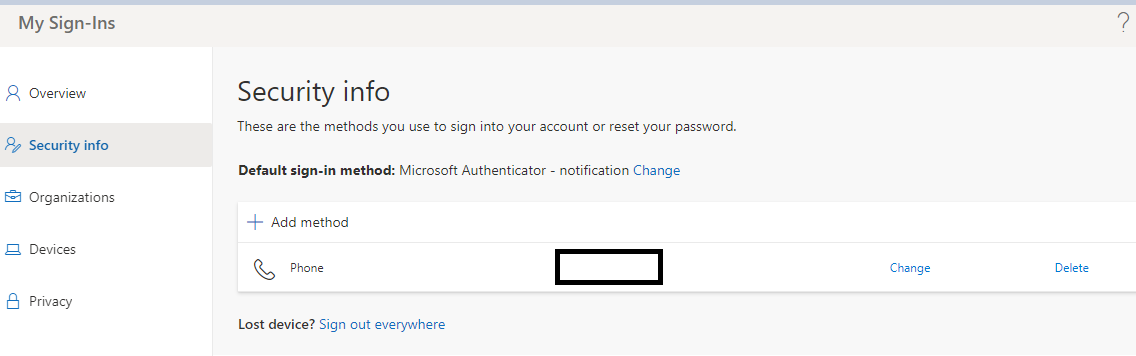
But I can only use SMS as a verification option.
If I try to use call option I get this error:
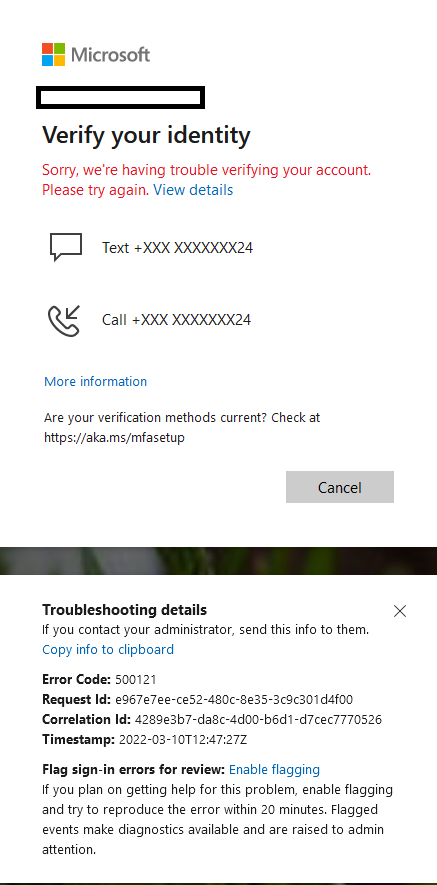
So far only way I can authenticate is MS Authenticator app and SMS. All other options don't work for my tenant.
BR
Daniel
@Daniel
Thank you for the quick follow up on this one!
Since you still aren't able to authenticate via phone call, can you check one last thing to ensure that the Call to Phone verification option is available to users within your tenant.
Azure Active Directory, then select Users > All users. Per-user MFA. Service Settings, and scroll down to Verification Options 
For more info - Per user Azure AD Multi-Factor Authentication
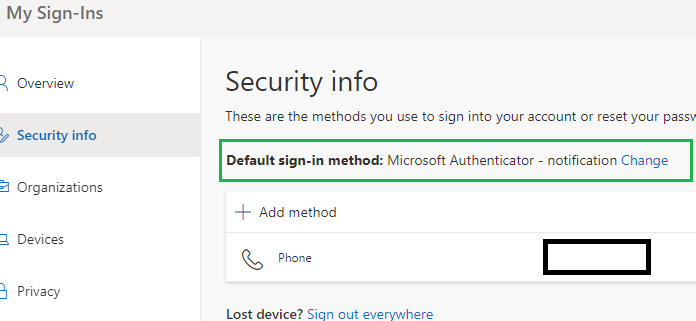
To make your Phone the primary means of authentication, you should be able to change the Default sign-in method to "Phone", after we confirm Phone authentication works within your tenant.
If you have any other questions, please let me know.
Thank you for your time and patience throughout this issue.
----------
Please remember to "Accept Answer" if any answer/reply helped, so that others in the community facing similar issues can easily find the solution.
@Daniel
I just wanted to check in and see if you had any other questions or if you were able to resolve this issue?