Microsoft Teams | Development
Building, integrating, or customizing apps and workflows within Microsoft Teams using developer tools and APIs

This browser is no longer supported.
Upgrade to Microsoft Edge to take advantage of the latest features, security updates, and technical support.
' cx='32' cy='32' r='32' /%3E%3Ctext x='50%25' y='55%25' dominant-baseline='middle' text-anchor='middle' fill='%23FFF' %3EA%3C/text%3E%3C/svg%3E)
Hi,
I'm developing an app for Microsoft Teams and i noticed an issue on messaging extension double tab with search command.
Basically in the channels the extension messaging is rendered correctly as per documentation.
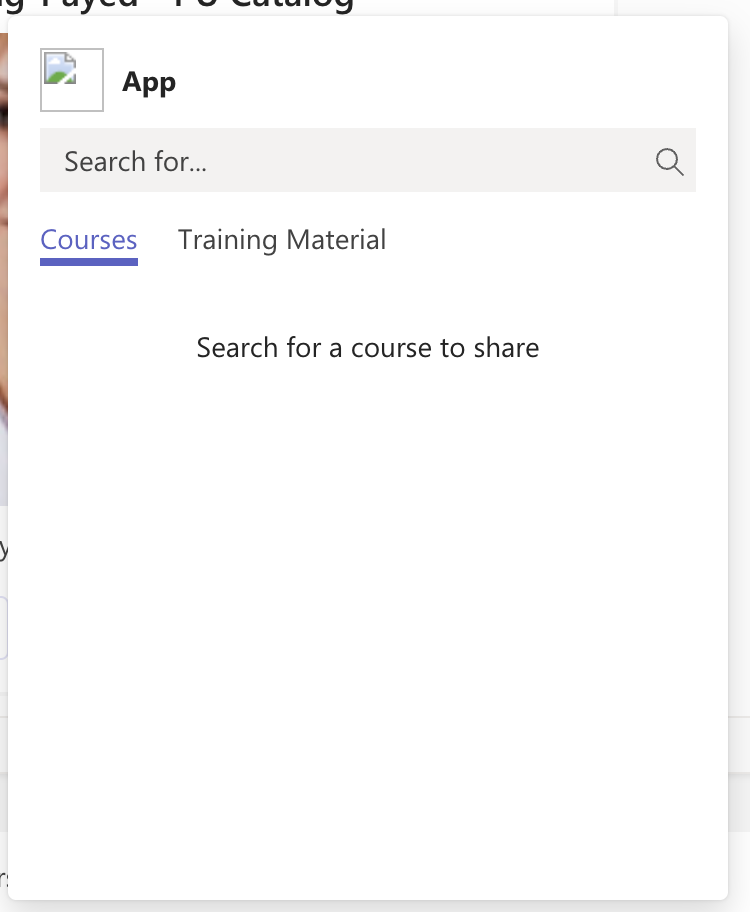
But in private conversations it is broken instead
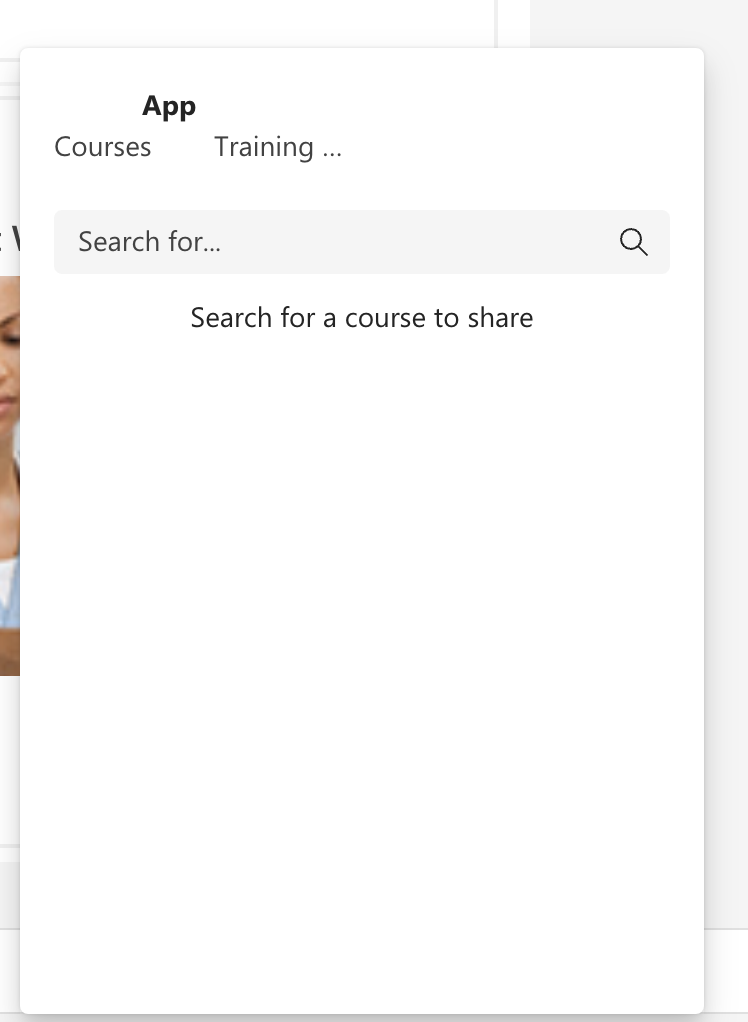
Can you tell me why? Thank you
Building, integrating, or customizing apps and workflows within Microsoft Teams using developer tools and APIs
' cx='32' cy='32' r='32' /%3E%3Ctext x='50%25' y='55%25' dominant-baseline='middle' text-anchor='middle' fill='%23FFF' %3ENM%3C/text%3E%3C/svg%3E)
@Anonymous - We are investigating your query. We will get back to you once we have any update.
@Anonymous - Could you please share your manifest to check at our end?
We have confirmed this with engineering team and it's the by design behavior for Messaging Extension in different scopes.
Thanks,
Nivedipa
If the response is helpful, please click "Accept Answer" and upvote it. You can share your feedback via Microsoft Teams Developer Feedback link. Click here to escalate.
@Nivedipa-MSFT Ok! Here my messaging extension settings:
    "composeExtensions": [
        {
            "botId": "",
            "commands": [
                {
                    "id": "courses",
                    "type": "query",
                    "title": "Courses",
                    "description": "Search for a course to share",
                    "initialRun": false,
                    "fetchTask": false,
                    "context": [
                        "commandBox",
                        "compose"
                    ],
                    "parameters": [
                        {
                            "name": "query",
                            "title": "Search for...",
                            "description": "Search for...",
                            "inputType": "text"
                        }
                    ]
                },
                {
                    "id": "materials",
                    "type": "query",
                    "title": "Material",
                    "description": "Search for material to share",
                    "initialRun": false,
                    "fetchTask": false,
                    "context": [
                        "commandBox",
                        "compose"
                    ],
                    "parameters": [
                        {
                            "name": "query",
                            "title": "Search for..",
                            "description": "Search for...",
                            "inputType": "text"
                        }
                    ]
                }
            ]
        }
    ]