Hello Dileep,
How do you add the pthread plugin to VS 2017? pthread is for Linux POSIX threads and isn’t combined with Visual Studio, you can try to use NuGet packages or Vcpkg to install and use pthread.
For NuGet packages, please launch Visual Studio 2017 and select your project > right-click your project > choose Manage NuGet Packages… > Browse > search and find pthreads > Install.
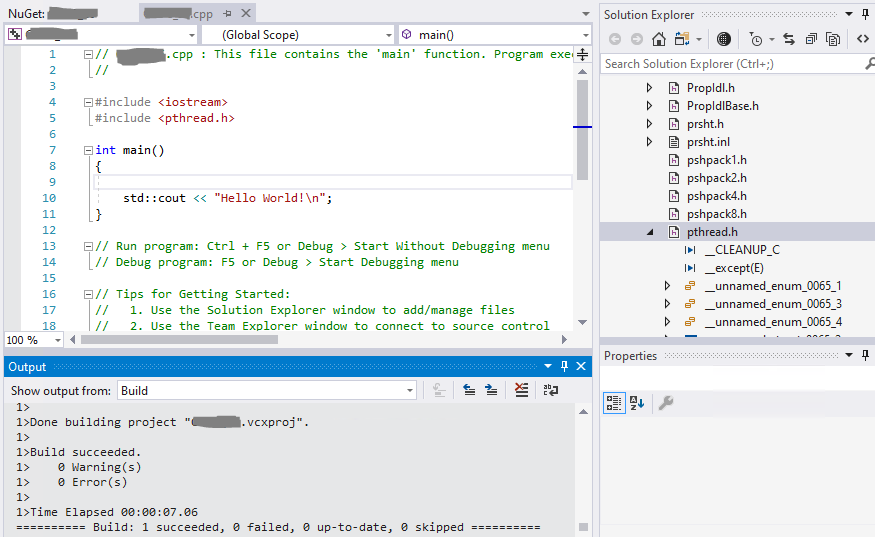
For Vcpkg, please refer to this document Installation(Vcpkg), and follow steps below to install Vcpkg.
- Go to https://github.com/Microsoft/vcpkg > clone the vcpkg repo and download it to any folder location that you prefer.
- Press
Windows key + R to start Run and type cmd to open command prompt > type cd XXXX\XXXXX\... to change to the directory where you used to save Vcpkg folder.
- Type
bootstrap-vcpkg.bat (Windows) to install Vcpkg.
- Type
vcpkg.exe install pthread to install pthread.
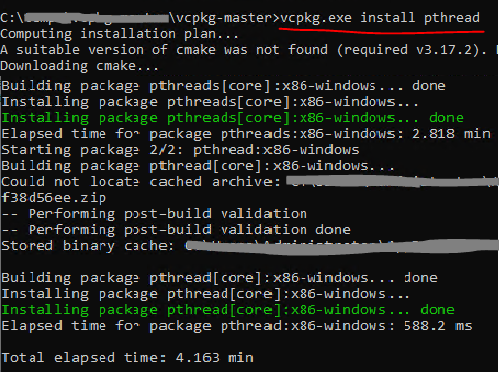
- Run
vcpkg integrate install to configure Visual Studio to locate all vcpkg header files and binaries on a per-user basis. You can refer to more details from here: Integrate with Visual Studio (Windows).
- If the
pthread.h file still can’t be found by VS, you can try to include it manually, for example right-click your project > Properties… > Configuration Properties > VC++ Directories > Reference Directories > Edit > add a new line(path) which points to the folder that includes the pthread.h file (Maybe under this path C:\Users[user name]\AppData\Local\vcpkg\XXXX\XX\XXX\include\pthread.h).
Best Regards,
Tianyu
' cx='32' cy='32' r='32' /%3E%3Ctext x='50%25' y='55%25' dominant-baseline='middle' text-anchor='middle' fill='%23FFF' %3EDS%3C/text%3E%3C/svg%3E)
' cx='32' cy='32' r='32' /%3E%3Ctext x='50%25' y='55%25' dominant-baseline='middle' text-anchor='middle' fill='%23FFF' %3ETS%3C/text%3E%3C/svg%3E)
' cx='32' cy='32' r='32' /%3E%3Ctext x='50%25' y='55%25' dominant-baseline='middle' text-anchor='middle' fill='%23FFF' %3EE%3C/text%3E%3C/svg%3E)
' cx='32' cy='32' r='32' /%3E%3Ctext x='50%25' y='55%25' dominant-baseline='middle' text-anchor='middle' fill='%23FFF' %3EMF%3C/text%3E%3C/svg%3E)