Exchange | Exchange Server | Management
The administration and maintenance of Microsoft Exchange Server to ensure secure, reliable, and efficient email and collaboration services across an organization.
This browser is no longer supported.
Upgrade to Microsoft Edge to take advantage of the latest features, security updates, and technical support.

Suddenly there was a problem with the ActiveSync connection. Exchange Server 2013 is used.
When trying to set up an account on the mobile version of Outlook, an error occurs:
The connection time to your mail server has expired. Check your email settings.
Attempt to connect at https://mail.ffm.com/Microsoft-Server-ActiveSync leads to an error:
Server Error in '/Microsoft-Server-ActiveSync' Application.
DeviceIdMissingOrInvalid:''
Description: An unhandled exception occurred during the execution of the current web request. Please review the stack trace for more information about the error and where it originated in the code.
Exception Details: Microsoft.Exchange.AirSync.AirSyncPermanentException: DeviceIdMissingOrInvalid:''
Source Error:
An unhandled exception was generated during the execution of the current web request. Information regarding the origin and location of the exception can be identified using the exception stack trace below.
Stack Trace:
[AirSyncPermanentException: DeviceIdMissingOrInvalid:'' ]
Microsoft.Exchange.AirSync.AirSyncRequest.BuildDeviceIdentity() +1942
Microsoft.Exchange.AirSync.AirSyncRequest.Microsoft.Exchange.AirSync.IAirSyncRequest.get_DeviceIdentity() +23
Microsoft.Exchange.AirSyncHandler.Handler.AddRequestToCache(Guid requestId) +136
Microsoft.Exchange.AirSyncHandler.Handler.EndProcessRequest(IAsyncResult result) +1396
System.Web.CallHandlerExecutionStep.InvokeEndHandler(IAsyncResult ar) +212
System.Web.CallHandlerExecutionStep.OnAsyncHandlerCompletion(IAsyncResult ar) +166
Everything worked until today. No changes were made on the mail servers. The connection goes fine via the web interface. Desktop versions of Outlook continue to work.
Maybe who knows what the reason might be?
' cx='32' cy='32' r='32' /%3E%3Ctext x='50%25' y='55%25' dominant-baseline='middle' text-anchor='middle' fill='%23FFF' %3EAX%3C/text%3E%3C/svg%3E)
HI @Михаил Андросов ,
Could you connect to outlook with outlook for windows?
Did you try to configure mail account on other phones? Or configure other mail on the currently phone?
Please confirm that the mobile device isn’t blocked by the ActiveSync quarantine rule.
You could also test Exchange ActiveSync access externally by using Remote Connectivity Analyzer.
Microsoft Remote Connectivity Analyzer

Yes, if you changed the firewall , then that could be the issue
https://learn.microsoft.com/en-us/exchange/clients/outlook-for-ios-and-android/use-basic-auth?view=exchserver-2019#connectivity-requirements
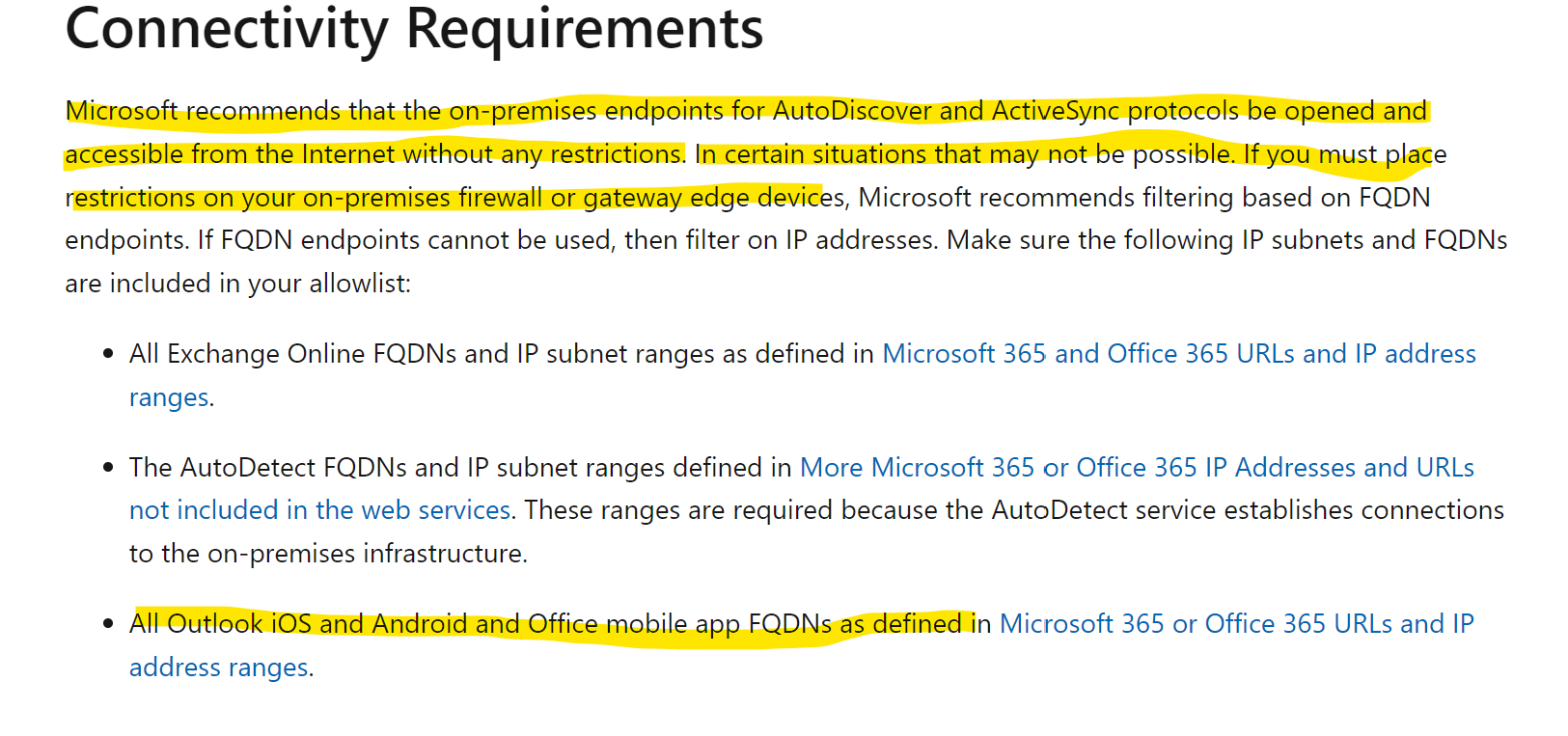
Thanks for the answer.
I implemented the steps from the above article, but it didn't help.
On the iphone, the regular mail client connects to the server in exchange mode. Only mobile Outlook has problems. Desktop Outlook, web access to mail work without problems.
Our company has introduced a strict firewall setting that allows access to mail only from certain IP addresses. Can mobile Outlook proxy requests through external sites, which ultimately leads to such a problem?