Microsoft 365 and Office | SharePoint Server | For business
A family of Microsoft on-premises document management and storage systems.

This browser is no longer supported.
Upgrade to Microsoft Edge to take advantage of the latest features, security updates, and technical support.
' cx='32' cy='32' r='32' /%3E%3Ctext x='50%25' y='55%25' dominant-baseline='middle' text-anchor='middle' fill='%23FFF' %3EJM%3C/text%3E%3C/svg%3E)
I need to become a Site Owner of the company SharePoint 365 site. Our administrator put a group in the Site Owners Permissions. However, within the group, my role is "Member." I do not have Owner permissions on the SharePoint site. In the group, does my role need to change to "Owner?"
' cx='32' cy='32' r='32' /%3E%3Ctext x='50%25' y='55%25' dominant-baseline='middle' text-anchor='middle' fill='%23FFF' %3EED%3C/text%3E%3C/svg%3E)
I can reproduce the issue in my end.
I suggest you add your account into the site owner group separately.
Option1: Go to Site permissions page -> Owners group -> Add your account into the Owners group.
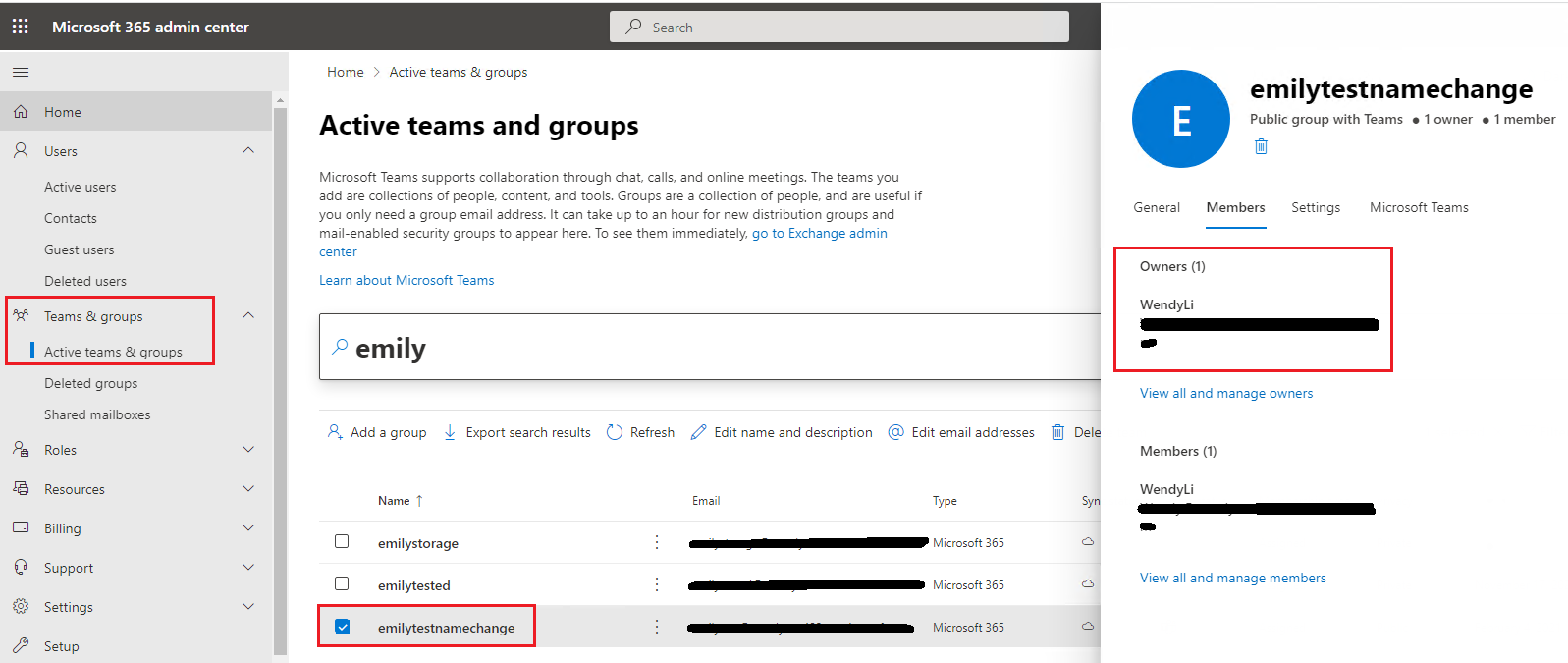
Option2: Go to Microsoft 365 admin center -> Teams&groups -> Active teams and groups -> Select the group -> Members -> View all and manage owners.
If the answer is helpful, please click "Accept Answer" and kindly upvote it. If you have extra questions about this answer, please click "Comment".
Note: Please follow the steps in our documentation to enable e-mail notifications if you want to receive the related email notification for this thread.
Thank you very much for the quick reply. The proposed solution didn't work because the top level's Site Owners permissions has an unrecognized account. How do we delete this entity so I can add myself? See screenshot.
PS. Could you confirm that the top-level site is the base URL it? Ours is https://healthfocusio.sharepoint.com/.

Each SharePoint Online site collection has its own permission.
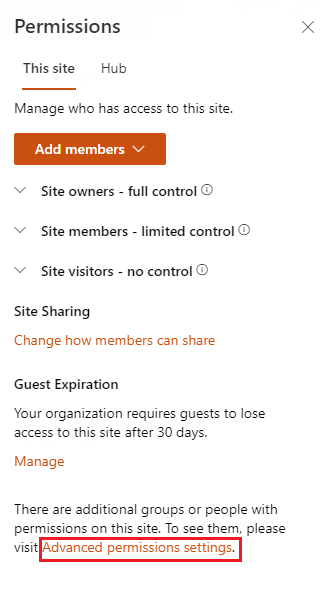
Please go to the site collection -> Click Site settings button in the upper right corner of the page -> Site permissions -> Advanced permissions settings -> Go to the Owners group -> Remove unrecognized account and add your account.
I’m checking how the things are going on about this issue. Whether the answer helps you?
If there is any problem with this issue, feel free to let me know.