Community Center | Not monitored
Tag not monitored by Microsoft.

This browser is no longer supported.
Upgrade to Microsoft Edge to take advantage of the latest features, security updates, and technical support.
' cx='32' cy='32' r='32' /%3E%3Ctext x='50%25' y='55%25' dominant-baseline='middle' text-anchor='middle' fill='%23FFF' %3EAG%3C/text%3E%3C/svg%3E)
I would like to change the website URL associated with my profile (https://social.microsoft.com/Profile).
How do I do this?
Thanks
' cx='32' cy='32' r='32' /%3E%3Ctext x='50%25' y='55%25' dominant-baseline='middle' text-anchor='middle' fill='%23FFF' %3EA%3C/text%3E%3C/svg%3E)
That isn't possible. The MSDN / TechNet forums have closed permanently.
Thank you.
Then how do I delete the account? It holds inaccurate information which I want to erase if I cannot change it.
Click on your profile, then navigate to Privacy tab and scroll down a bit
--please don't forget to upvote and Accept as answer if the reply is helpful--
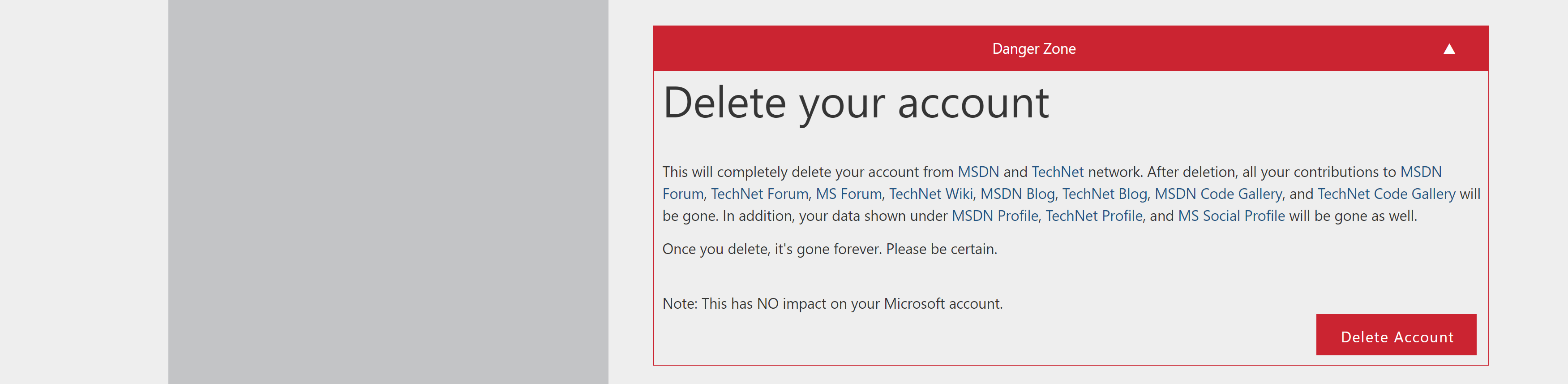
Thank you. Unfortunately, this just seems to delete the profile, not the account itself. So if the account is set up in the name of johnsmith with a profile name tombrown, then tombrown is deleted but johnsmith's account remains.
After deleting the profile if you wanted to also delete the microsoft account.
https://support.microsoft.com/en-us/account-billing/how-to-close-your-microsoft-account-c1b2d13f-4de6-6e1b-4a31-d9d668849979
--please don't forget to upvote and Accept as answer if the reply is helpful--