Tasksequences.xml file in MDT is not updating for new Task Sequence I created. What am I missing?

Rahul Rana 1 Reputation point
2022-03-17T15:04:06.487+00:00

Hello All,

I created a task sequence by using a copy of my older Task sequence to make it available for deployment with new OS but when I select check "enable task sequence" and uncheck "Hide this task sequence in deployment wizard". I don't see this TS while the deployment begin using the bootable device like my older TS (Visible in deployment wizard), older task sequence is still enabled and working fine.

To check this issue I went in to the control folder in deployment share and open the Tasksequences.xml file, it has only the entries for my older task sequence and not even a single entry from my new TS. Deployment share is already updated, Windows ADK was also updated, Windows PE is also updated, boot image is also updated.

I don't know where to look now and what needs to be done anymore. Please guide me with right log file or config file etc. or is there any settings which I am missing.

Awaiting response, thanks.

Windows for business | Windows Client for IT Pros | Devices and deployment | Set up, install, or upgrade
Microsoft Security | Intune | Configuration Manager | Deployment
0 comments No comments
{count} votes

2 answers

Sort by: Most helpful
  1. Simon Ren-MSFT 40,376 Reputation points Microsoft External Staff
    2022-03-18T08:58:04.58+00:00

    Hi,

    Thanks for posting in Microsoft MECM Q&A forum.

    1,Maybe it is due to corrupt task sequence. Please delete and recreate a completely new task sequence to have a try.

    2,If possible, also restart the MDT server to have a try.

    Similar threads for your reference:
    How to: Microsoft Deployment Toolkit - No Task Sequences error
    Error "No task sequences are available (TaskSequences.xml does not exist, is empty, or is inaccessible)"
    Please note: The links are not from Microsoft, just for your reference. Thanks for your time.

    Best regards,
    Simon


    If the response is helpful, please click "Accept Answer" and upvote it.
    Note: Please follow the steps in our documentation to enable e-mail notifications if you want to receive the related email notification for this thread.
  2. Simon Ren-MSFT 40,376 Reputation points Microsoft External Staff
    2022-03-22T10:03:05.947+00:00

    Hi,

    Thanks for your reply.

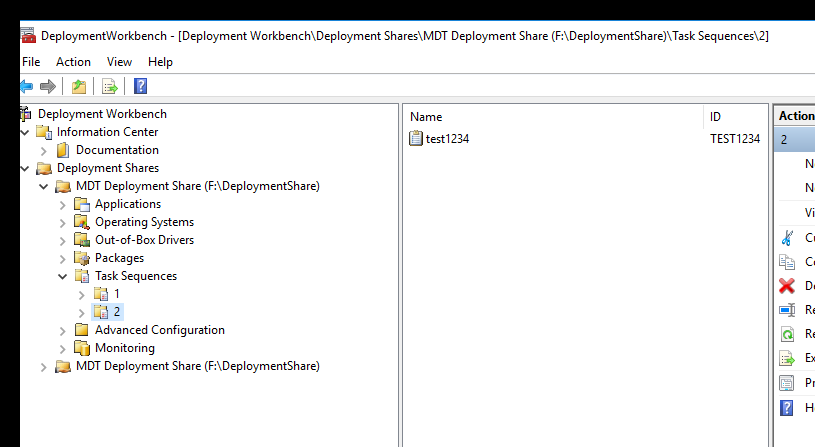
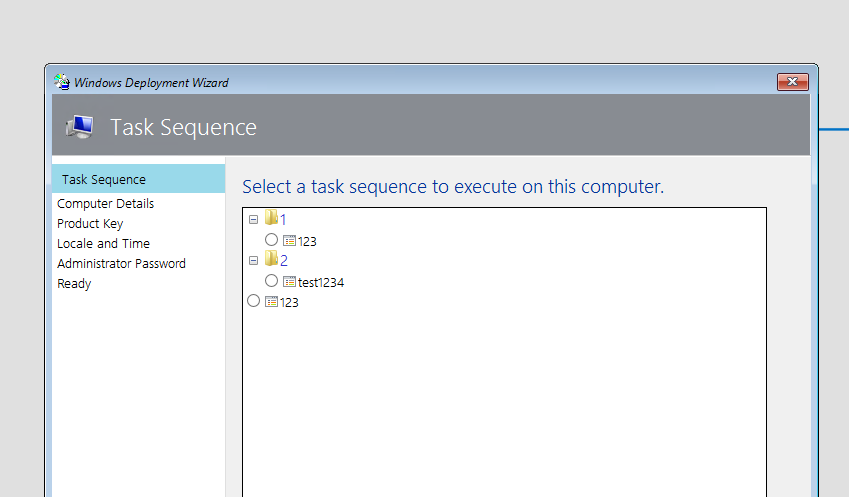
    It's really a strange issue. I have done a test in my lab, the duplicated task sequence also works well that its ID is TEST1234 and name is test1234. If possible, please update your deployment share and restart you MDT server to have a try.

    185547-duplicate1.png

    185548-duplicate2.png

    Thanks for your time.

    Best regards,
    Simon


    If the response is helpful, please click "Accept Answer" and upvote it.
    Note: Please follow the steps in our documentation to enable e-mail notifications if you want to receive the related email notification for this thread.


Your answer

Answers can be marked as 'Accepted' by the question author and 'Recommended' by moderators, which helps users know the answer solved the author's problem.

