Developer technologies | Windows Forms
A set of .NET Framework managed libraries for developing graphical user interfaces.
This browser is no longer supported.
Upgrade to Microsoft Edge to take advantage of the latest features, security updates, and technical support.
' cx='32' cy='32' r='32' /%3E%3Ctext x='50%25' y='55%25' dominant-baseline='middle' text-anchor='middle' fill='%23FFF' %3EMR%3C/text%3E%3C/svg%3E)
' cx='32' cy='32' r='32' /%3E%3Ctext x='50%25' y='55%25' dominant-baseline='middle' text-anchor='middle' fill='%23FFF' %3EAS%3C/text%3E%3C/svg%3E)
Hi @Mohamed Rafi N , welcome to Microsoft Q&A forum.
As I understand you want to connect to on-premise MySQL Database through C# application.
Firstly before we make code change I would request you to check to connect to the MySQL Server using MySQL workbench or any other tool and notice the connection string parameters mentioned in your code works.
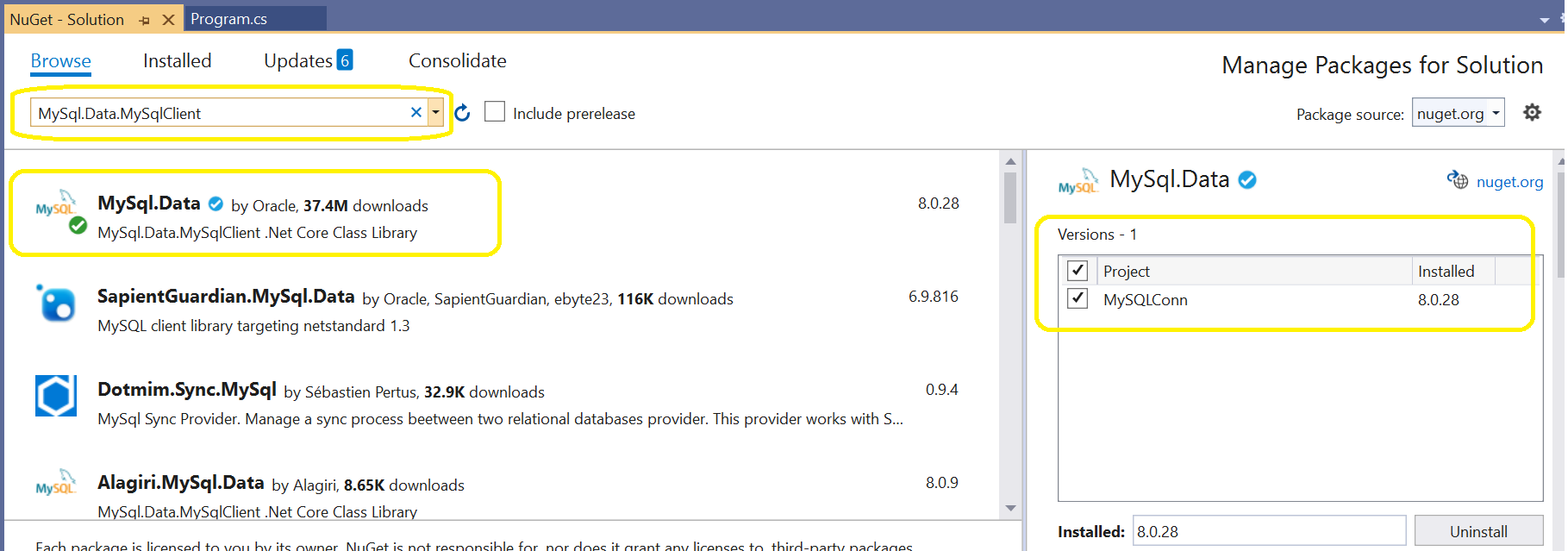
Now, you are using the SQLClient classes to connect to MySQL Database. You need to install MySQL Client. You can add the NuGet Package by going through:
Tools -> NuGet Package Manager -> Manage NuGet Package for Solution and search for 'MySql.Data.MySqlClient' as shown in below screenshot:
After installing it, please add the reference of it at the top using:
using MySql.Data.MySqlClient;
Then we need to make changes to code as mentioned below:
string connectionString;
            MySqlConnection cnn;
            connectionString = "server=localhost;database=test;uid=root;pwd=pwwdtest;";
            cnn = new MySqlConnection(connectionString);
            cnn.Open();
Note the format of connection string and try using it same way.
Please let us know if this works with you else we can discuss further on the same.
----------
If answer is helpful please please click on  as it could help other members of the Microsoft Q&A community who have similar questions and are looking for solutions. Thank you for helping to improve Microsoft Q&A!
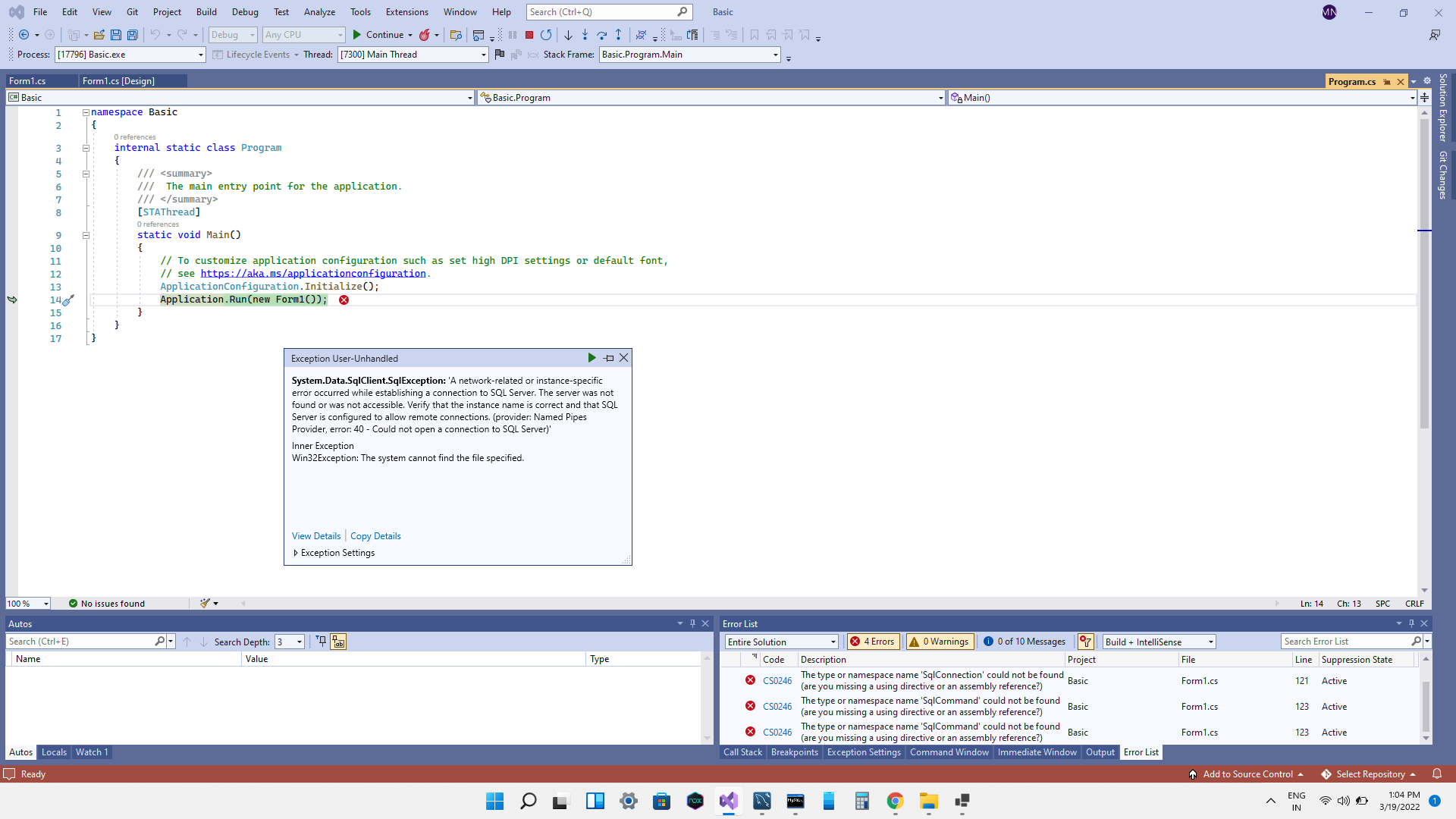
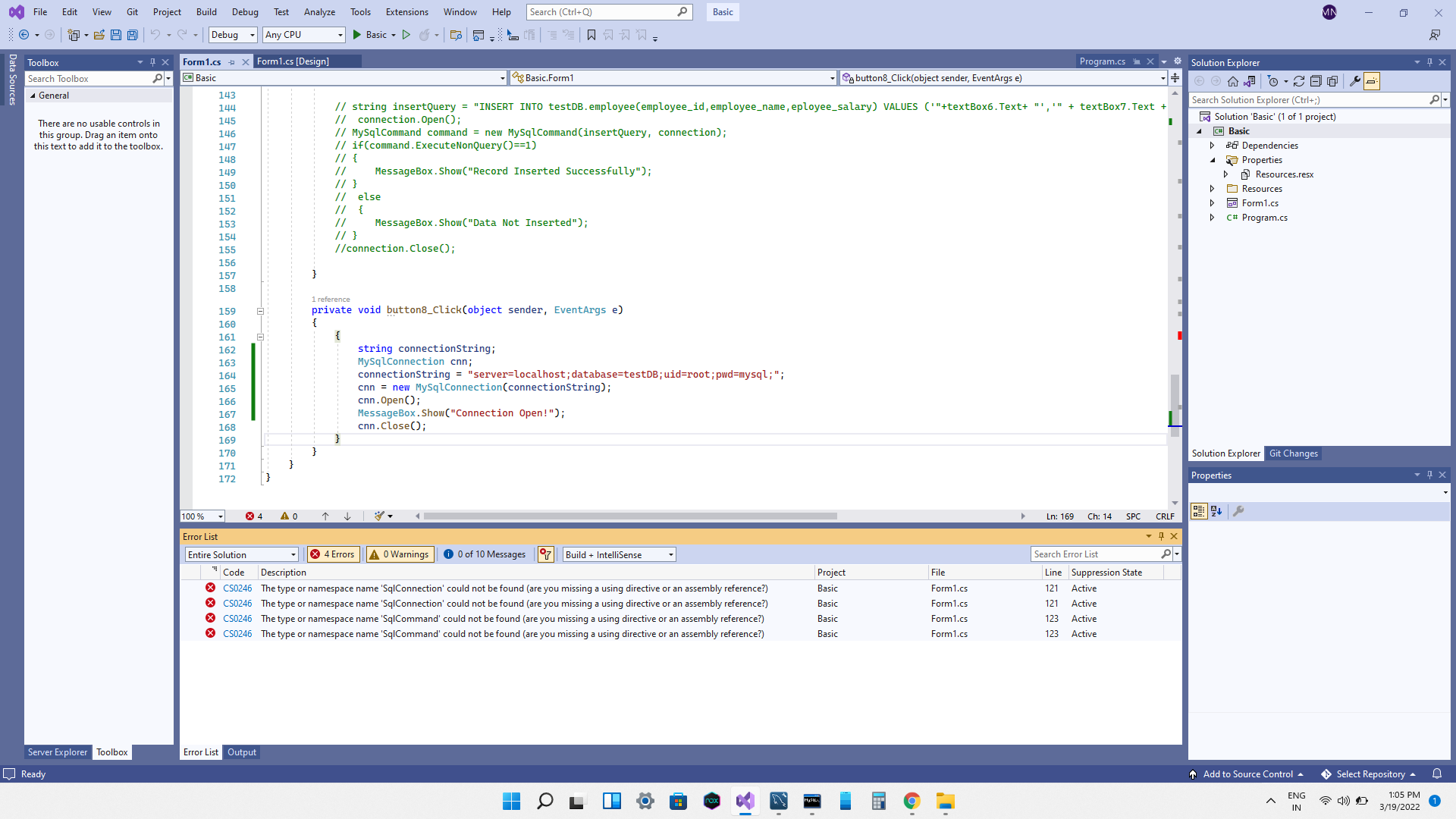
Still same error sir, what i have to do now sir?
Thanks for replying back.
I think there are 2 issues here, first the error message says some of your code is still using SQLClient and you need to change them as well to use MySqlClient classes. That will remove the code error. If you still see the code error, please attach the entire code and I can check further.
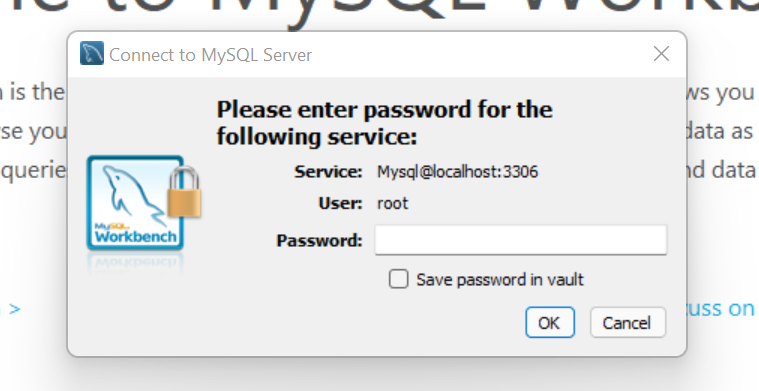
Second is please provide screenshots of how you are connecting to MySQL workbench with credentials as shown below:
How to change mysql client classes? pls send step procedure and i don't know to connect mysql to visual studio connection, how to do it? i think it was missing,