Microsoft Security | Microsoft Graph
An API that connects multiple Microsoft services, enabling data access and automation across platforms

This browser is no longer supported.
Upgrade to Microsoft Edge to take advantage of the latest features, security updates, and technical support.
' cx='32' cy='32' r='32' /%3E%3Ctext x='50%25' y='55%25' dominant-baseline='middle' text-anchor='middle' fill='%23FFF' %3ET%3C/text%3E%3C/svg%3E)
Microsoft Graph API: Sharing driveitem file permission is worked but when update the shared file permission using permission id getting access denied
https://graph.microsoft.com/v1.0/drives/{drive_id}/items/{drive_itemid}/permissions/{permission_id}
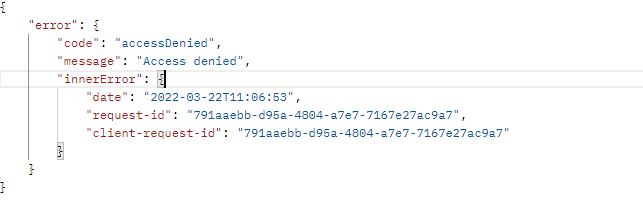
getting access denied
below mentioned permission are added in my application
Files.ReadWrite, Files.ReadWrite.All, Sites.ReadWrite.All
' cx='32' cy='32' r='32' /%3E%3Ctext x='50%25' y='55%25' dominant-baseline='middle' text-anchor='middle' fill='%23FFF' %3EZY%3C/text%3E%3C/svg%3E)
step 1 (works fine): https://graph.microsoft.com/v1.0/drives/{drive_id}/items/{drive_item_id}/invite
sending Bearer token
request body - { "requireSignIn": true, "sendInvitation": true, "roles": [ "write" ], "recipients": [ { "email": "microsoft user email" } ], "message": "testing" }
getting below response - 
step2 : https://graph.microsoft.com/v1.0/drives/{drive_id}/items/{drive_item_id}/invite
sending Bearer token
request body - { "requireSignIn": true, "sendInvitation": true, "roles": [ "read" ], "recipients": [ { "email": "microsoft user email" } ], "message": "testing" }
getting below response - 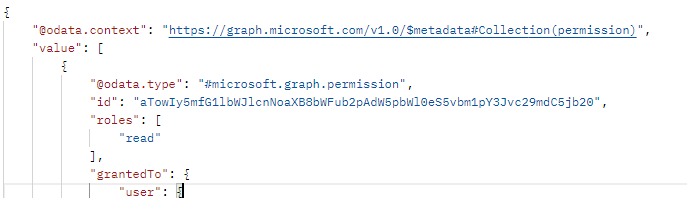
getting response with read access when opening the document still i can able to edit
that's why i'm using the PATCH method - https://graph.microsoft.com/v1.0/drives/{drive_id}/items/{drive_itemid}/permissions/{permission_id}
sending Bearer Token
permission id getting above api and passing here
Request body - {"roles":["read"]}
response getting access denied
same for DELETE Method.
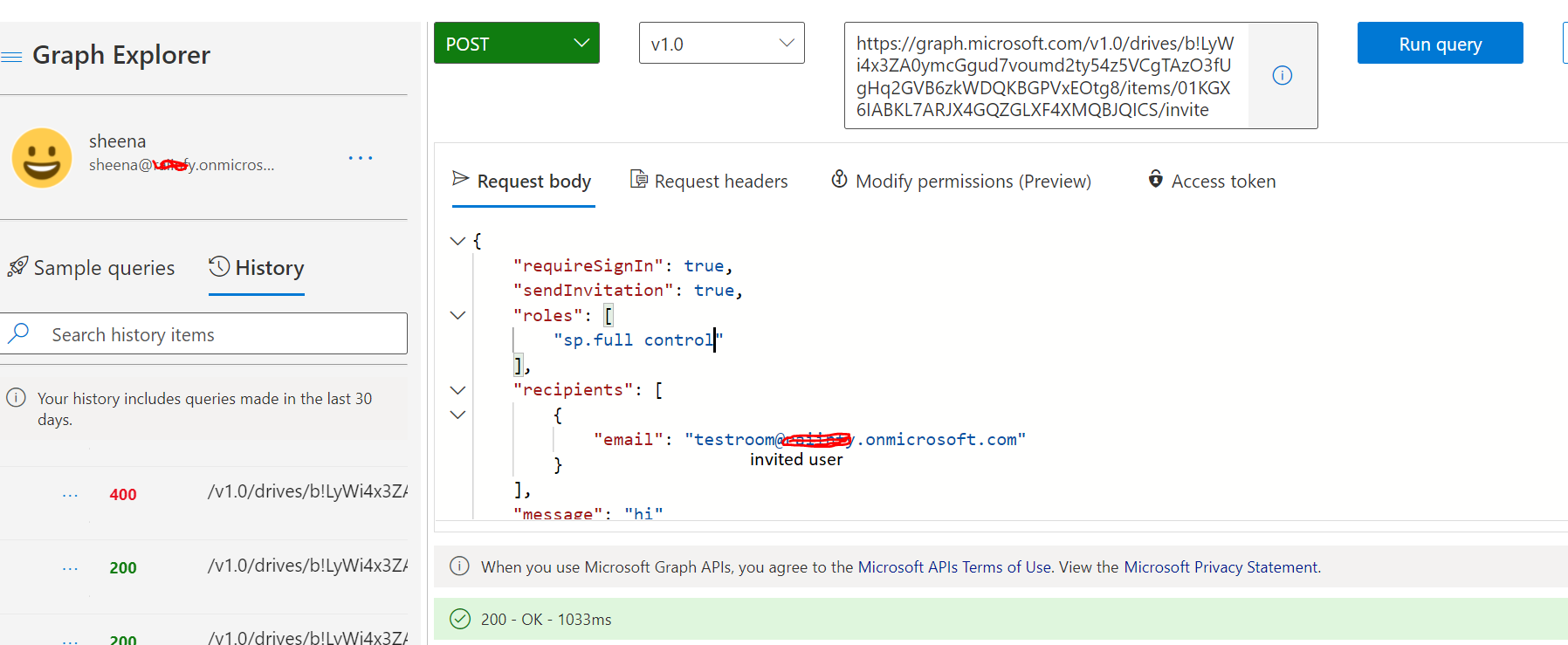
Please try to invite user to edit the document using invite api and try to change read access to document.
' cx='32' cy='32' r='32' /%3E%3Ctext x='50%25' y='55%25' dominant-baseline='middle' text-anchor='middle' fill='%23FFF' %3ESM%3C/text%3E%3C/svg%3E)
Hi @testuser ,
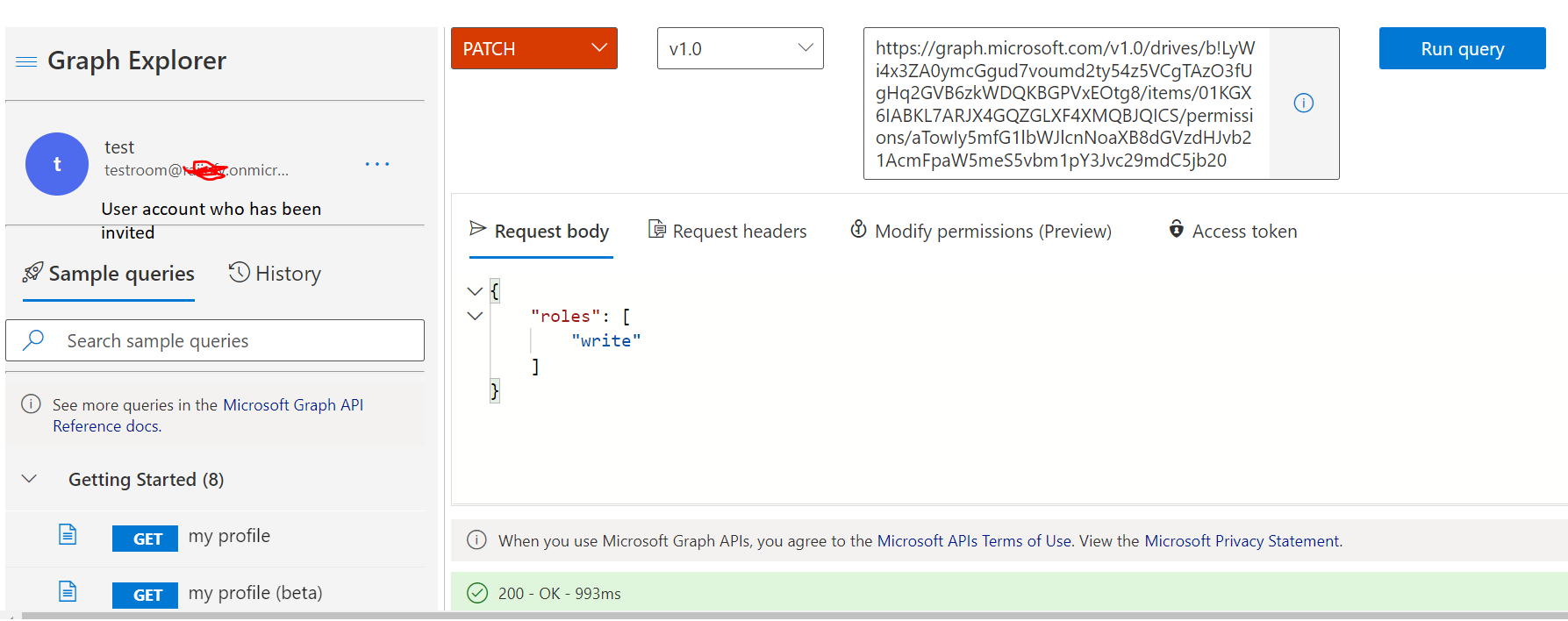
As per my testing we can edit the role/permission that are granted to the recipients of the sharing invitation using this permission-update API with global admin account/tenant admin account who has been shared the invite.
If you are trying to edit role/permission from that particular user who has been invited then that user must have role owner. With read/write role we will get access denied error.
To give owner role to another user use the below query:
  Post https://graph.microsoft.com/v1.0/drives/b!LyWi4x3ZA0ymcGgud7voumd2ty54z5VCgTAzO3fUgHq2GVB6zkWDQKBGPVxEOtg8/items/01KGX6IABKL7ARJX4GQZGLXF4XMQBJQICS/invite

  {
    "requireSignIn": true,
    "sendInvitation": true,
    "roles": [
        "sp.full control"
    ],
    "recipients": [
        {
            "email": "******@gggg.onmicrosoft.com"
        }
    ],
    "message": "hi"
}
Please find below screenshot for your reference:
If the answer is helpful, please click Accept Answer and kindly upvote it. If you have any further questions about this answer, please click Comment.