' cx='32' cy='32' r='32' /%3E%3Ctext x='50%25' y='55%25' dominant-baseline='middle' text-anchor='middle' fill='%23FFF' %3EX%3C/text%3E%3C/svg%3E)

' cx='32' cy='32' r='32' /%3E%3Ctext x='50%25' y='55%25' dominant-baseline='middle' text-anchor='middle' fill='%23FFF' %3EAM%3C/text%3E%3C/svg%3E)
Hi xizhi,
Welcome to Microsoft Q&A.
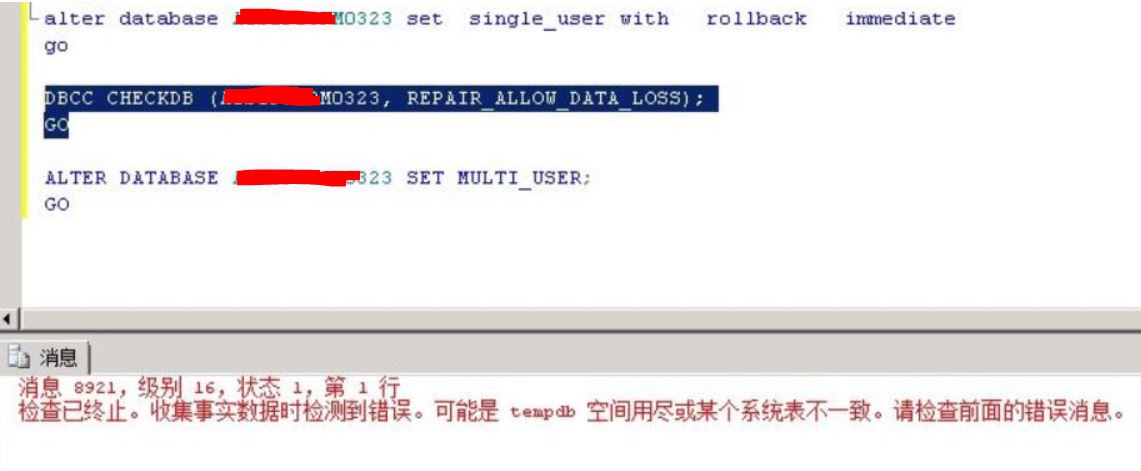
As error message mentioned, please make sure there is enough space on the drive that tempdb is on.
You can use the sys.dm_db_file_space_usage dynamic management view to monitor the disk space that's used in the tempdb files:
-- Determining the amount of free space in tempdb
SELECT SUM(unallocated_extent_page_count) AS [free pages],
  (SUM(unallocated_extent_page_count)*1.0/128) AS [free space in MB]
FROM tempdb.sys.dm_db_file_space_usage;

-- Determining the amount of space used by the version store
SELECT SUM(version_store_reserved_page_count) AS [version store pages used],
  (SUM(version_store_reserved_page_count)*1.0/128) AS [version store space in MB]
FROM tempdb.sys.dm_db_file_space_usage;

-- Determining the amount of space used by internal objects
SELECT SUM(internal_object_reserved_page_count) AS [internal object pages used],
  (SUM(internal_object_reserved_page_count)*1.0/128) AS [internal object space in MB]
FROM tempdb.sys.dm_db_file_space_usage;

-- Determining the amount of space used by user objects
SELECT SUM(user_object_reserved_page_count) AS [user object pages used],
  (SUM(user_object_reserved_page_count)*1.0/128) AS [user object space in MB]
FROM tempdb.sys.dm_db_file_space_usage;
According to this doc, please also try to run the DBCC CHECKDB with the TABLOCK option.
Best Regards,
Amelia
If the answer is the right solution, please click "Accept Answer" and kindly upvote it. If you have extra questions about this answer, please click "Comment".
Note: Please follow the steps in our documentation to enable e-mail notifications if you want to receive the related email notification for this thread.