Microsoft Security | Microsoft Entra | Microsoft Entra ID
A cloud-based identity and access management service for securing user authentication and resource access

This browser is no longer supported.
Upgrade to Microsoft Edge to take advantage of the latest features, security updates, and technical support.
' cx='32' cy='32' r='32' /%3E%3Ctext x='50%25' y='55%25' dominant-baseline='middle' text-anchor='middle' fill='%23FFF' %3EJJ%3C/text%3E%3C/svg%3E)
I am using local powershell to connect to azure account but it gives me script error, what should I do now?

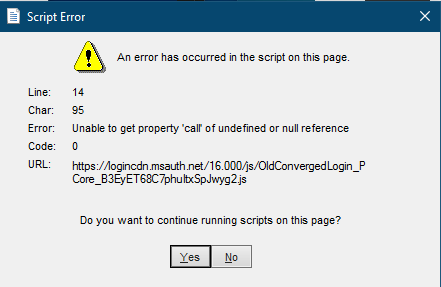
The script is https://logincdn.msauth.net/16.000/js/OldConvergedLogin_PCore_B3EyET68C7phuItxSpJwyg2.js

@جن Jinn Jin Have you had a chance to test the solution out?
No need, it was fixed itself when I connected again a day later
Hi @جن Jinn Jin ,
This script is used when the same email is registered as Personal as well as Work Account. Easier way to confirm this is by opening a browser in in-private/incognito mode and try to login to Azure Portal. You should get below prompt which is as a result of OldConvergedLogin JavaScript.
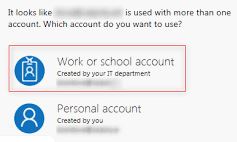
Now there can be multiple reasons why the script is failing and might need some deep level of troubleshooting and data gathering to understand this.
However, as a quick fix, you can follow the instructions provided here: https://support.microsoft.com/en-us/help/12407/microsoft-account-change-email-phone-number to rename your personal account (which is an irreversible change). Once the personal account is renamed, the JavaScript for OldConvergedLogin would not be required and this error will not pop-up.
For more information, please refer to: https://support.office.com/en-us/article/which-account-do-you-want-to-use-2b5bbd7a-7df6-4283-beff-8015e28eb7b9
-----------------------------------------------------------------------------------------------------------
Please "Accept as answer" wherever the information provided helps you to help others in the community.
' cx='32' cy='32' r='32' /%3E%3Ctext x='50%25' y='55%25' dominant-baseline='middle' text-anchor='middle' fill='%23FFF' %3EPC%3C/text%3E%3C/svg%3E)
Hi ,
I am encountering the same issue.
I can't login AZ by Connect-AzAccount, when type my account and click login, it shows below error.
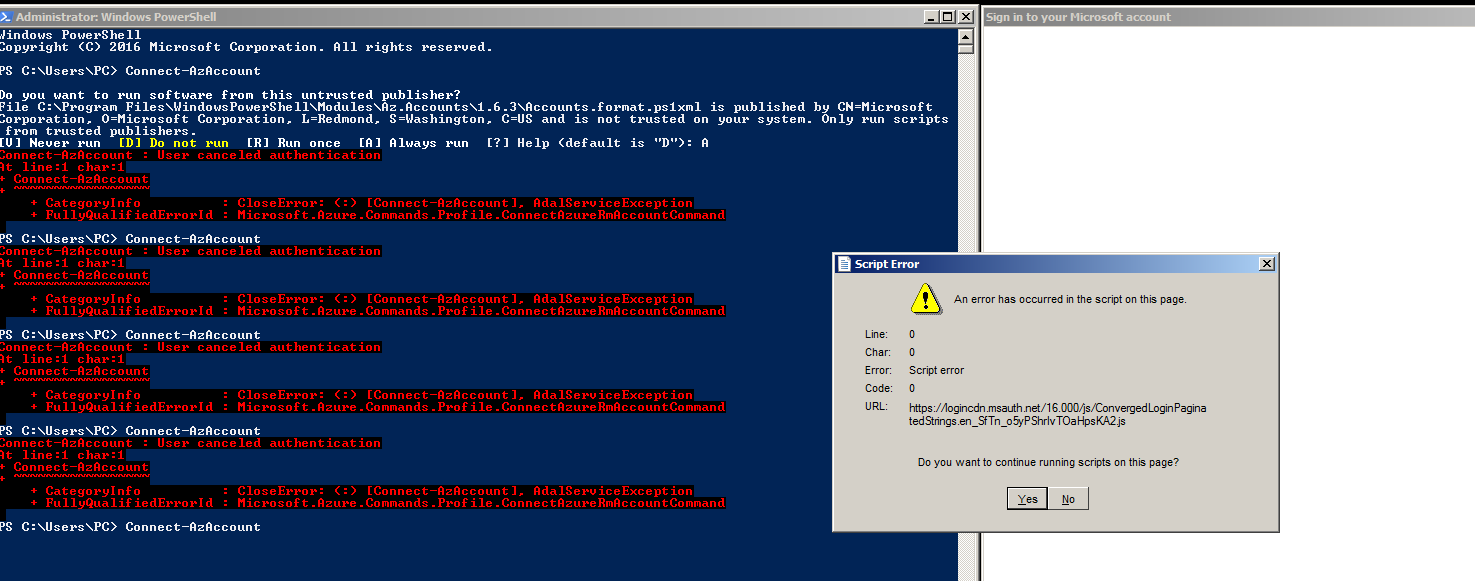
My account is not a work/school accout but a personal one. Can someone help to solve the issue?
Thanks in advanced.
' cx='32' cy='32' r='32' /%3E%3Ctext x='50%25' y='55%25' dominant-baseline='middle' text-anchor='middle' fill='%23FFF' %3ER%3C/text%3E%3C/svg%3E)
Hi,
This could be due to network issue firewall blocking.
May I know if you all are getting the same error when connecting to open network from other machine or VM.
From my experience, it may be caused by network or server side issue. I reconnected in one day later, the issue was fixed by itself.
' cx='32' cy='32' r='32' /%3E%3Ctext x='50%25' y='55%25' dominant-baseline='middle' text-anchor='middle' fill='%23FFF' %3ESC%3C/text%3E%3C/svg%3E)
Step 1: Set-ExecutionPolicy Bypass -Scope CurrentUser -Force
Step 2: Import-Module Az
Step 3: Connect-AzAccount