A basic way :
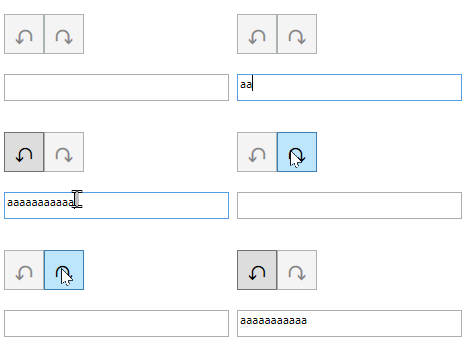
<StackPanel Orientation="Horizontal" Margin="10">
<Button x:Name='buttonUndo'
Command="ApplicationCommands.Undo" CommandTarget="{Binding ElementName=textBox1}"
HorizontalAlignment="Left" Height="40" Width="40" FontFamily='Segoe UI Emoji' FontSize='20' Content='↶' Click="buttonUndo_Click"/>
<Button x:Name='buttonRedo'
Command="ApplicationCommands.Redo" CommandTarget="{Binding ElementName=textBox1}"
HorizontalAlignment="Left" Height="40" Width="40" FontFamily='Segoe UI Emoji' FontSize='20' Content='↷' Click="buttonRedo_Click"/>
</StackPanel>
<TextBox x:Name="textBox1" HorizontalAlignment="Left" Height="27" Margin="10,10,0,0" VerticalAlignment="Top" Width="225" />
Code behind :
    private void buttonUndo_Click(object sender, RoutedEventArgs e)
    {
        textBox1.Undo();
    }

    private void buttonRedo_Click(object sender, RoutedEventArgs e)
    {
        textBox1.Redo();
    }
' cx='32' cy='32' r='32' /%3E%3Ctext x='50%25' y='55%25' dominant-baseline='middle' text-anchor='middle' fill='%23FFF' %3EDK%3C/text%3E%3C/svg%3E)

