Azure SQL Database
An Azure relational database service.
This browser is no longer supported.
Upgrade to Microsoft Edge to take advantage of the latest features, security updates, and technical support.
' cx='32' cy='32' r='32' /%3E%3Ctext x='50%25' y='55%25' dominant-baseline='middle' text-anchor='middle' fill='%23FFF' %3EDD%3C/text%3E%3C/svg%3E)
' cx='32' cy='32' r='32' /%3E%3Ctext x='50%25' y='55%25' dominant-baseline='middle' text-anchor='middle' fill='%23FFF' %3ERC%3C/text%3E%3C/svg%3E)
Check the Answers to this question on the following link
Specifically by ErlandSommarskog
Thank you for this, i'll follow this article and send a feedback on what will happen
Thank you for this, i'll follow this article and send a feedback on what will happen

In addition, you can try to manually uninstall SQL Server manually, following the steps provided on the following article:
Thanks, I needed this right now, will send a feedback once done
Hello
So I finished following the manually installation of SQL and deleted some registry keys, after that do I need to just simply install it again? or are there more steps that must be done before installing? thank you
Hello
So I finished following the manually installation of SQL and deleted some registry keys, after that do I need to just simply install it again? or are there more steps that must be done before installing? thank you
Hello
So I finished following the manually uninstallation of SQL and deleted some registry keys, after that do I need to just simply install it again? or are there more steps that must be done before installing? thank you
After following the steps I provided, please restart the computer and proceed to reinstall SQL Server.
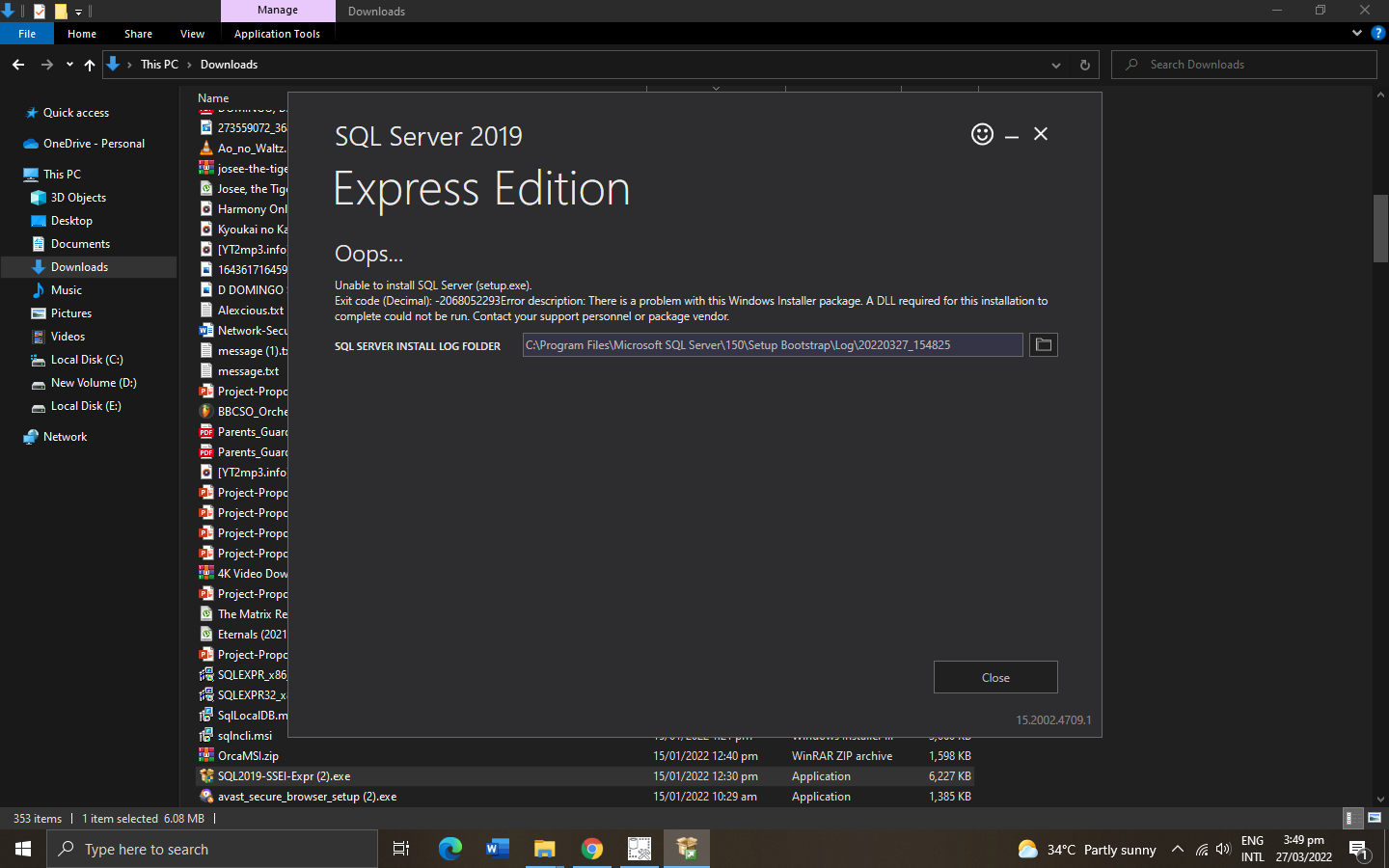
I tried the installer again but it still fails, same error - i did every step on the uninstallation, are there any files or registry keys that i should be aware of when uninstalling/deleting? because i only uninstalled or deleted that have SQL on the app name and registry key
Please do one more thing. Make sure there are no other SQL Server components. Use "Add or remove Programs" on Windows 10 to remove any other SQL Server components you see there, including old SQL Server ODBC drivers and Microsoft SQL Server 20XX Native Client.
Old ODBC drivers and Native Client drivers may be causing this also.
I just want to say i really appreciate the assistance,
Yes, i also included those files to be uninstalled earlier,
i also tried installing SSMS because i read earlier that it is an independent install from sql server, but got an error with it too saying that a DLL is required for it to be installed
I am glad to assist you the most that I can and hopefully with the help of God we can have you back on track.
Please run the following command to make sure the operating system is not corrupted. Run that on the Command Prompt (run as Administrator)
sfc /verifyonly
Examine the logs on C:\Windows\Logs\CBS\CBS.log
from the command prompt, after it finishes scanning it says Windows Resource found integrity violations.
is there a way to send the CBS log file? im sorry but i dont have any idea on how to read log files (im only a student)
I am not a Windows expert but let's do this. Let's try a Windows 10 repair.
To repair a current Windows installation, you need a bootable USB.
If you have another PC:
Download the following tool:
Download tool now (microsoft.com)
Insert a blank USB with at least 4 to 8 GB of space in it.
Run the tool and choose Create an installation medium for another PC.
Select the correct USB.
Let the process finish. Make sure you don't turn off the PC or remove the USB.
When done:
Insert the USB into the affected PC.
Turn on the PC.
Immediately, hold down the boto key of your PC. It's mostly F12, F10, Delete or some special key. You can search for it on the internet.
Select the USB drive and press Enter to boot from it.
In the Windows 10 installation environment:
Click on Next.
Click on Repair this computer and wait for some time.
Click on Troubleshoot > Advanced Options > Startup repair.
Let the repair finish. Do not interrupt it.
If the startup repair failed:
Go to Troubleshoot > Advanced Options > System Restore (this will work only if you have a system restore point)
Select the latest point and restore from it.